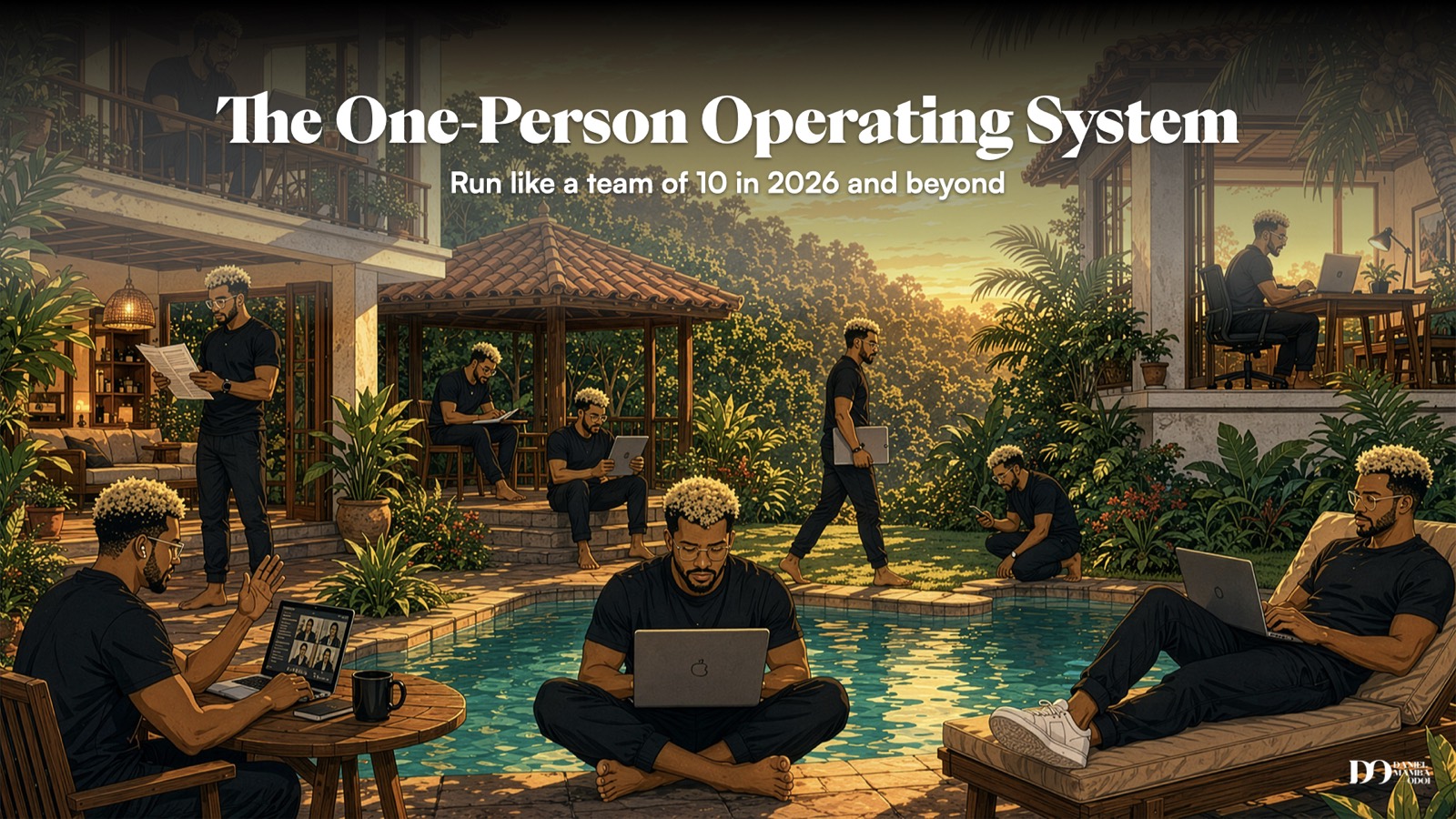
Here is the premise: one person, running like a team of 10, using AI that actually executes work rather than just answering questions.
That is what I call the One-Person OS™. I shared this framework at Jungli the Nomad Festival in June 2026, and the response told me it needed to live somewhere people could read it properly, not just watch it once on a Zoom recording.
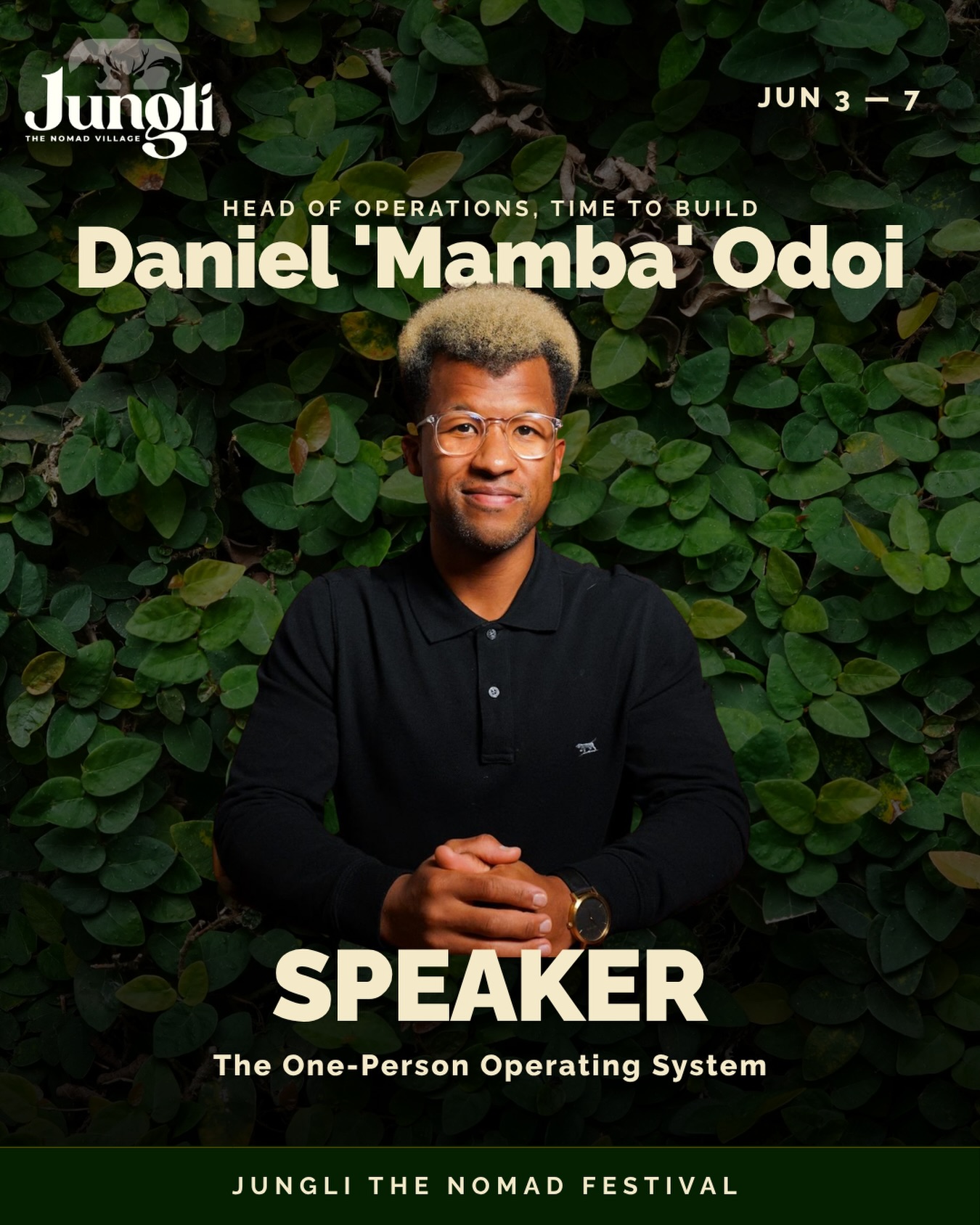
So this is that guide. The full framework, the four pillars, the learning curve nobody warns you about, and a free starter file that interviews you and builds your OS foundation in one session.
Let's get into it.
The 2026 shift nobody is explaining properly
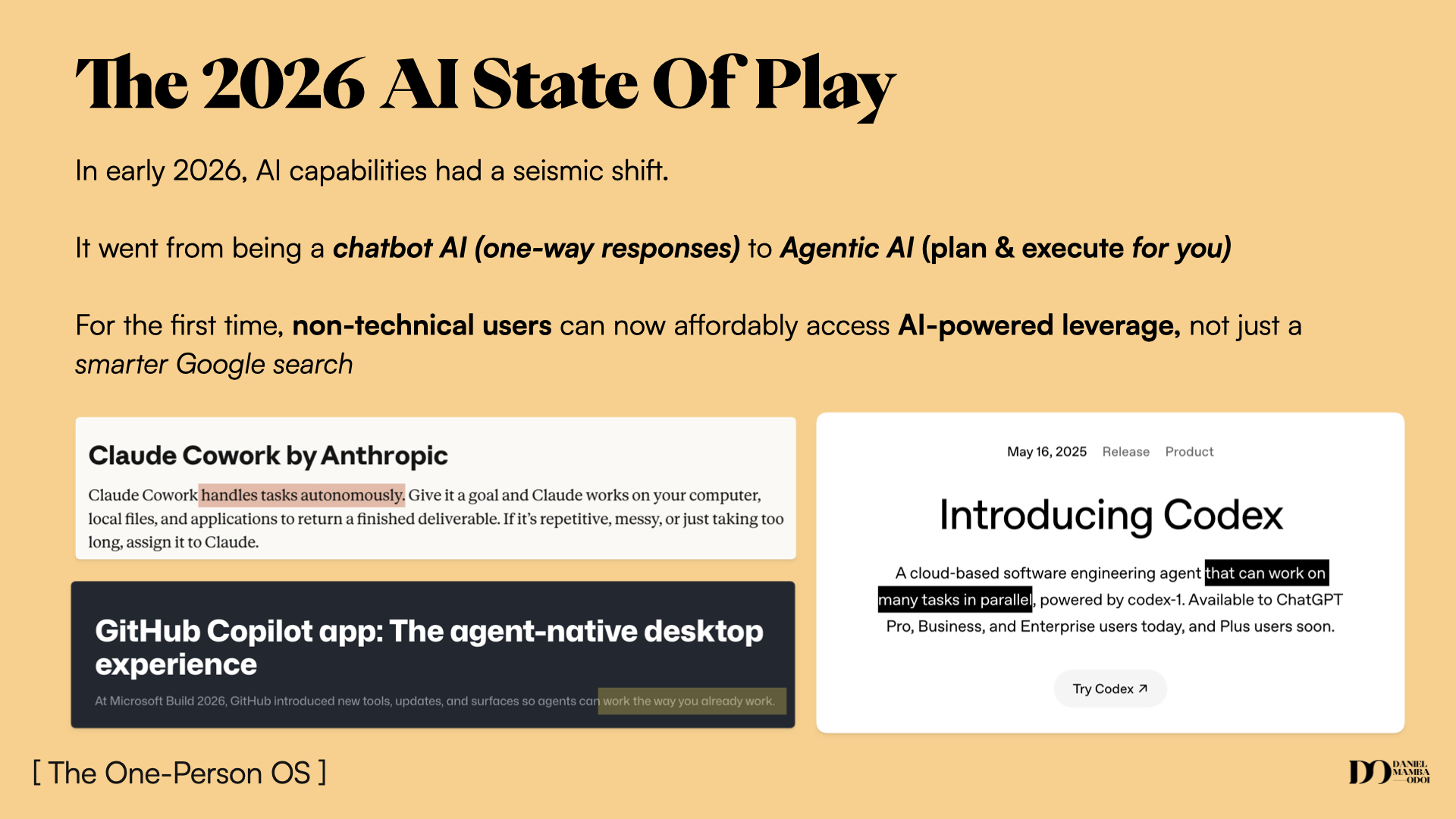
For most of us, AI has meant: type a prompt, get something back, copy-paste it somewhere, repeat. You might use it to draft an email, summarise a document, or generate an image. The outputs are useful. But you are still the one doing most of the work.
That is chatbot AI. One prompt in, one answer out. You stay the operator.
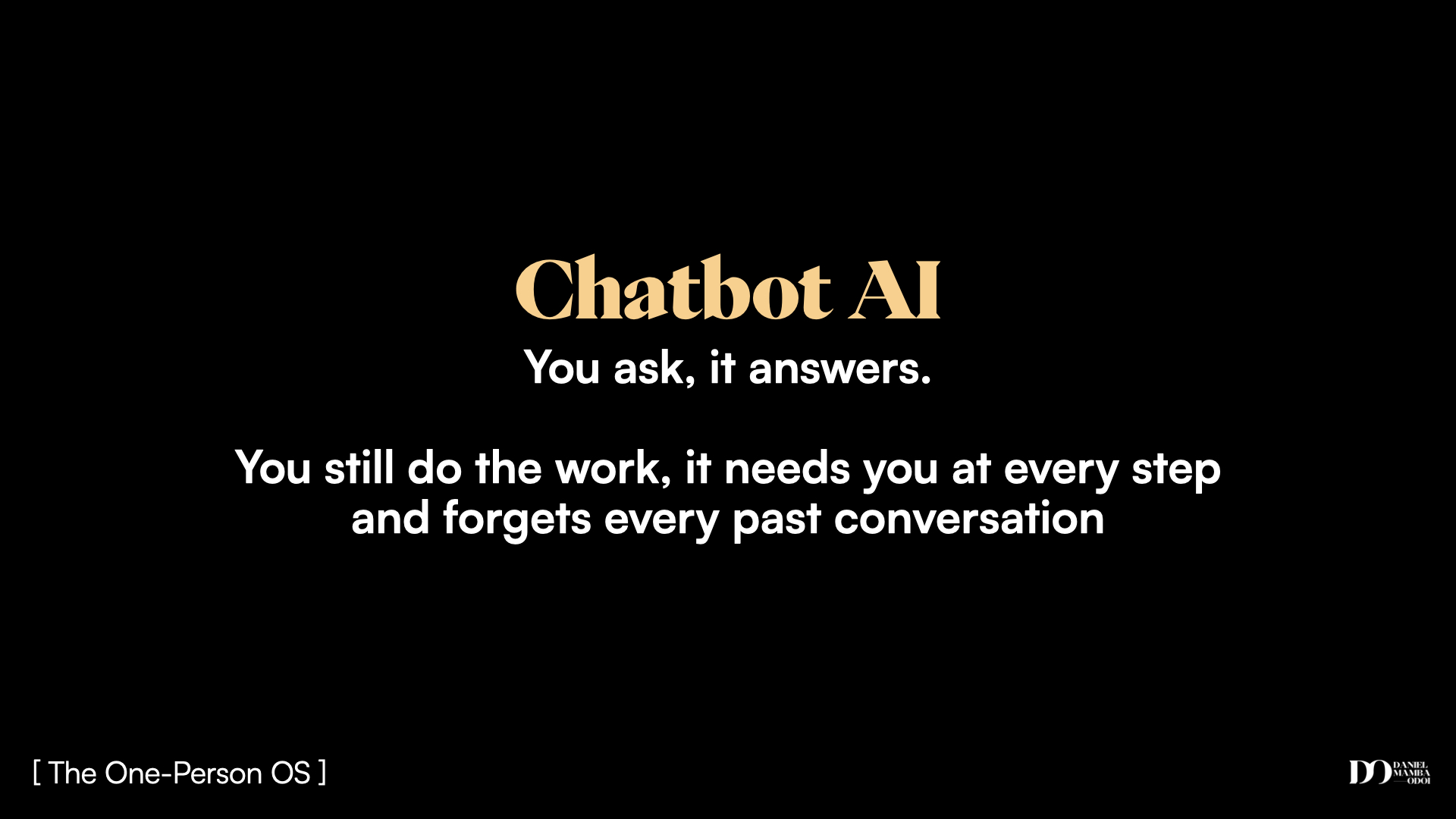
In early 2026, something shifted. The major AI companies released what they are calling agentic tools. Claude Code (Anthropic), Codex (OpenAI), Gemini CLI (Google). Same parent companies, different category entirely.
Agentic AI does not just respond to a prompt. You give it a goal. It figures out the steps. It solves problems on the way. It keeps moving without you having to nudge it every thirty seconds.
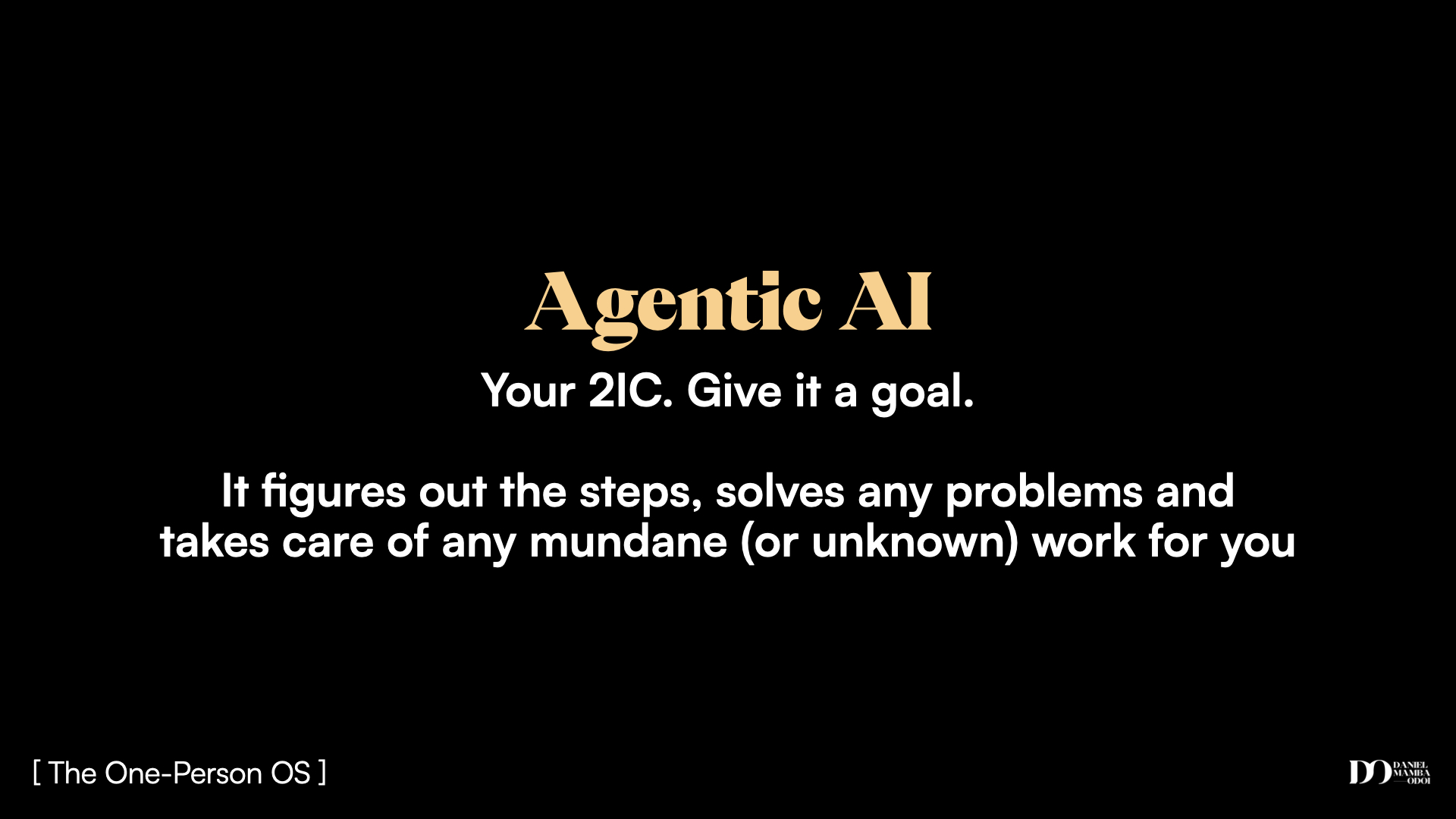
The difference that matters: a chatbot forgets you every session, cannot connect to your other tools, and stops the moment it hits a problem it cannot solve in one prompt. An agentic AI reads your context file at the start of every session, connects to your tools, and course-corrects when things go sideways.
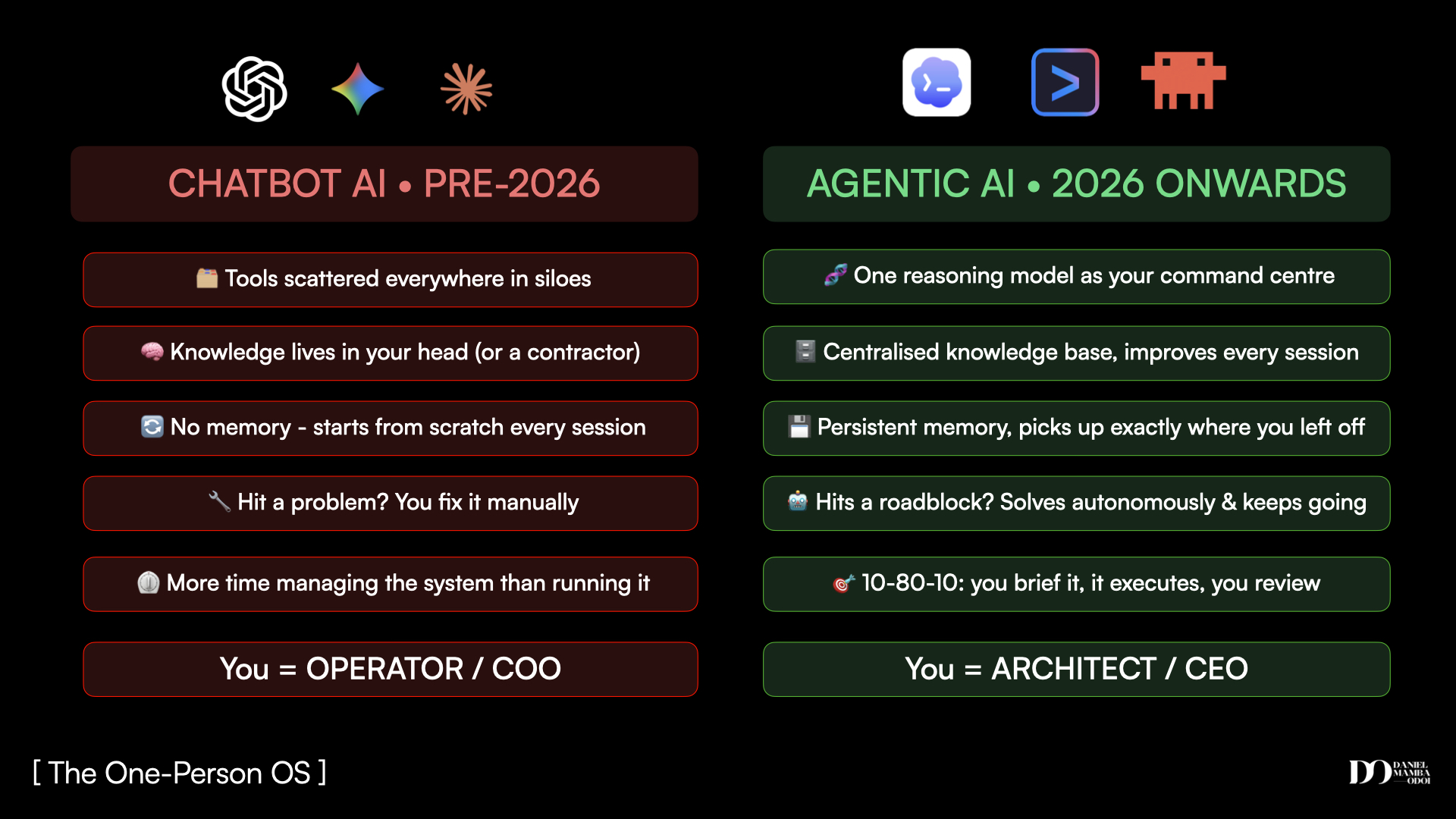
Chatbot era: you = operator. Agentic era: you = architect.
If you have been using AI and wondering why the results feel flat, this is likely why. You are using a chatbot era tool in an agentic era world. The good news is the upgrade is $20 a month and does not require a single line of code.
The part that actually costs you something
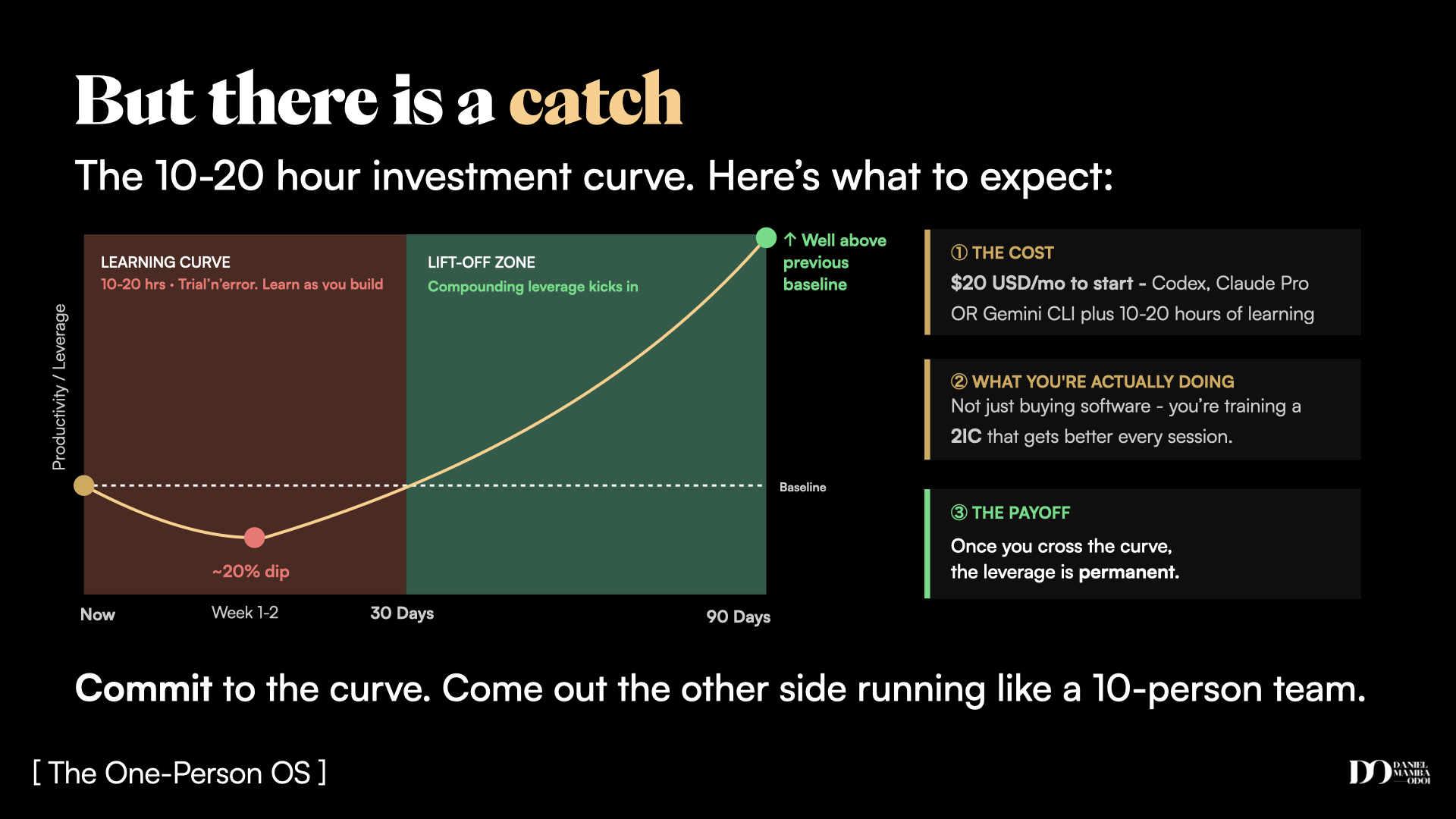
I am not going to sell you a silver bullet. There is a real investment curve here.
Most people who try an agentic AI tool go through the same arc. They open it, feel excited, hit something confusing, and quit. They assume it is too technical, too hard, not for them. The frustrating truth is they usually quit about ten to twenty hours in, which is about two days before the compounding starts.
The curve looks like this: uninformed optimism at the start, a dip where things break and you feel like you are going backwards, then a lift-off where everything you build starts to compound. Every session makes the next one faster. Every skill you teach it makes the next output better.
The people who push through the dip come out running at a fundamentally different capacity. One person, output of a team. That is not marketing copy. It is what happens when you cross that curve and stick with it for 90 days.
$20/month to start. 10 to 20 hours of learning. Then permanent, compounding output that does not stop.
What you are actually building
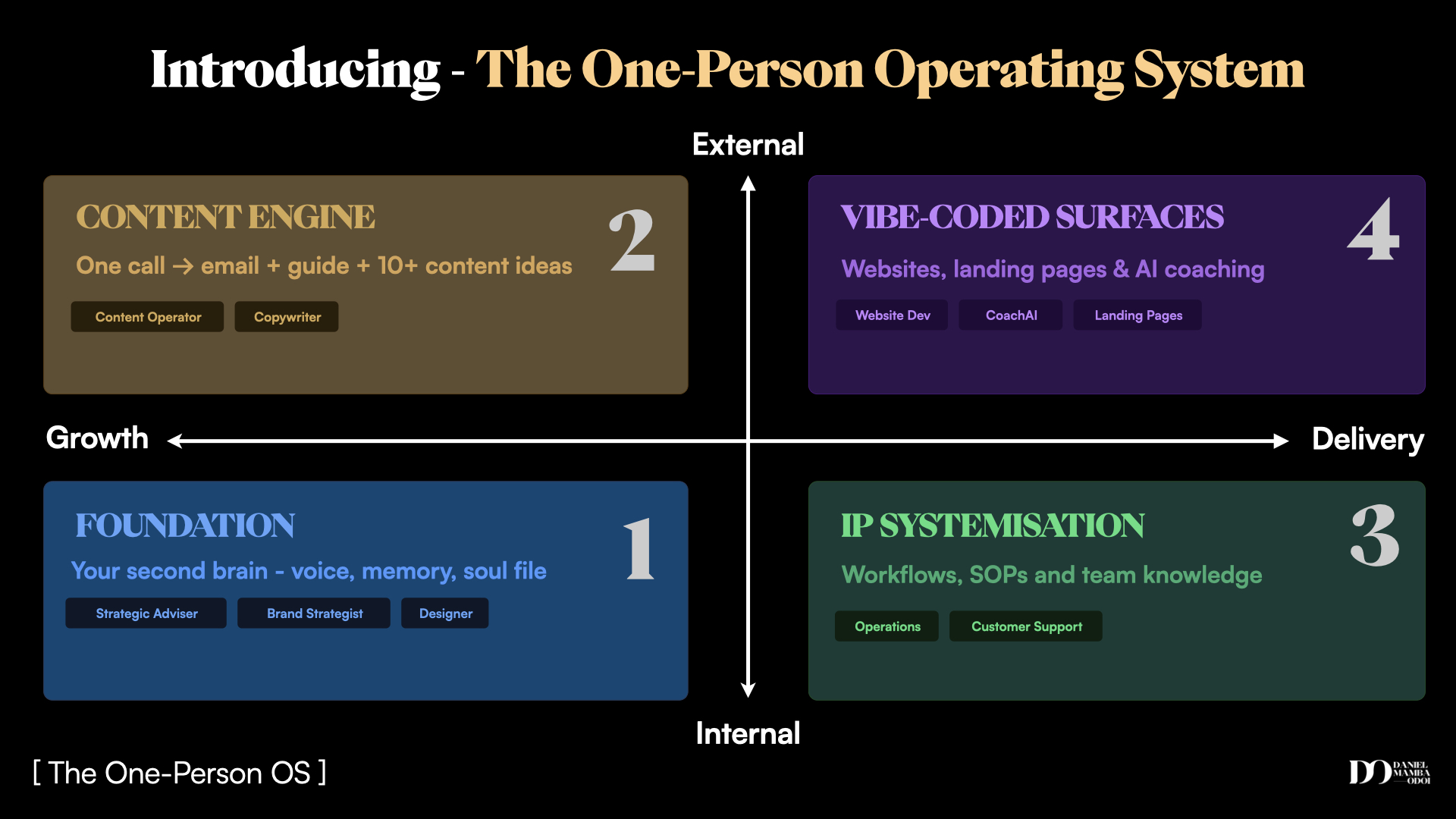
The framework has four parts. They sit on a 2x2: internal vs external on one axis, growth vs delivery on the other.
Not all four apply to you right now. But most people will find at least two that would immediately change how their week runs. Start there.
Your AI brain. Markdown files that hold your voice, brand, tools, preferences, client context. Reads every session. Improves every session. Transfers between any platform.
One call or conversation becomes 10+ pieces of content in your voice. Email, guide, carousels, short-form ideas, all routed and formatted, no team required.
SOPs and playbooks built from your actual history: emails, calls, decisions. Auto-updates when edge cases arise. No more stale docs. No more institutional knowledge stuck in your head.
Websites, offer pages, client tools, AI chatbots, built with natural language instructions. No developer. No code. Just a clear brief and an agentic AI with design skills.
Pillar 1 - Foundation: your second brain
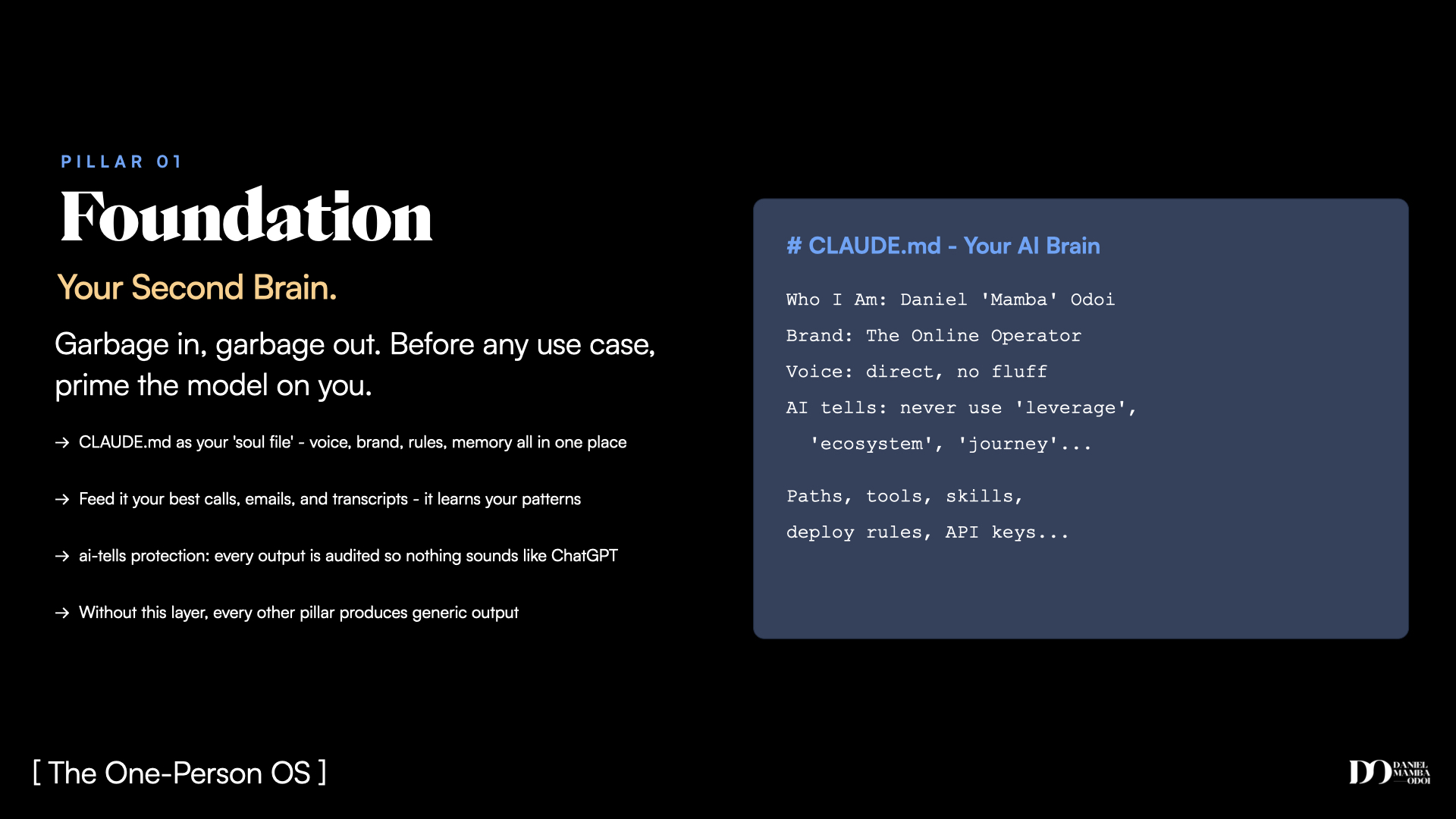
Everything runs on the brain file. This is a plain markdown file (or a few of them) that lives on your computer and tells your AI who you are: your voice, your brand, your tools, your rules, your clients, your goals.
The file is called CLAUDE.md if you use Claude Code, AGENTS.md if you use Codex, or something similar in Gemini CLI. The platform does not matter. The principle is the same: prime the model on you before it does anything else.
Without this, every session starts from scratch. You repeat context. Outputs feel generic. The AI sounds like everyone else's AI.
With it, every session picks up exactly where you left off. The AI knows your voice, your preferences, what you want to avoid, and what matters. It writes in your voice, not its default voice.
Garbage in, garbage out. The brain file is how you fix the garbage-in problem at the source.
Pillar 2 - Content Engine: one input, ten outputs
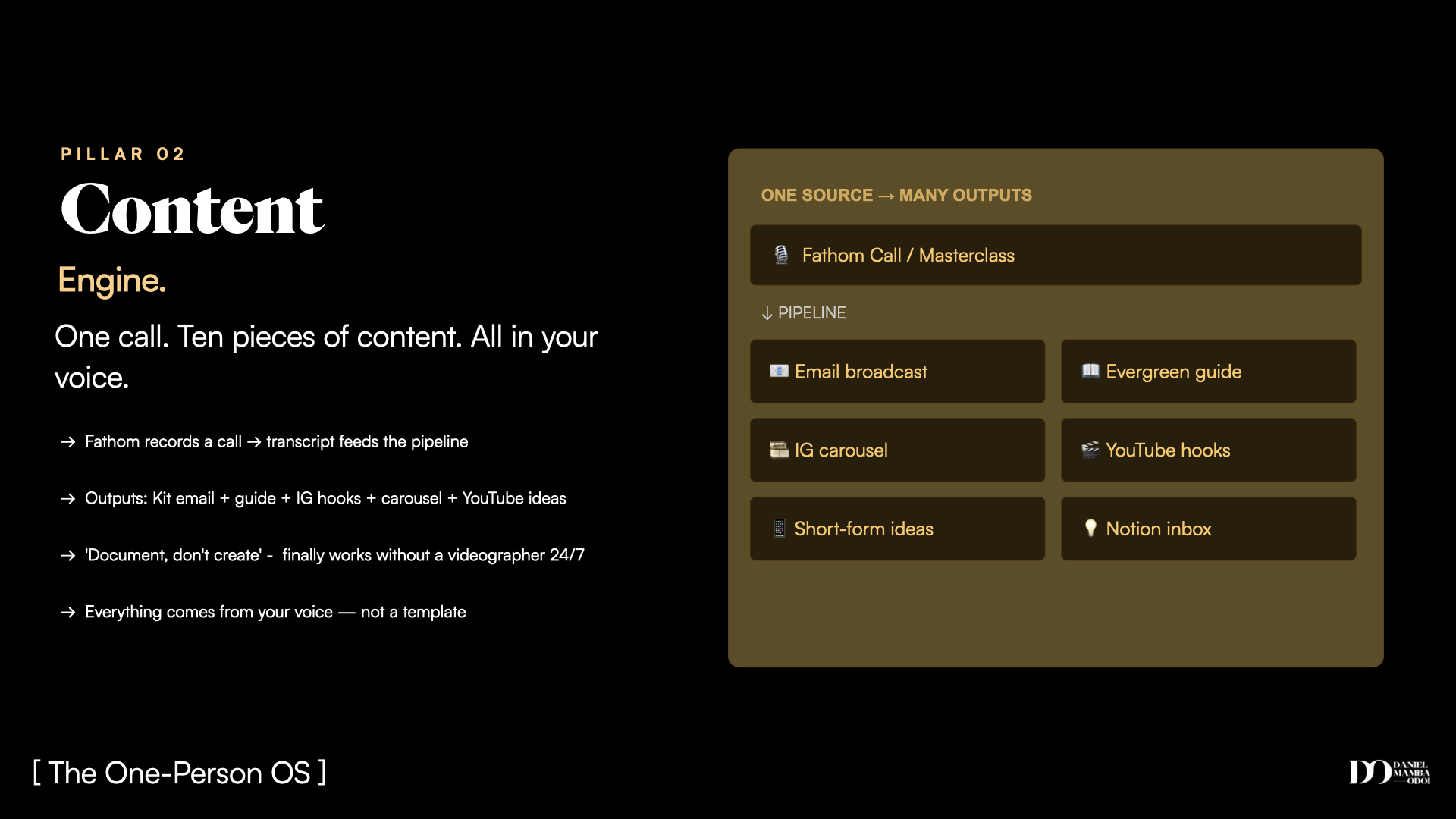
The content engine is what I was describing when I said this guide was produced from a single call. One 40-minute conversation went through a trained workflow and came out as: email brief, guide draft, carousel briefs, YouTube hook options, and a set of short-form video ideas. All in my voice. No manual steps between tools.
The workflow connects to Fathom (or any transcript source), runs the content through voice calibration, extracts the ideas worth filming, and pushes them to a Notion content inbox. I do not touch any tool between speaking and seeing the ideas appear. I just talk.
For anyone producing content and spending hours editing and reformatting and rewriting, this is the pillar that buys back the most time, fastest.
Pillar 3 - IP Systemisation: get it out of your head
When a new team member joined our program as Head of Support, she was inheriting three years of how we talk to students, how we handle issues, what the edge cases are, how we escalate. That knowledge was mostly in my head.
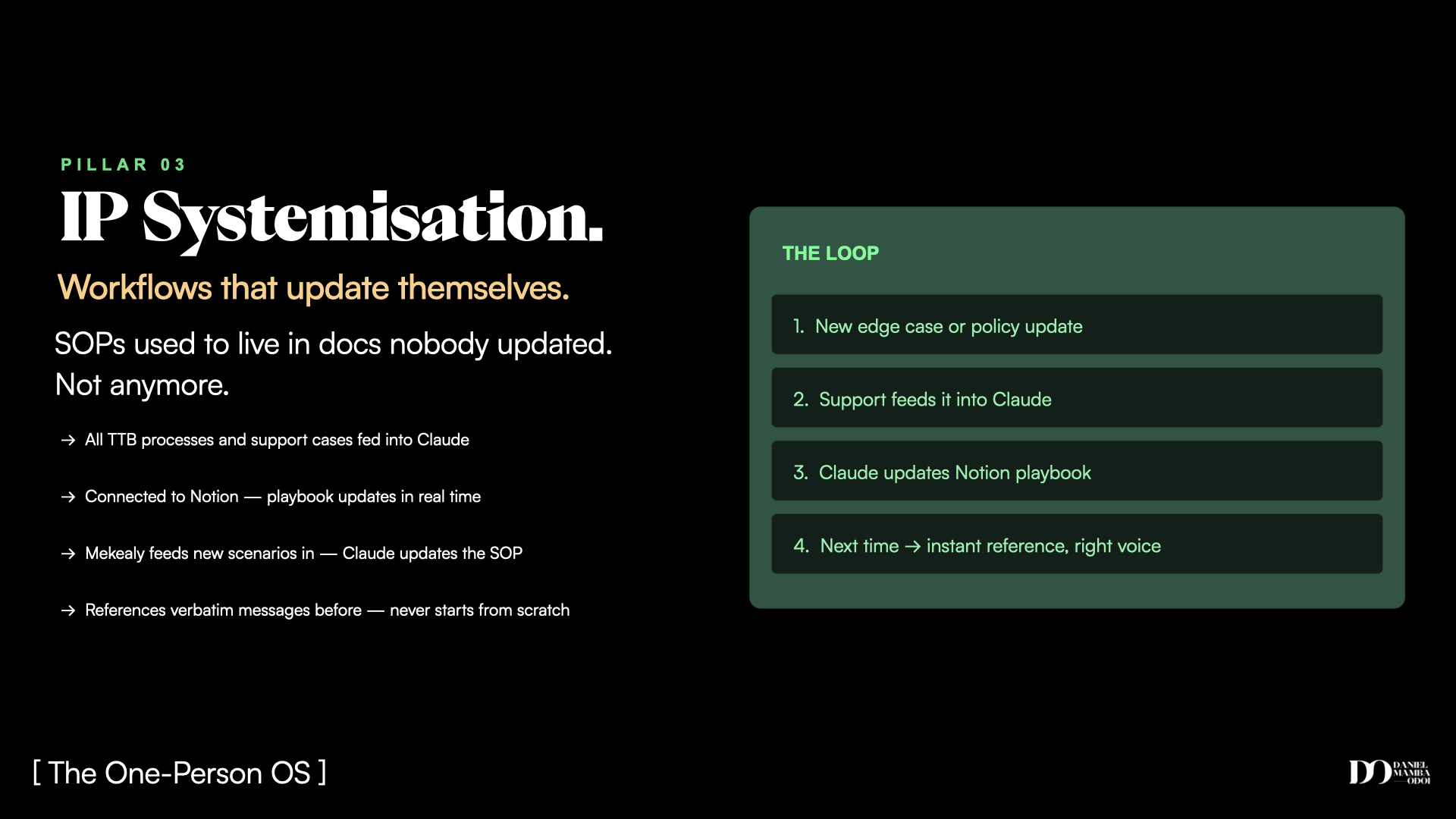
Rather than spending two weeks writing SOPs, I connected Claude Code to my Gmail, let it go through all the historical student support threads, categorise every type of question, and build the playbook. It took an afternoon.
The playbook now auto-updates. When a new edge case comes up, she pastes the final resolution into a thread, Claude updates the relevant SOP and logs the change. I am not in that loop anymore.
If you have institutional knowledge stuck in your head, or a team that keeps asking you the same questions, this is the pillar that fixes it.
Pillar 4 - Vibe-Coded Surfaces: build without a developer
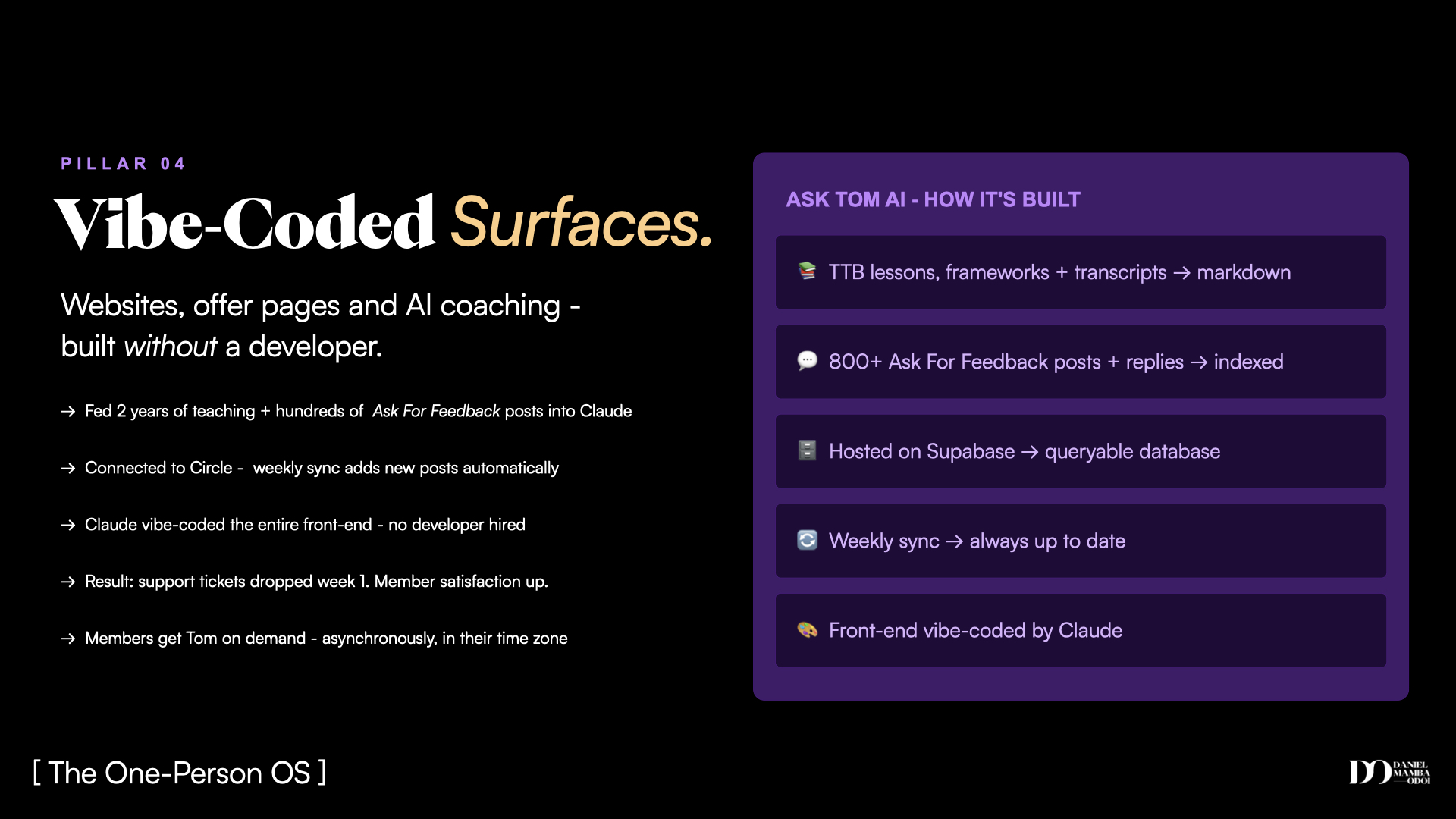
Inside Time to Build, we had an Ask Tom space where members submit questions for our founder Tom to answer personally. Great for connection. Not scalable past a certain volume.
We took 2.5 years of Ask Tom posts and responses, fed them into a Supabase backend, and vibe-coded a front-end that only active members can access. The interface checks against live membership status. It answers in Tom's voice. It has persistent memory per conversation.
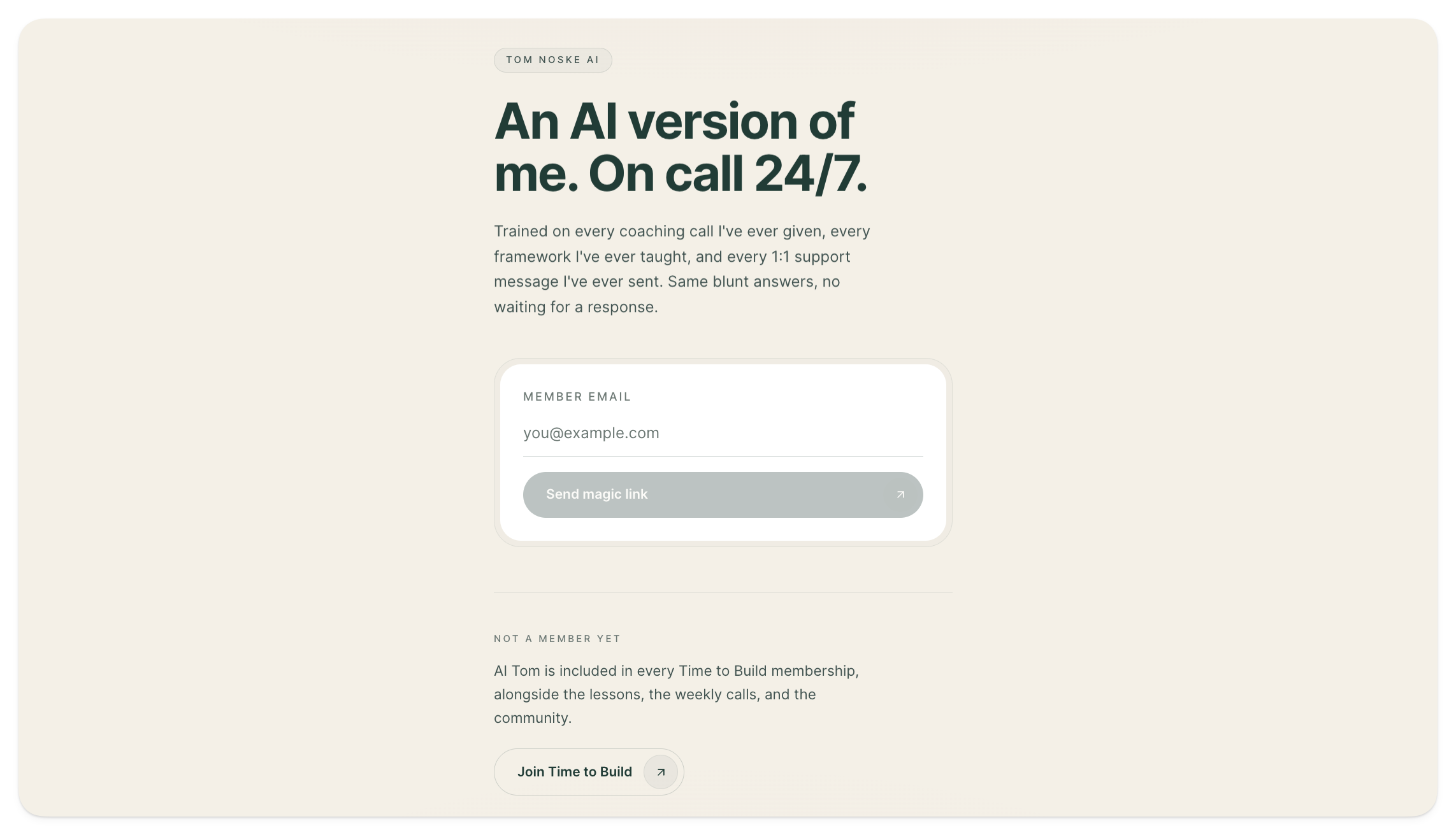
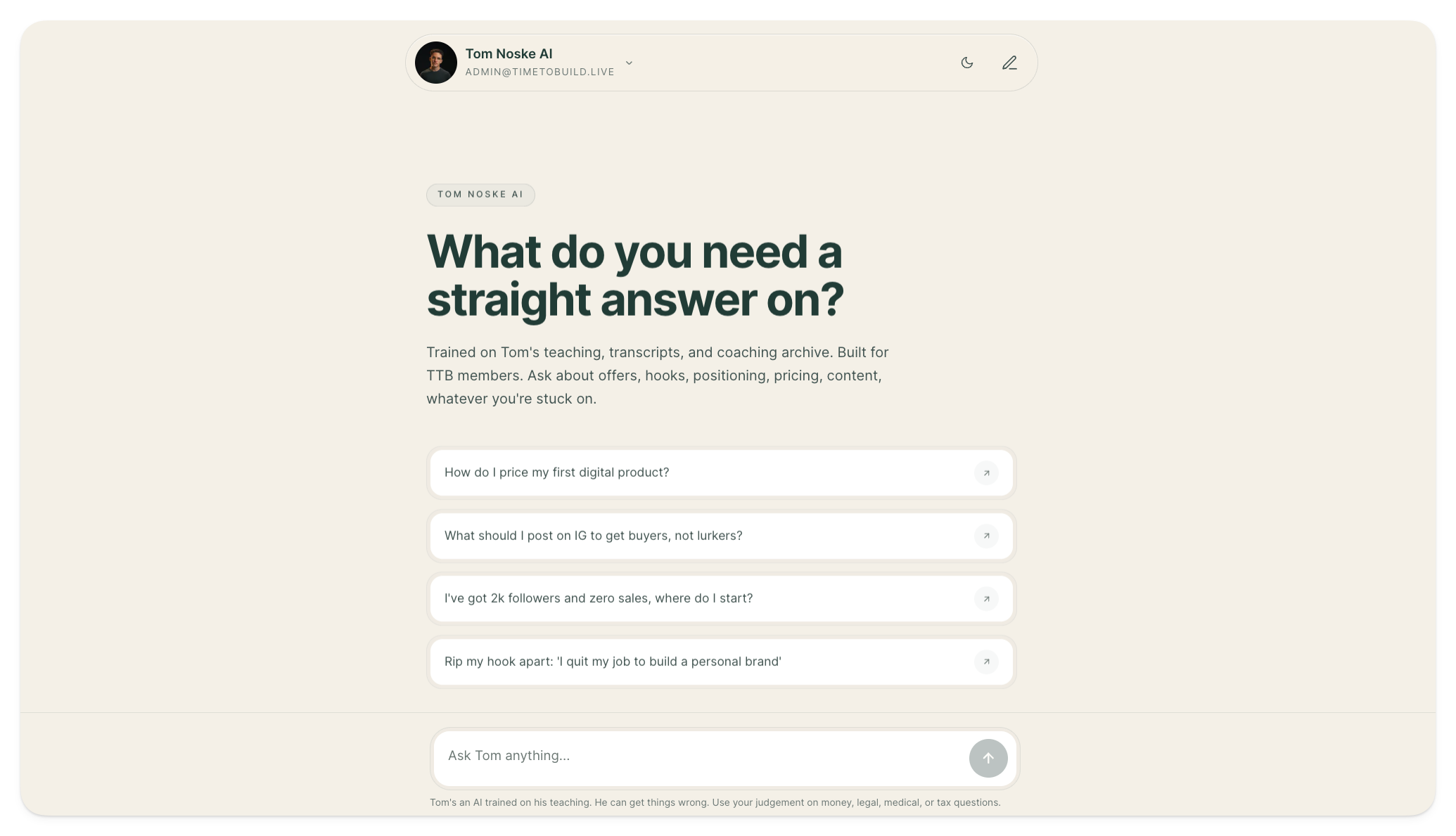
The result: support ticket volume dropped. The questions that came through got sharper. The ones that needed Tom personally got his full attention.
This is what vibe-coded surfaces look like at their best. A tool that works for your community, built without a developer, trained on your actual knowledge.
The 10-80-10 rule
One thing worth naming before you start: you are not handing the wheel to a machine. The model is 10-80-10 (credit to Dan Martell).
You bring 10%: the brief, the goal, the guardrails. The AI executes 80%: scripting, connecting, formatting, building, pushing. You bring the final 10%: review, decision, the judgment call only you can make.
The human stays in the loop. You move from operator to architect. Everything still sounds like you because it runs through your brain file and your trained voice. You just stop being the one doing the grunt work.
Your starter pack
If the framework makes sense but you are staring at a blank screen wondering where to start, this is the file.
Drag it into any AI chat. Claude Chat, Gemini, ChatGPT. You do not need Claude Code yet. It will interview you across all four pillars, one question at a time. Use your microphone if you can, it is faster and you will naturally give better answers.
At the end, you will have:
- Your brain file (the foundation for everything else)
- A voice codex (how you actually talk, captured from your voice)
- A ranked roadmap of what to build first, based on your specific situation
Give it 20 to 30 minutes. That is the investment to get your operating system started.
Drop this single file into any AI chat and it interviews you across all four pillars. Works in Claude Chat, ChatGPT, and Gemini.
- Download the file below
- Open a fresh Claude, ChatGPT, or Gemini chat
- Paste the entire file as your first message and hit send
- Use your microphone when answering. It is faster, and it builds your voice codex as a byproduct
You walk away with a brain file, a voice codex, and a ranked roadmap of what to build first.
Keep reading the full breakdown
You've seen the four pillars. Enter your email to unlock how each one actually works, plus the free starter file that builds your OS foundation in one session.
Cannot type your email? This app has opened the page in a restricted in-app browser. Open this page in Safari or Chrome and it will work.
Already subscribed? Just enter your email and you're in. Always free.