My bullshit radar is set to "max" whenever I'm watching branded content online.
You know, the kind of content that waffles on about how "X% better/lighter/easier/sexier" their product is, compared to their competition.
Or whenever they guarantee "X results in X days".
In a world saturated with "promise-based marketing" or telling you what their product/service does, it's so easy to cut above the noise by employing the opposite of it:
Proof-based marketing; or showing what your product/service does:
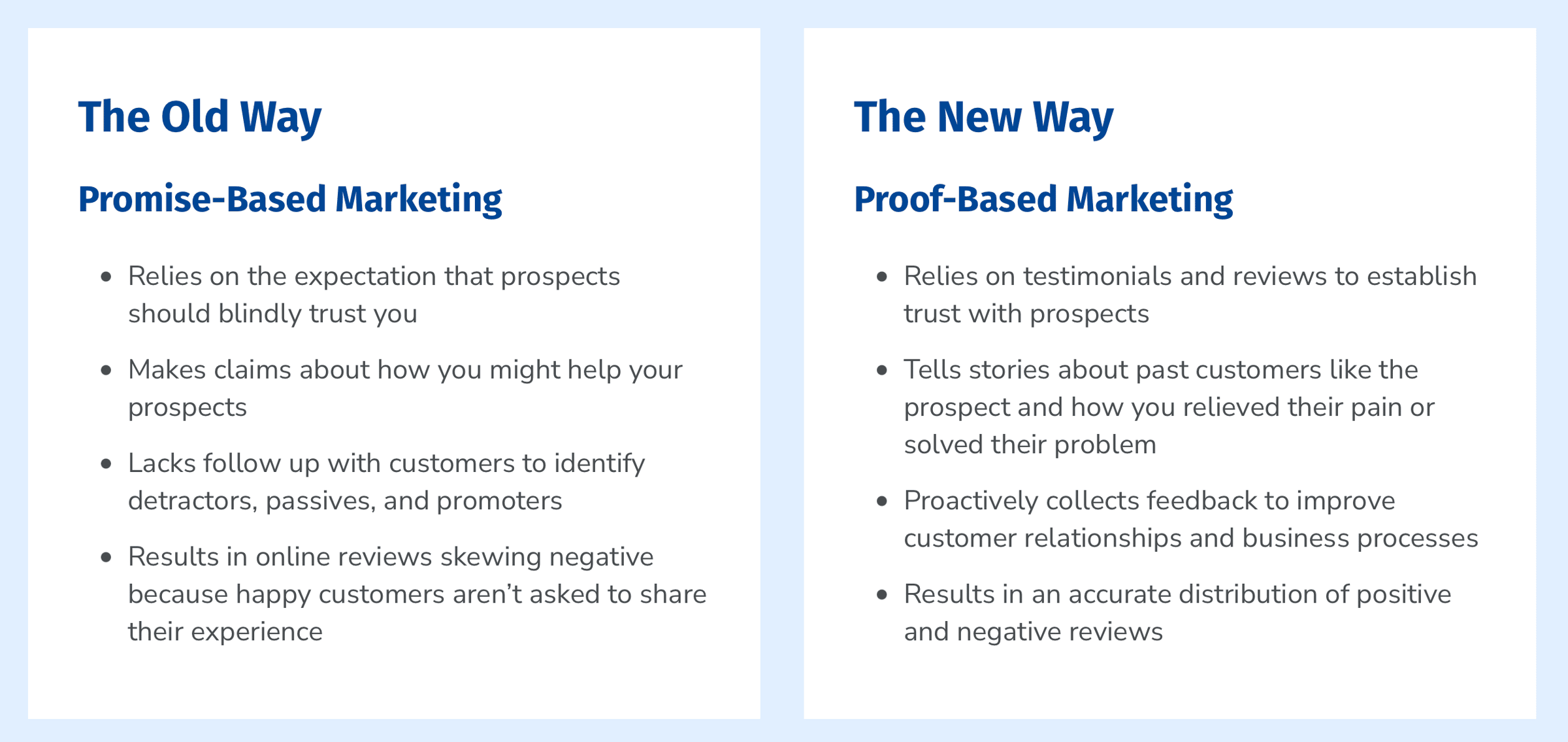
The difference matters. Proof-based marketing converts significantly higher than promise-based marketing because it removes the skepticism. Instead of claims, you're showing real evidence.
"So do you mean just whacking up written reviews on your website from happy customers?"
Kinda.
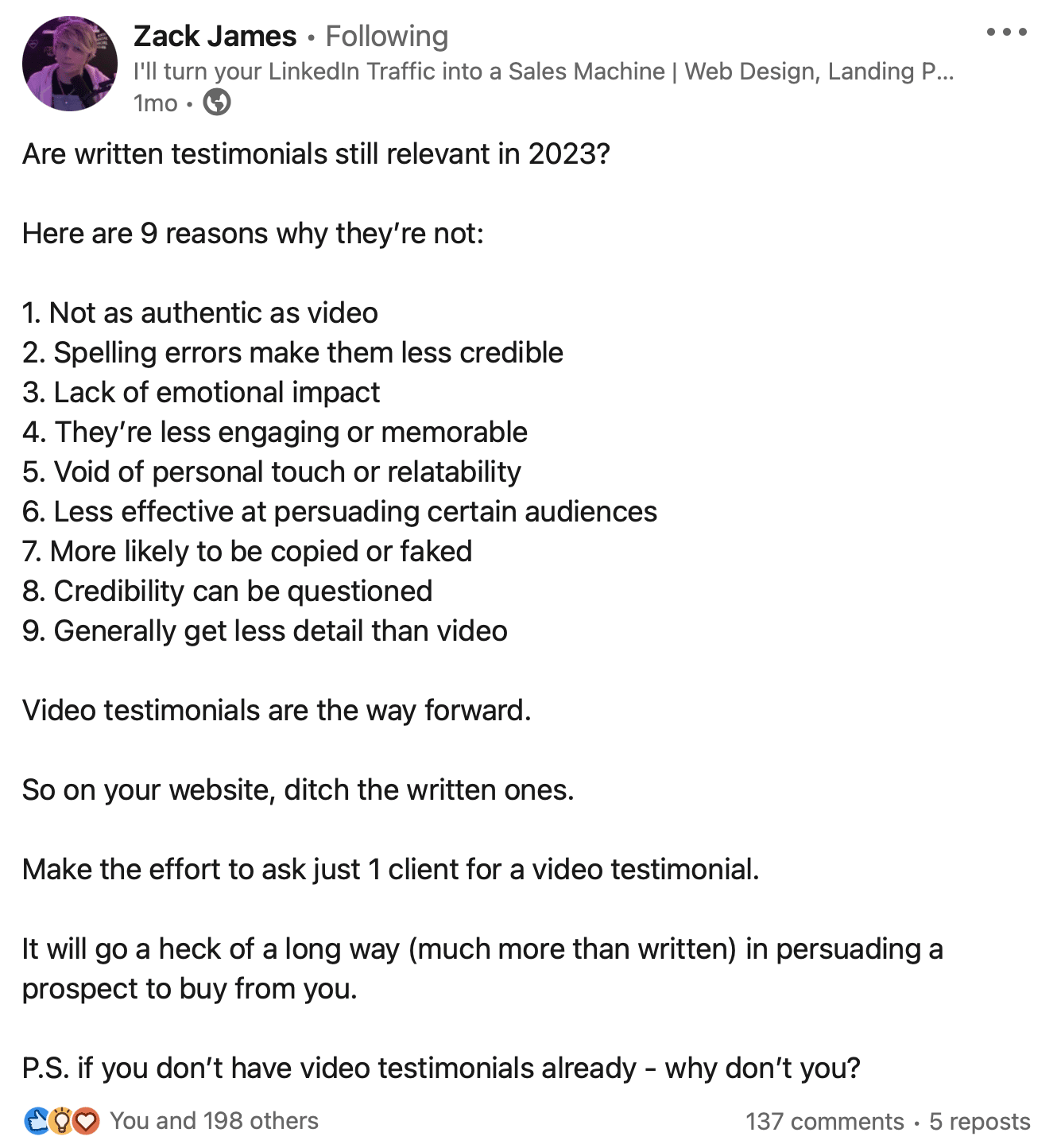
Years ago, written testimonials would've been enough to convince someone to buy something online. But video testimonials are now trumping written ones because they:
- Build authenticity and trust through seeing real people
- Create emotional connection that text can't match
- Reduce purchase hesitation with social proof
- Are significantly more memorable
So here's the most simple and streamlined process for collecting video testimonials without feeling awkward, uncomfortable or overwhelmed by it all.
This is the process I wish I had years ago when I was editing video testimonials on behalf of clients.
The old way:
- Create a brief in Google Docs
- Individually call each customer to brief them
- Hope they know how to record high-quality video responses
- Hope they're tech savvy and know how to upload their videos to Google Drive/Dropbox
- Download the videos, manually edit them and upload to YouTube/Vimeo
- Then embed/share links on your website and socials
The new way:
- Shortlist your top customers
- Set up one campaign in Vouch
- Send your video testimonial recording link to your customers
- Let them record and upload it directly from their phone, with guided questions, prompts and recording tips
- Once received, share their video responses however you like
If you set this up once, it'll market for you forever.
Step 1: Identify
This step involves identifying the key moments or "signals" when your customers' advocacy of your product is at a peak, making them ideal times to ask for a video testimonial.
You can identify these moments from external, internal or timing signals:
- External: Online or social media tags, mentions or UGC (User Generated Content) about your product
- Internal: Internal data that shows product usage. This could include the number of interactions with your product/app so you can query for your "power users"
- Timing: When they've had a massive "win" with your product or at the completion of a project
Dedicate 15-30 minutes each week to review these signals.
Create an internal tracker (a Google Sheets document) where you can add the name, contact info and a link to the online/social media tag or notes about their usage of your product.
For example: Blinq
Blinq is a digital business card app that allows you to easily and quickly share your contact details with a QR code via their app, an NFC card, Apple Watch or an email signature.
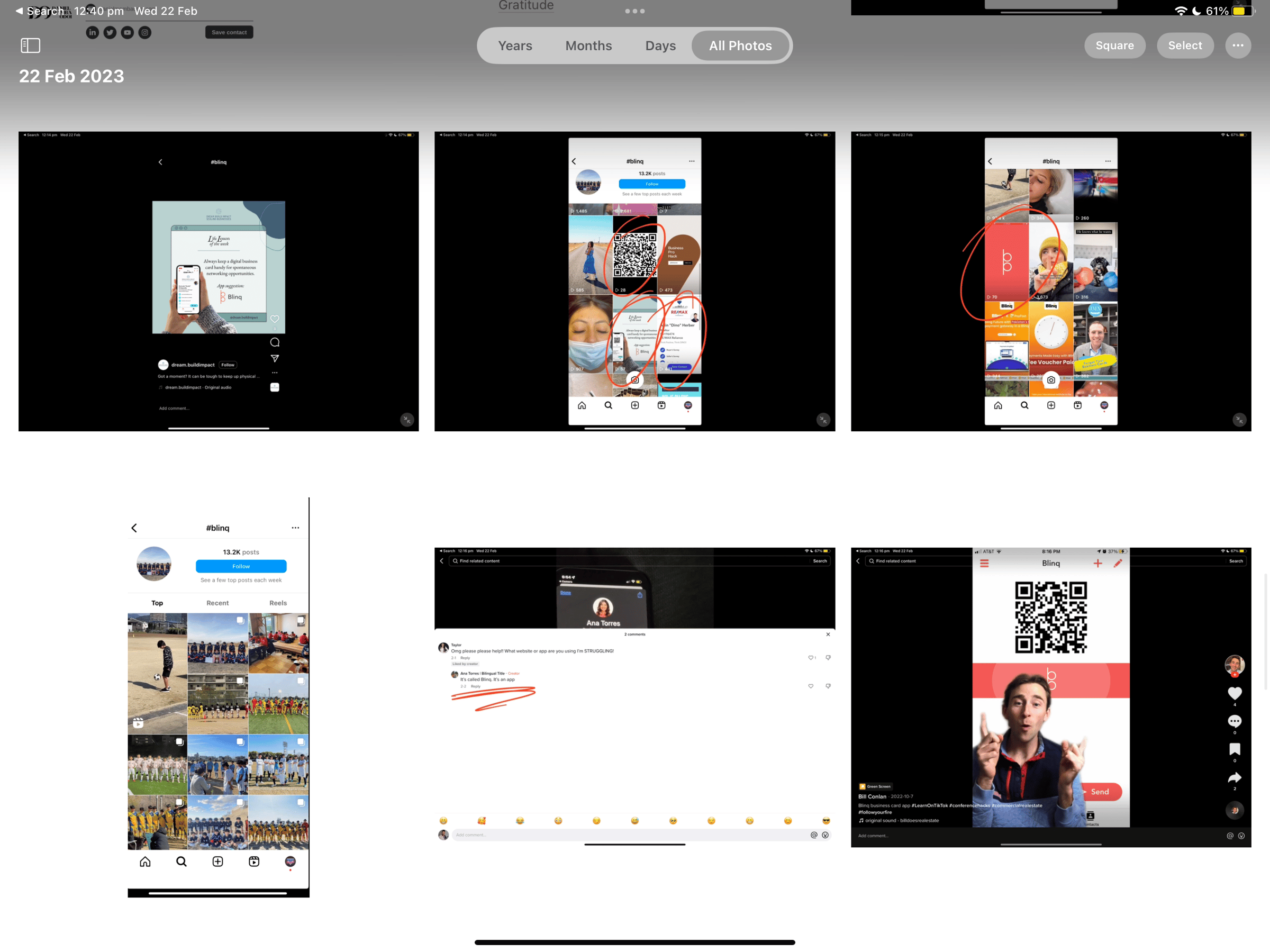
To identify their customer evangelists, their team looks up "#blinq" across socials each week and shortlists customers that are promoting or talking about them:
Step 2: Create
This step involves setting up your automated video testimonial collection process once, so you can use it over and over again in the future.
My favourite video testimonial collection software is Vouch, an Australian-based startup that are (in my opinion) top of the game when it comes to video testimonials.
Create a new campaign
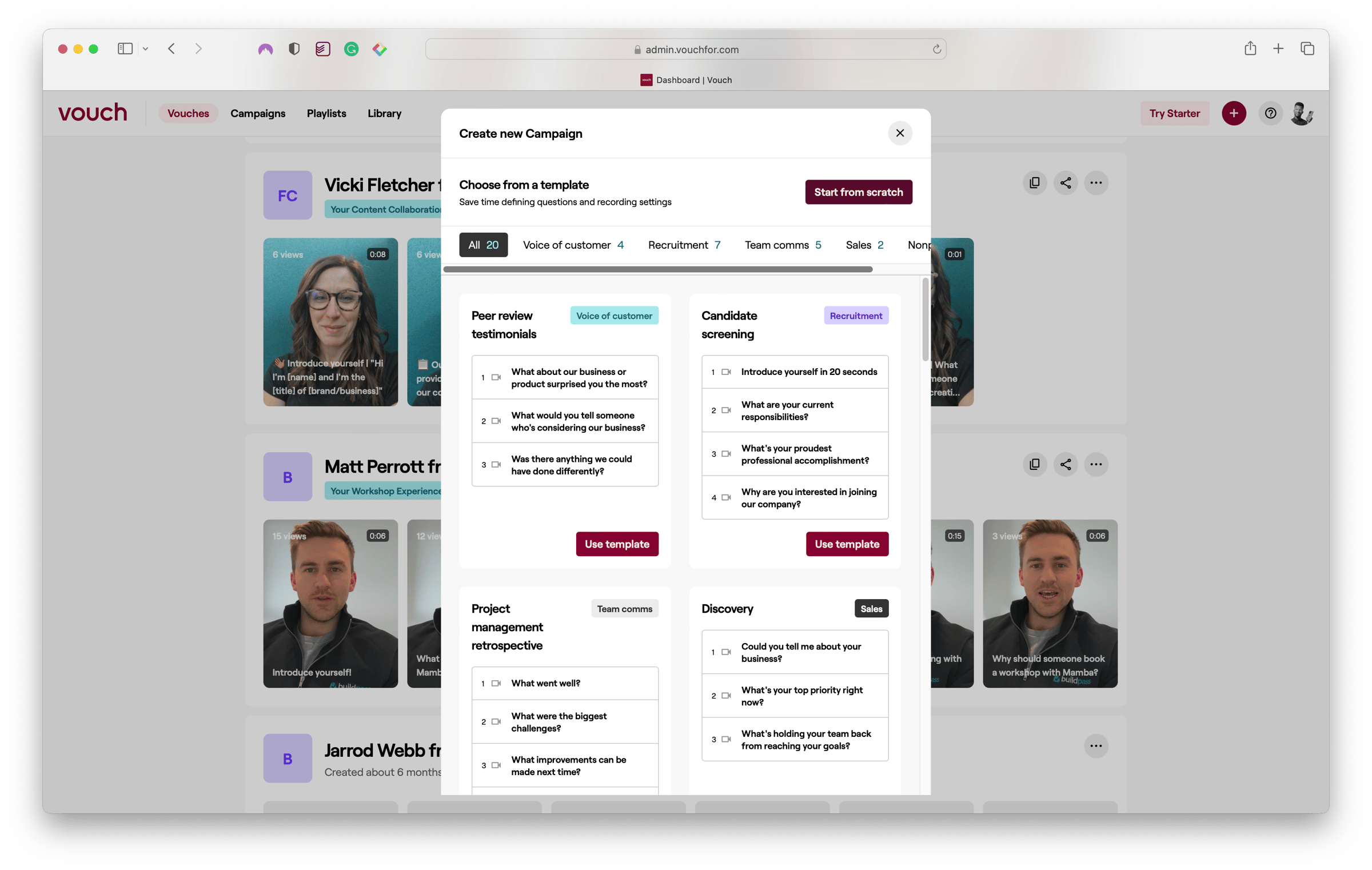
Click on the '+' button in the top right and select 'Campaign'. You'll be given the option to either start from scratch or choose from one of their templates with specially curated questions.
Add questions for your customer
Enter a name that describes the purpose of your campaign. Then enter the questions you want answered in the video.
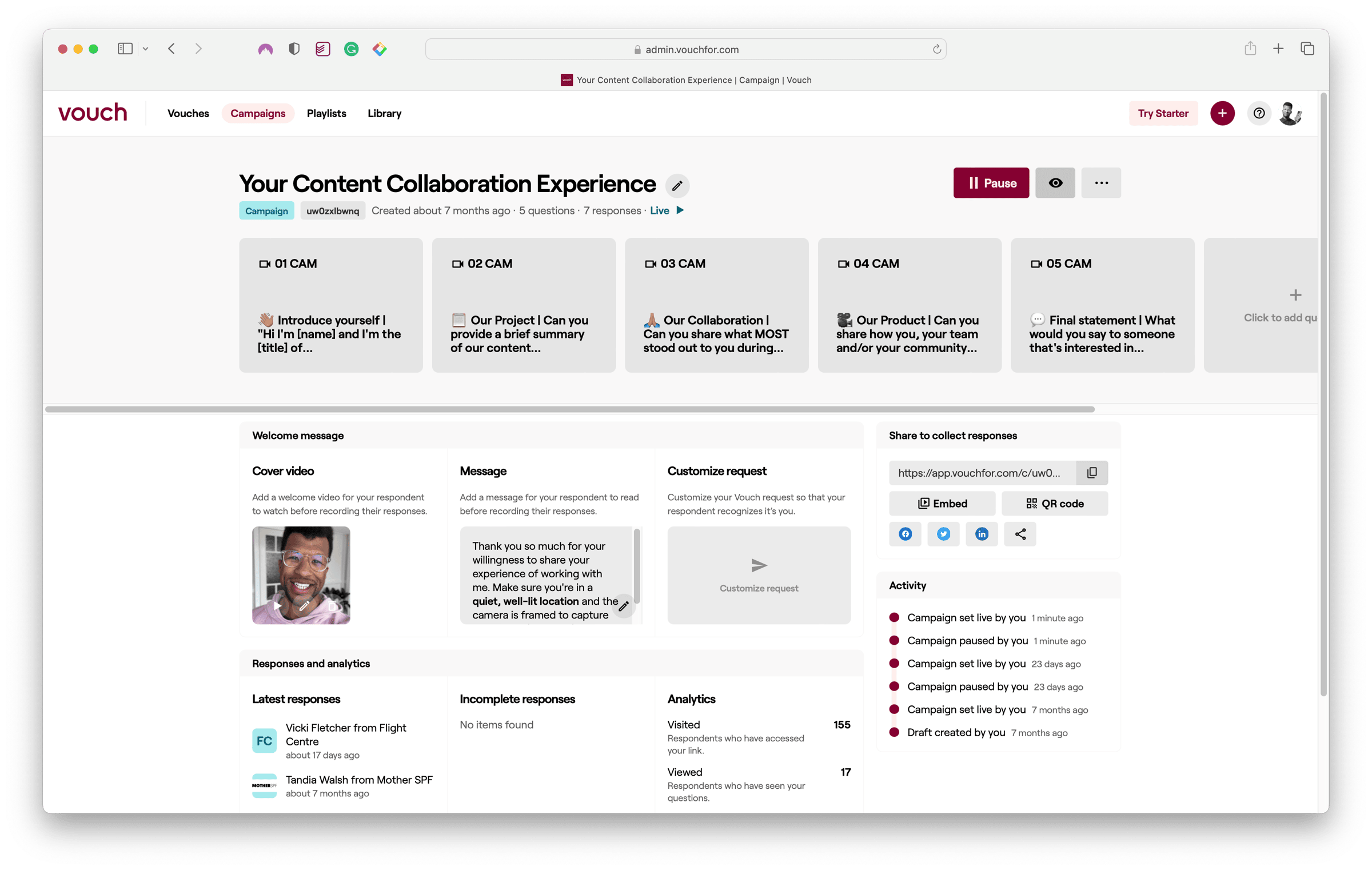
Personalise it
To give your video request more context and a personalised touch, you can record or upload a cover video.
Your customer will watch this prior to filming their answers and it's a great way to warm them up, give them some tips about filming, or provide more context about where you'll be using the recording.
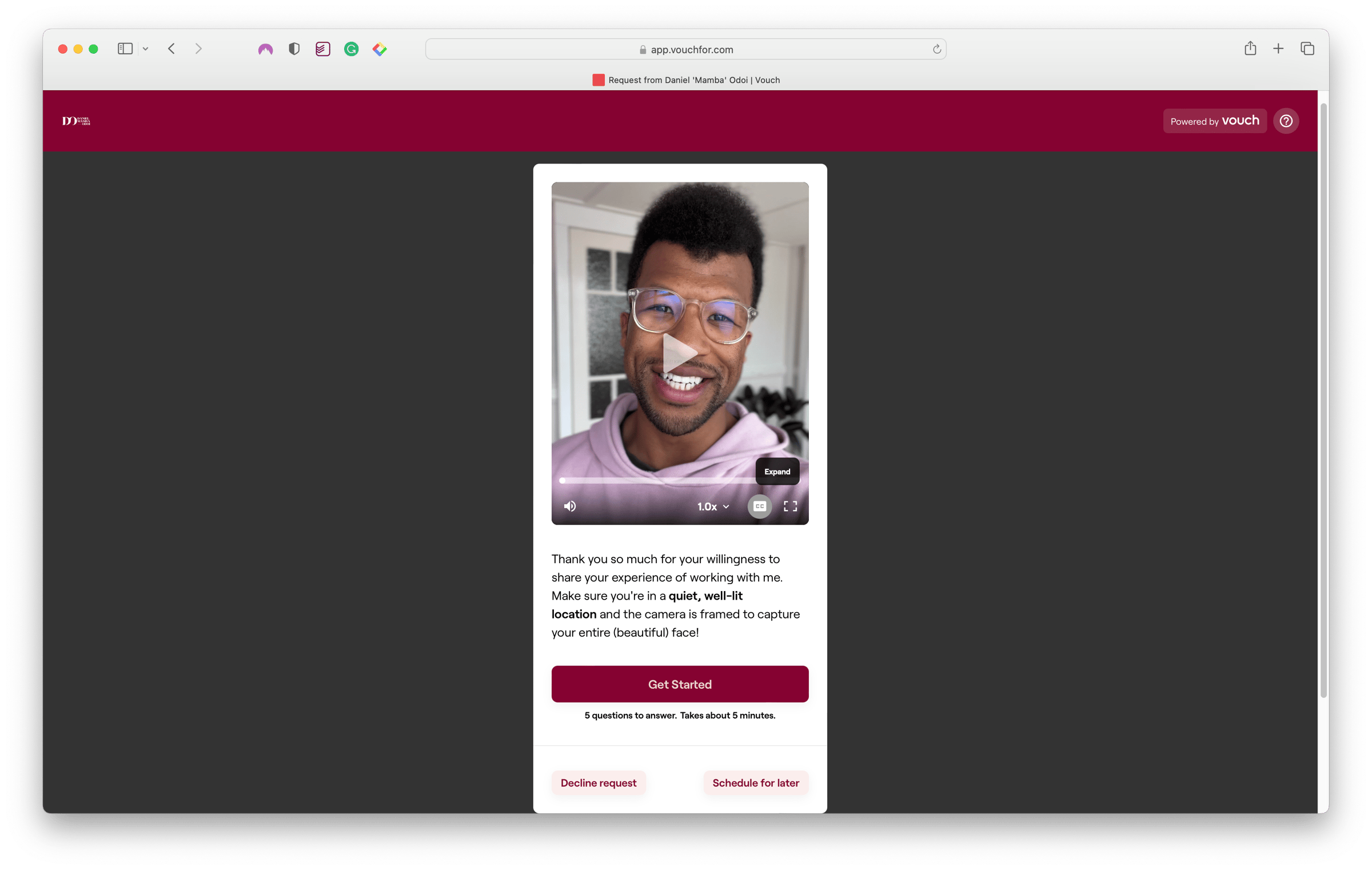
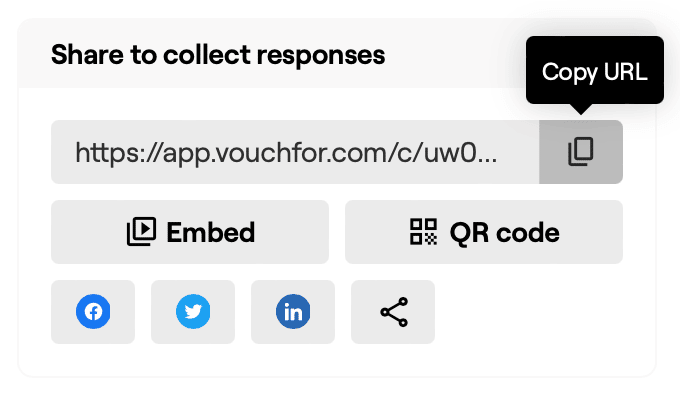
Once you've set your campaign to "live", just copy the link to your campaign and you're ready to start collecting video testimonials.
Step 3: Request
This step involves reaching out to your shortlisted customers to acknowledge and thank them for their support of your product and advocacy across their socials. Then, you can kindly ask if they'd be willing to share their experience through a video testimonial.
Here's a template you can use for your DM or email request:
Hi [customer name],
[name] here from the [your brand] team 👋
I run [brand name] socials so firstly I wanted to say thank you for all the love you've been showing us over on [name of platform]!
It's so appreciated and so valuable to be [promoted/tagged], so thank you.
Your amazing advocacy and experience of using our product is something we love celebrating within our team and our wider community so I was wondering if you'd be willing to record a 60-90 second video sharing your story with us?
If you could spare 5 minutes to record one, we'd really appreciate it.
Here's your [link to your Vouch].
Let me know if you have any questions.
Thanks so much, [Your name]
Step 4: Receive
Assuming your customer has said "yes" to your request, then it's your job to ensure they're clear on what they're being asked to do and can commit to a time to complete their recordings.
There are two awesome features that help with the collection process (to save you from constantly chasing them up):
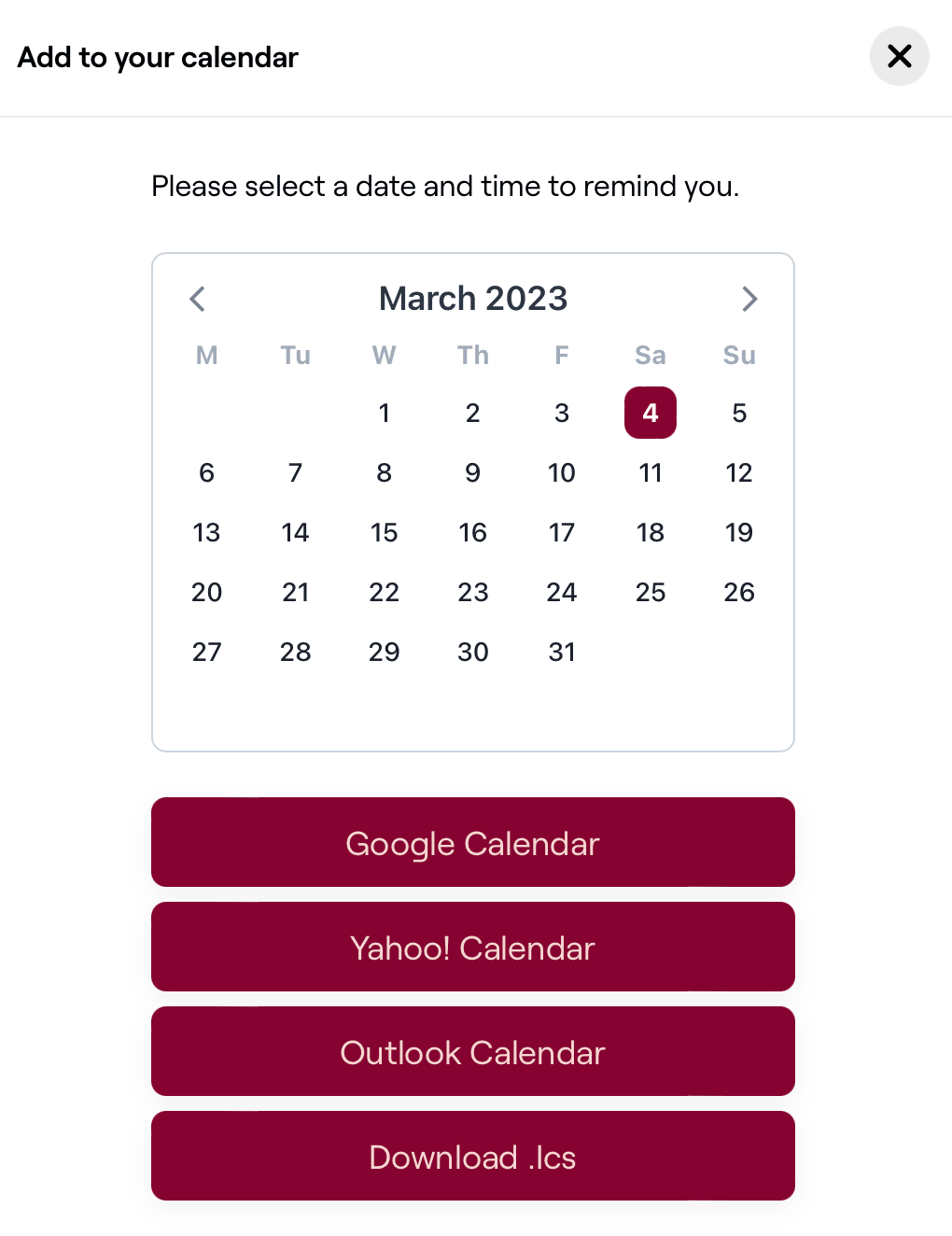
Schedule for a later time
Remind your customer that they can schedule a time in their own calendar to complete the recording so they can do it during a time that suits them best.
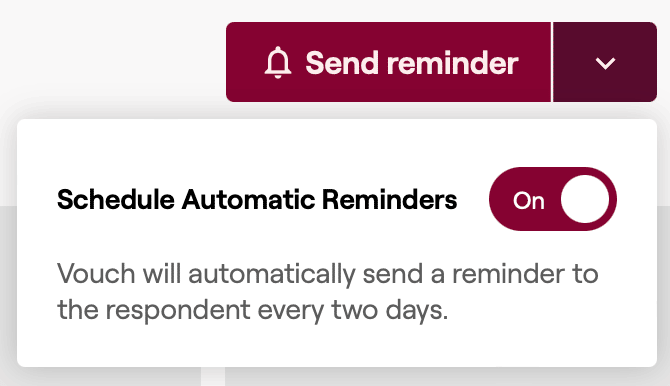
Automated Reminders
You can also set video requests to send reminders to their email inbox every 2 days, or manually send reminders if you'd like to give them a longer time period to complete it.
Above all, make yourself readily available to support and clarify any questions your customer has given they're going out of their way to provide such a valuable piece of content for you.
Step 5: Share
This final step is all about sharing your customer's wonderful words about your product and how it's impacted their life.
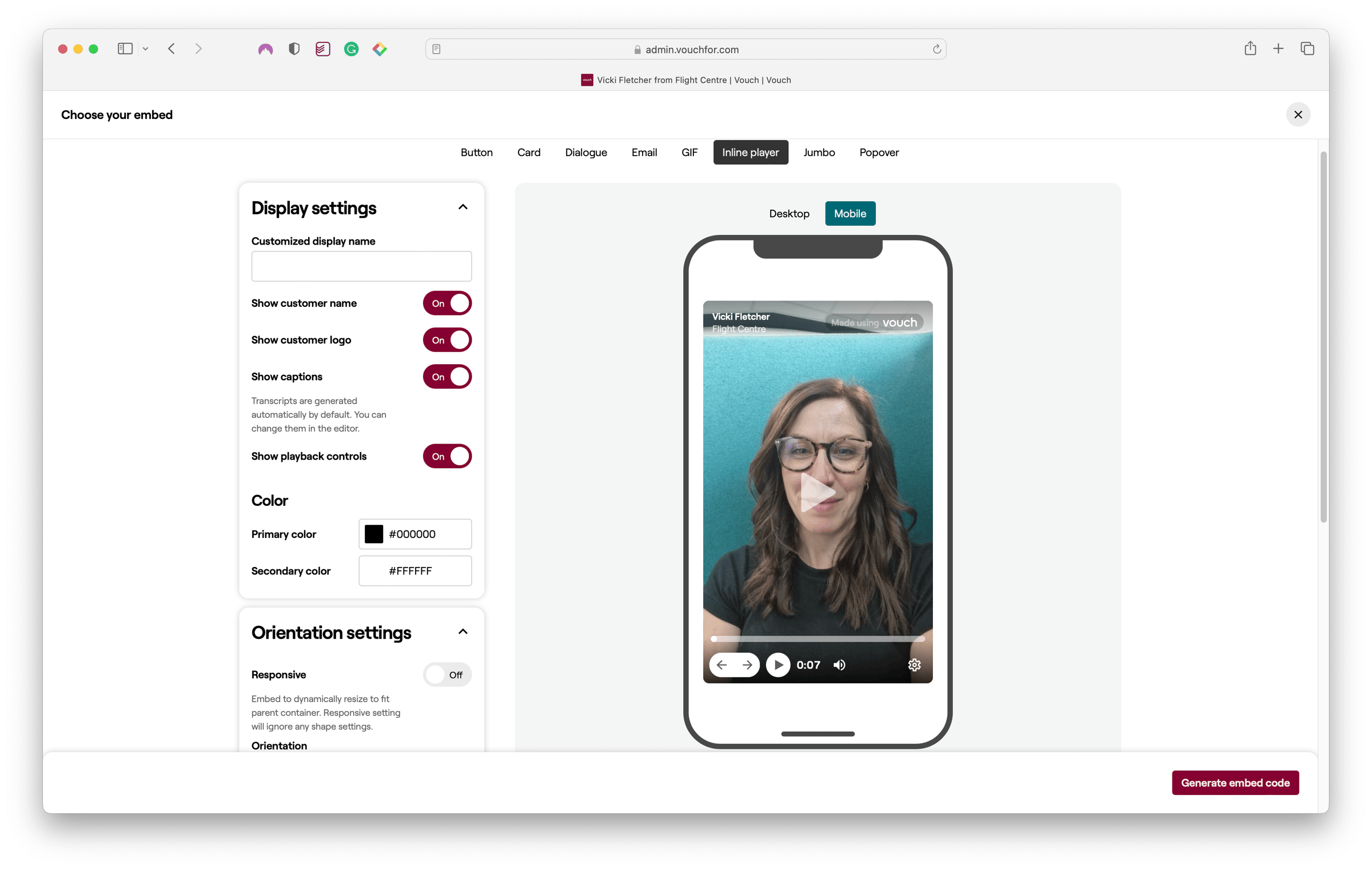
There are multiple ways to format and publish your testimonials including:
- Button
- Card
- Dialogue
- GIF
- Inline player
- Jumbo Popover
Play around with each of the options and use what suits the channel/platform you're using.
In summary, the 5 steps are:
- Identify - Find your customer advocates at peak advocacy moments
- Create - Set up your automated video testimonial campaign
- Request - Reach out with a personalized, warm ask
- Receive - Help them schedule and complete their recording
- Share - Publish their testimonials across your channels
The beauty of this process is that once you set it up, it works for you indefinitely. You're shifting from making promises about your product to letting your customers show what it's really like to use it.
That authenticity and proof is what cuts through the noise and builds real trust with potential customers.
Mamba