Your viewers are judging your likeability, intelligence and the importance of your message, based on the quality of your microphone.
A study led by Eryn Newman from the University of Southern California and Norbert Schwarz from the Australian National University revealed that listeners consistently rated speakers with higher-quality audio as:
- more intelligent
- more likeable
- more important
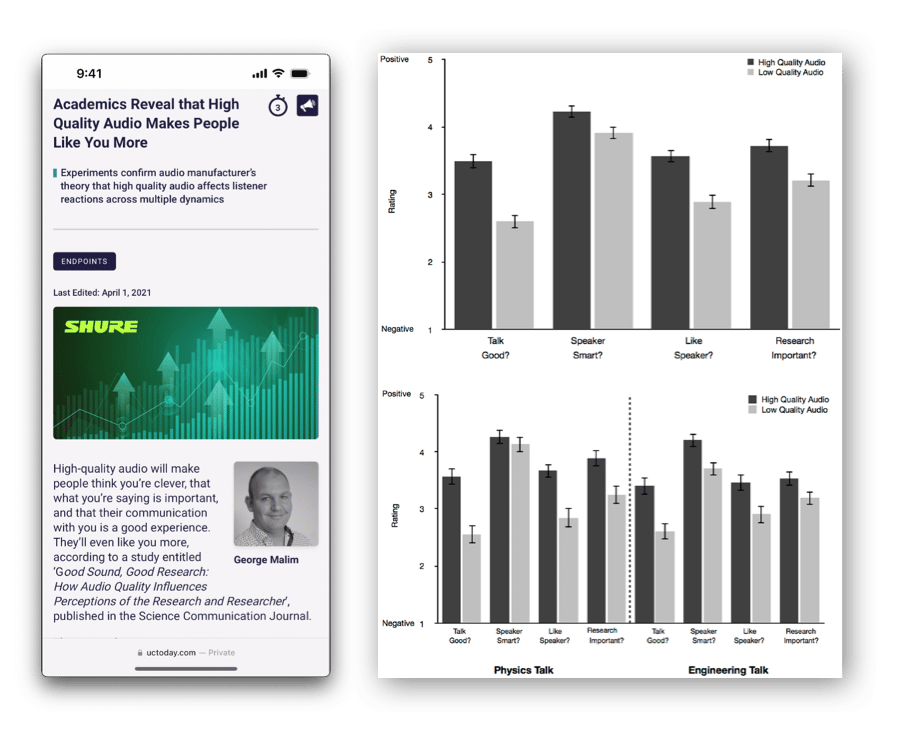
Turns out humans aren't just judging how you appear but, more importantly, how you sound.
You may already know about the importance of high quality audio in your video content but be a little unsure of which microphone to pick.
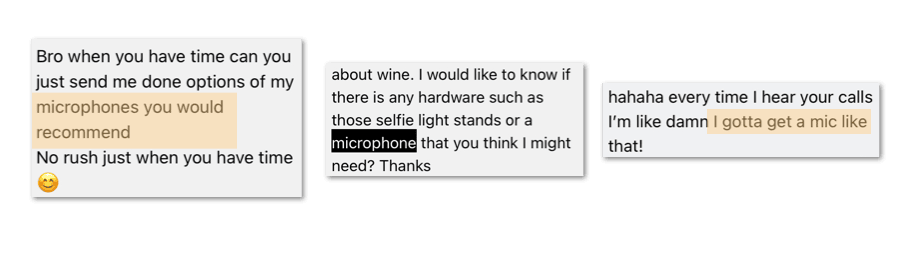
There are several factors to consider when choosing a microphone:
- Audio quality: Look for a microphone to capture clear, high-quality audio.
- Compatibility: Make sure the microphone you choose is compatible with your video recording device.
- Directionality: Consider whether you need a microphone with directional pickup or if an 'omnidirectional' (picks sound from all directions) mic is best for you.
- Size: Consider the microphone's size and whether it suits your needs.
By the end of this guide, you'll understand your microphone options and which one is right for your content.
Let's get your beautiful vocal cords the microphone it deserves.
1. You just want to use your smartphone & don't mind a bit of background noise.
No worries.
Fortunately, nearly all modern smartphones have decent built-in microphones.
The downside of relying on the in-built mic is that your words may be hard to hear, especially if it's competing with a noisy background. Even isolating or recovering your talking audio can be tricky in a video editing app.
Here are 3 tips to ensure your talking audio comes through clearly with your smartphone:
- Environment: make sure you're recording in a quiet environment that doesn't have a lot of distracting background noise.
- Avoid Echo: avoid being in rooms where the sound booms or echoes a lot. You can mitigate this by recording in a room with carpet and curtains/furniture to help absorb the sound.
- Arms' Length: keep the phone no further than an arm's-length (1m) from you, as the microphone works well for anything in this range. Anything further, and you'll sound quite faint.
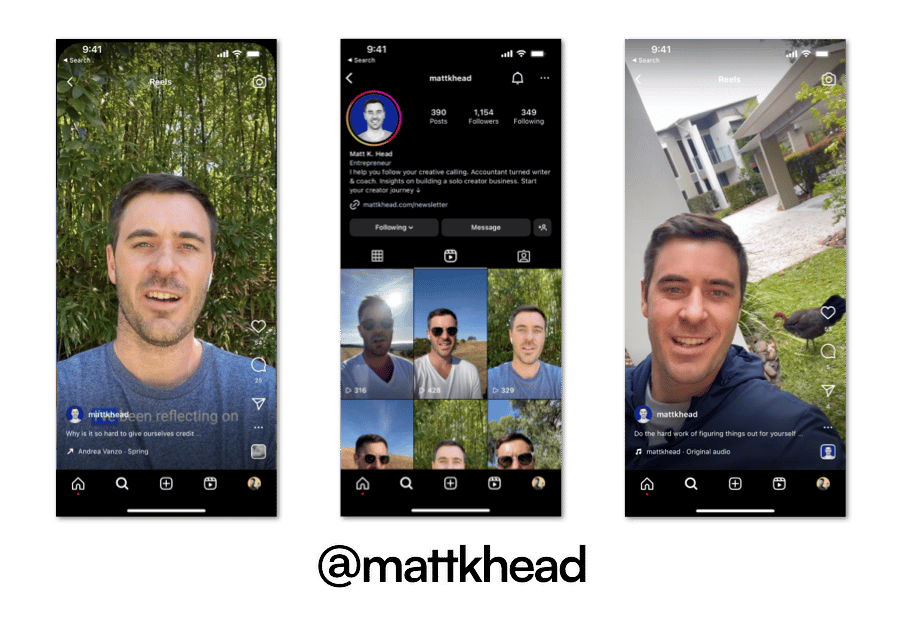
2. You're ready to invest in a beginner microphone that's an affordable & lightweight solution
A clip-on directional microphone is the most accessible entry-level external microphone for smartphones.
As the name suggests, you "clip on" the microphone to a clamp or "mount" piece onto a smartphone tripod/clamp.
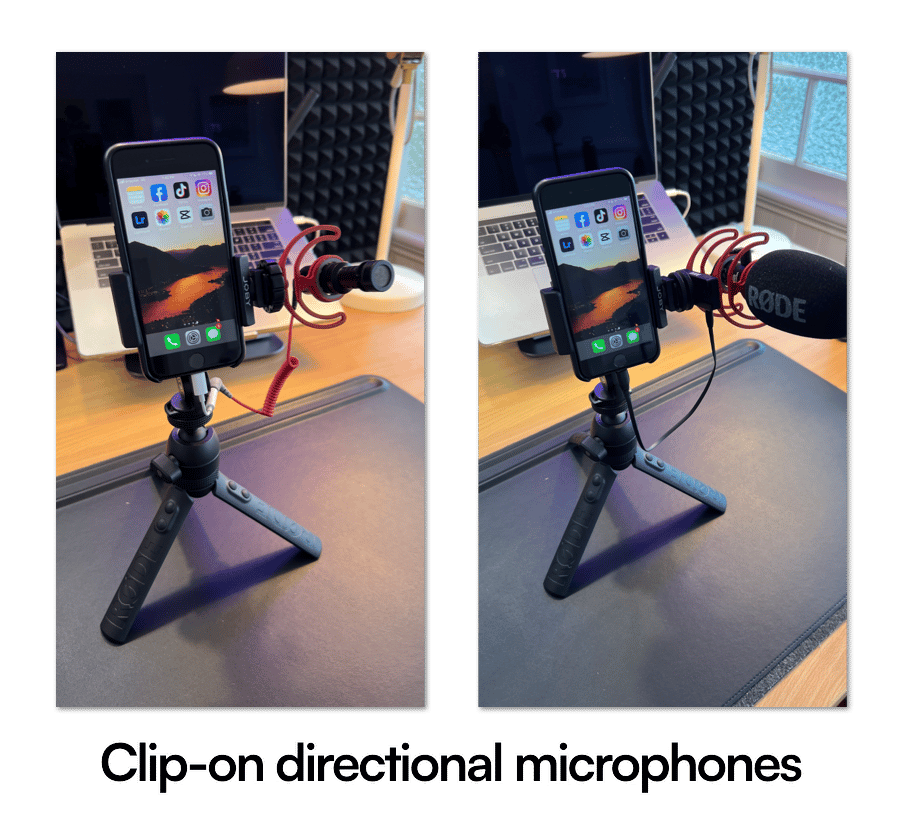
This microphone is designed to focus on sound coming from the specific direction it's facing while "ignoring" or eliminating any surrounding noise being picked up in your recording.
This is ideal to use in environments where you can't control the noise levels, but you want to record and make sure your listener can clearly hear what you're saying (i.e. travel vlogs).
Here are 2 entry-level clip-on directional mics worth considering:
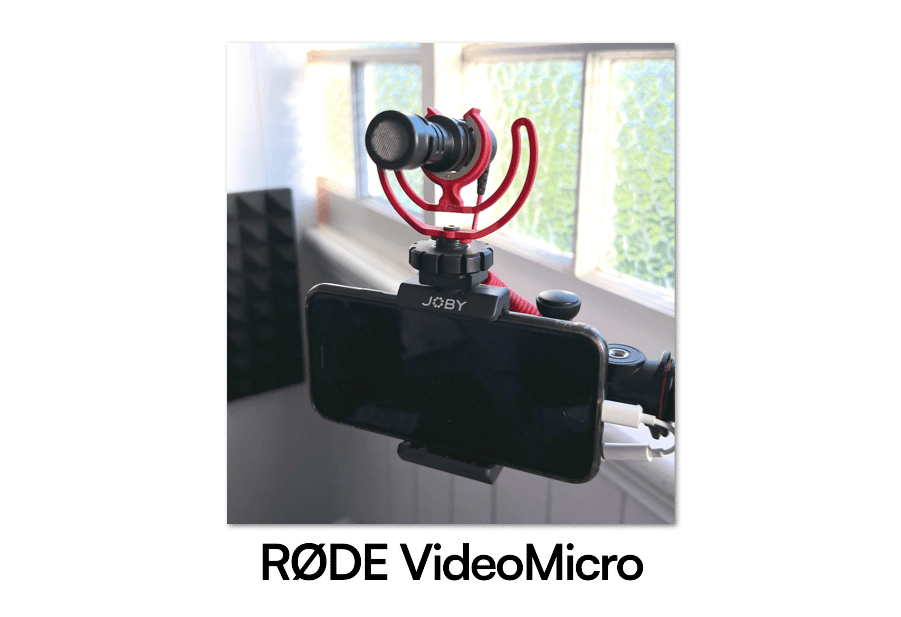
The RØDE VideoMicro is the most affordable and lightweight option, coming in at approximately A$80.
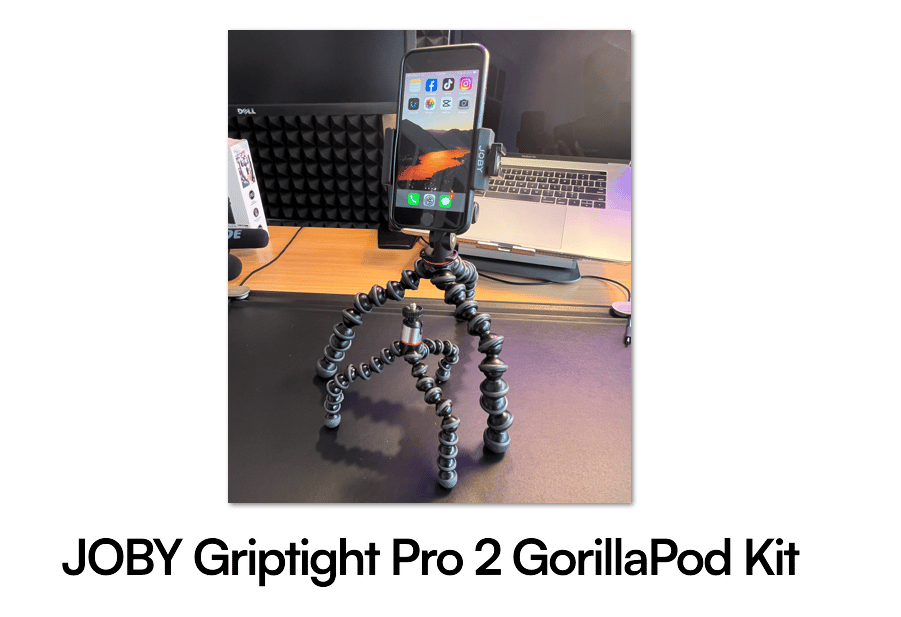
If you're using your smartphone, I recommend you also purchase the JOBY Griptight Pro 2 GorillaPod Kit, which includes a mount to place your directional clip-on mic in.
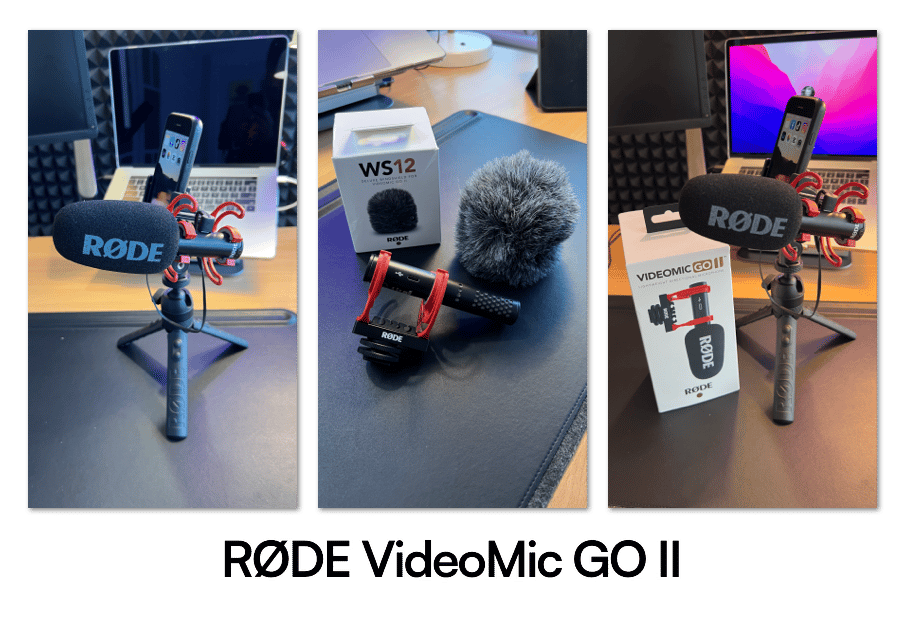
On the higher end is the RØDE VideoMicGO II which comes to approximately A$150. This can also double up as a desktop USB microphone when paired with a compatible cable and desktop tripod.
3. You want the crispiest audio possible without having a big microphone visible in the frame
Although having an up-close "podcast-style" microphone will consistently deliver the best sound quality, many creators share that they don't like the appearance of a massive microphone in their shots.
If you fall into this camp, the best option is to opt for a wired microphone — such as wired earphones or a Lavalier microphone.
Wired Earphones
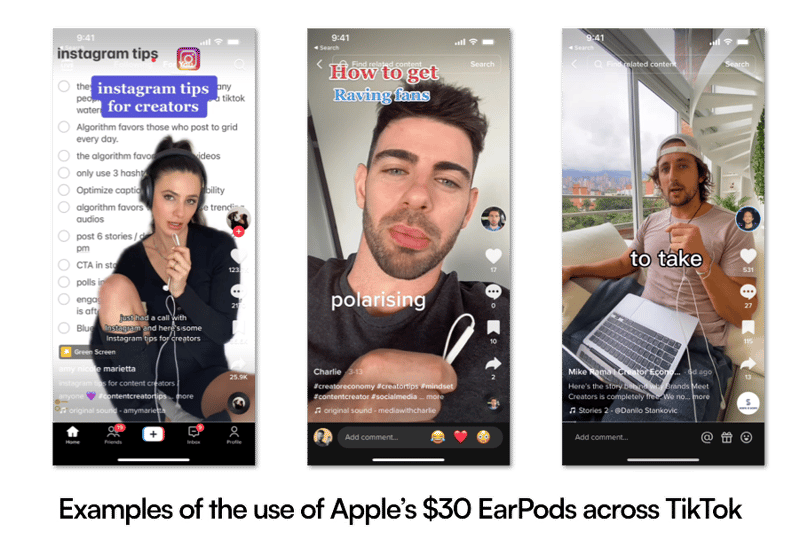
The use of Apple EarPods as creators' microphone of choice has become increasingly popular across IG reels and TikTok because it's:
- incredibly affordable — complimentary with older iPhone models (or approximately A$30 from Apple)
- outstanding audio quality because it's located so close to your mouth
- more personal and conversational — like you're on a FaceTime or Zoom call with a friend or colleague
But if you want a more "professional look," consider a Lavalier microphone instead.
Lavalier (Lapel) Microphone
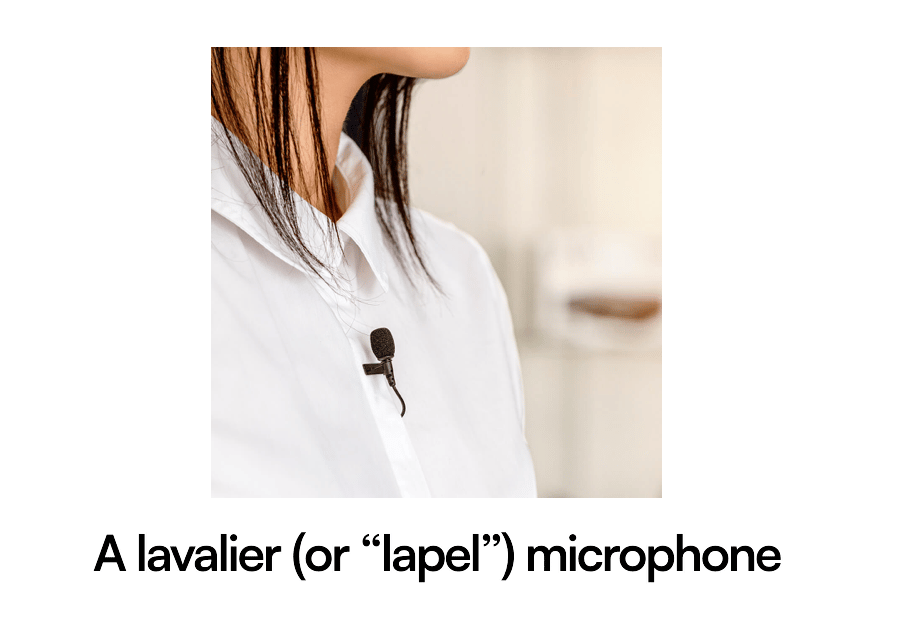
You've probably seen this on news presenters — it's a subtle and small microphone placed on the lapel of a jacket.
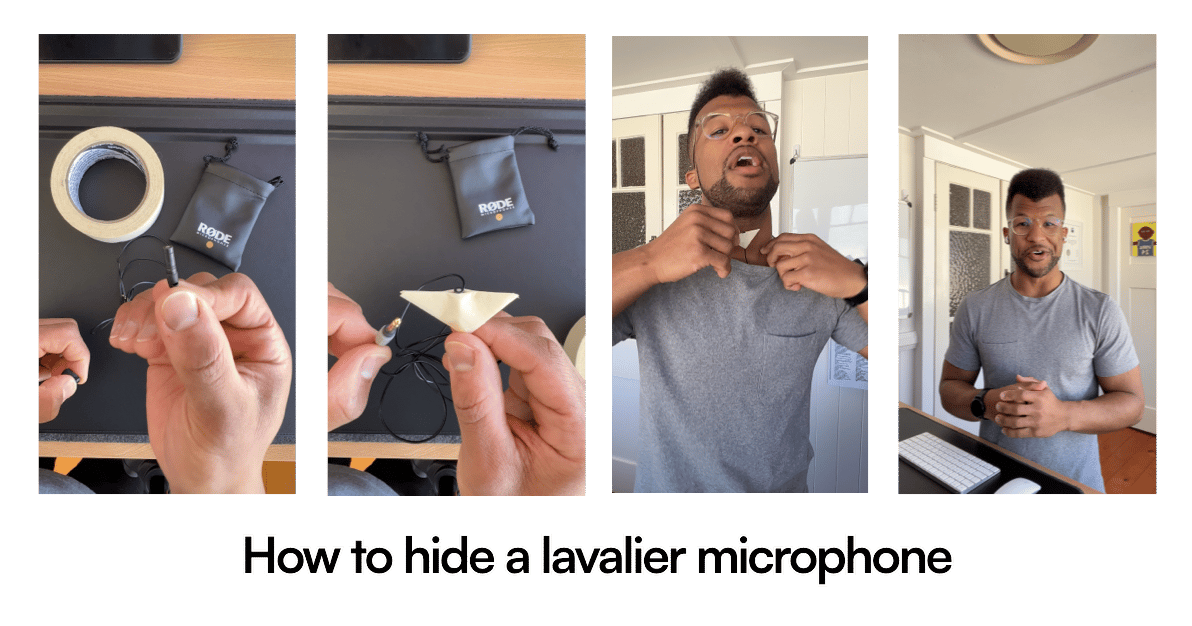
It's also possible to tape the lavalier microphone to the inside of a garment to position it close to your mouth without being visible to the viewer.
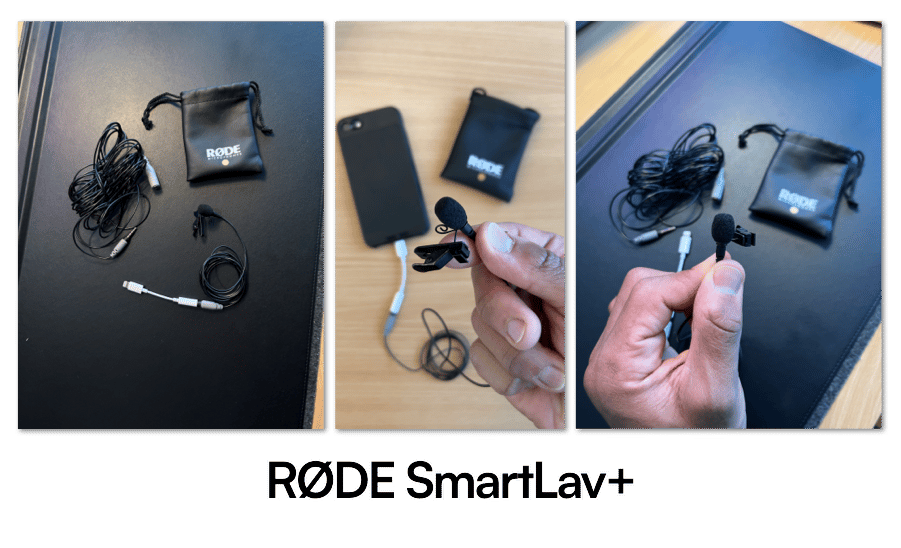
The RØDE SmartLav+ for Smartphones comes to approximately A$80.
Depending on your smartphone model, you may need an adapter to connect the microphone to your device or an extension cable if you're positioned far away during recording.
4. You hate cables and typically position yourself further than 1m from your smartphone
Eventually, handling cables repeatedly becomes tedious.
If you reach that point, invest in a wireless microphone set compatible with your lavalier microphone.
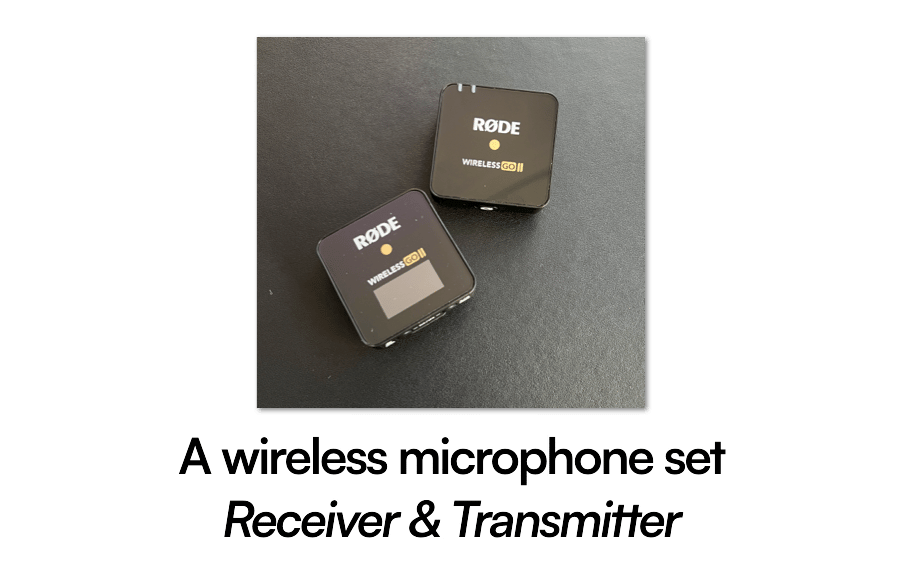
That way, you can freely walk and talk to the smartphone without worrying about tripping over cables or staying within a certain distance.
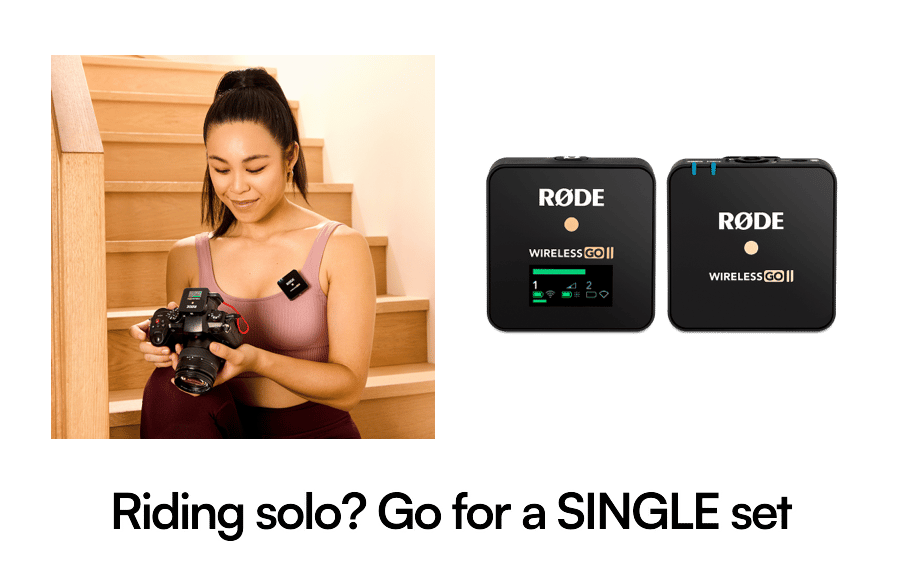
If you plan to create solo content, choose the single set with 1 transmitter.
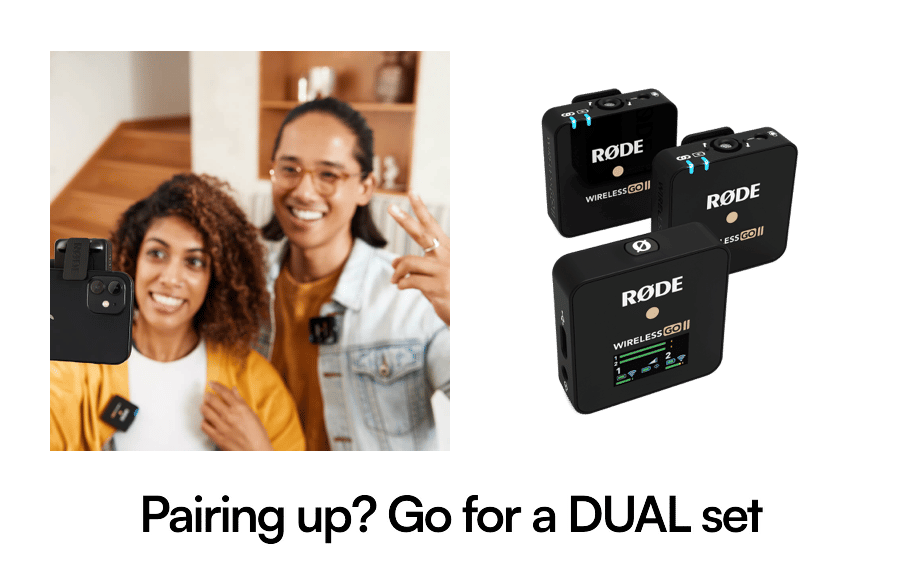
If you plan to record interviews or feature 2 people, then opt for a dual set with 2 transmitters.
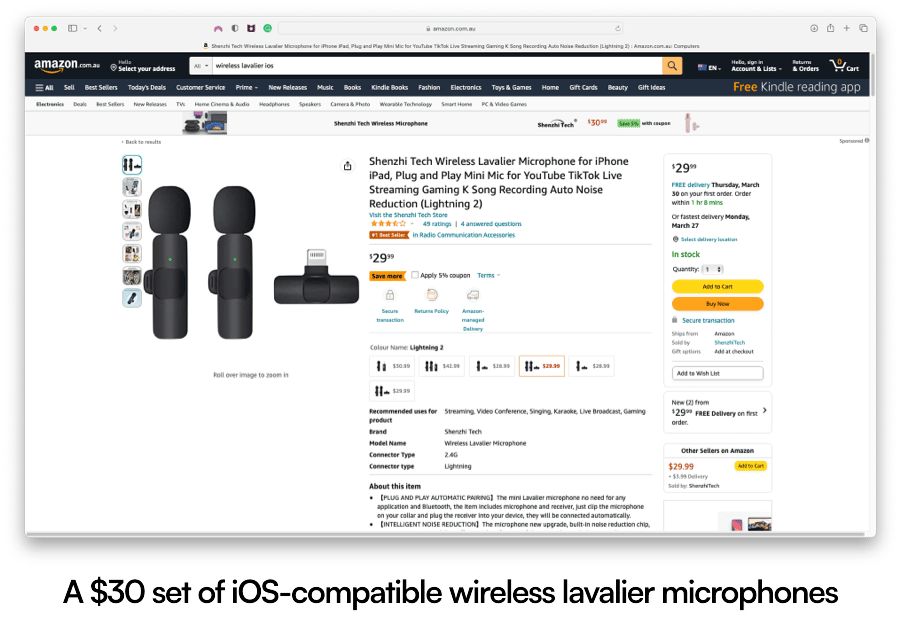
If you're on a budget, you can pick up a set of iOS-compatible wireless lavalier microphones for approximately A$30. I can't personally speak to the quality of these, but that option is available.
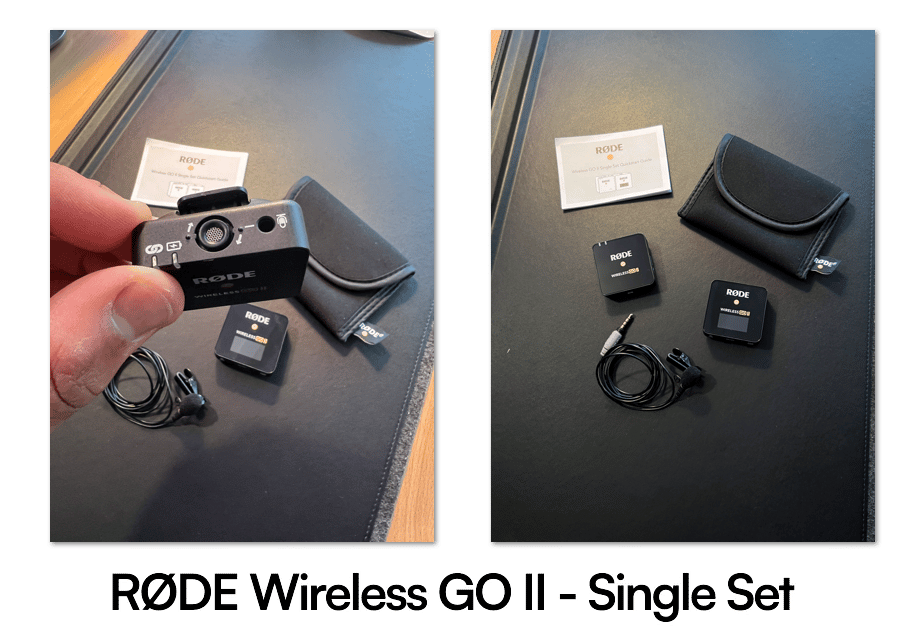
If you're happy to pay more for quality and reliability, the RØDE Wireless GO II - Single Set comes to approximately A$250.
It's compatible with other RØDE accessories, such as the RØDE SmartLav+. That way, you benefit from a lavalier microphone close to your mouth and wireless freedom, with the transmitter in your pocket.
5. You want to sound and look like a professional podcaster
A USB microphone is ideal if you want to create the iconic "podcast" look for long-form content.
There are many affordable USB microphones on the market that deliver studio-quality sound without requiring any post-production editing.
To show you the range of options available:
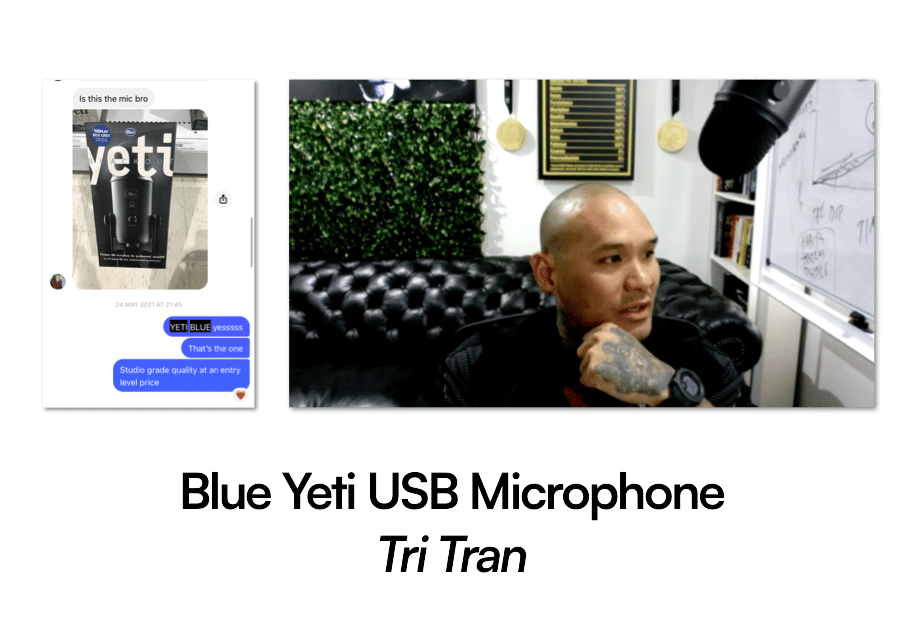
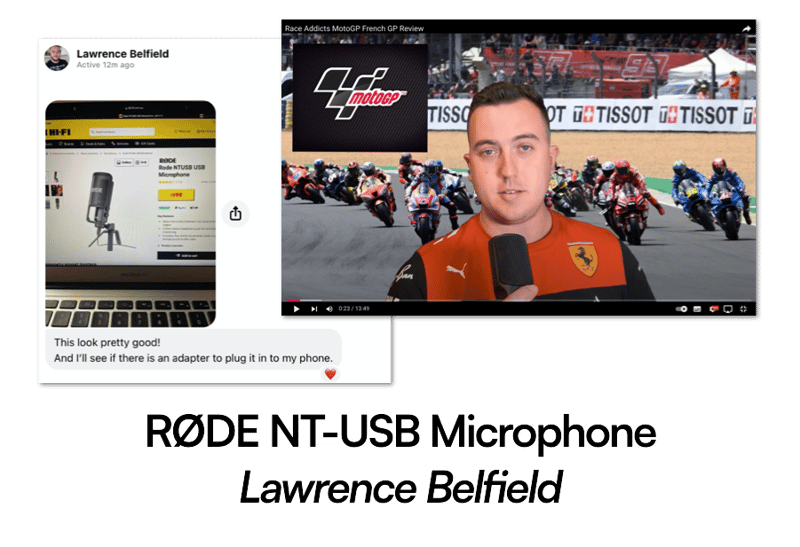
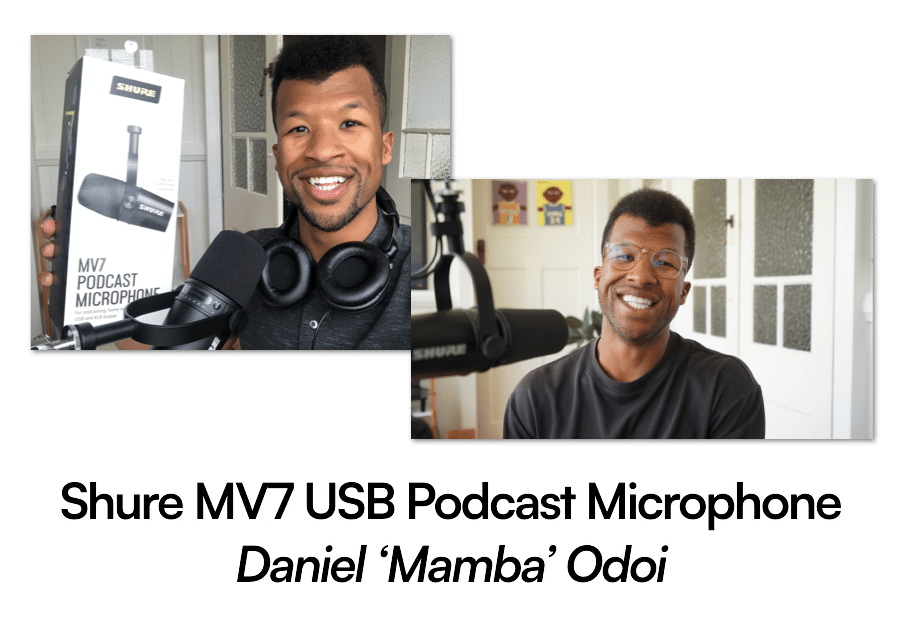
Regardless of which microphone you opt for, I recommend pairing it with a compatible stand to hold it when talking to camera.
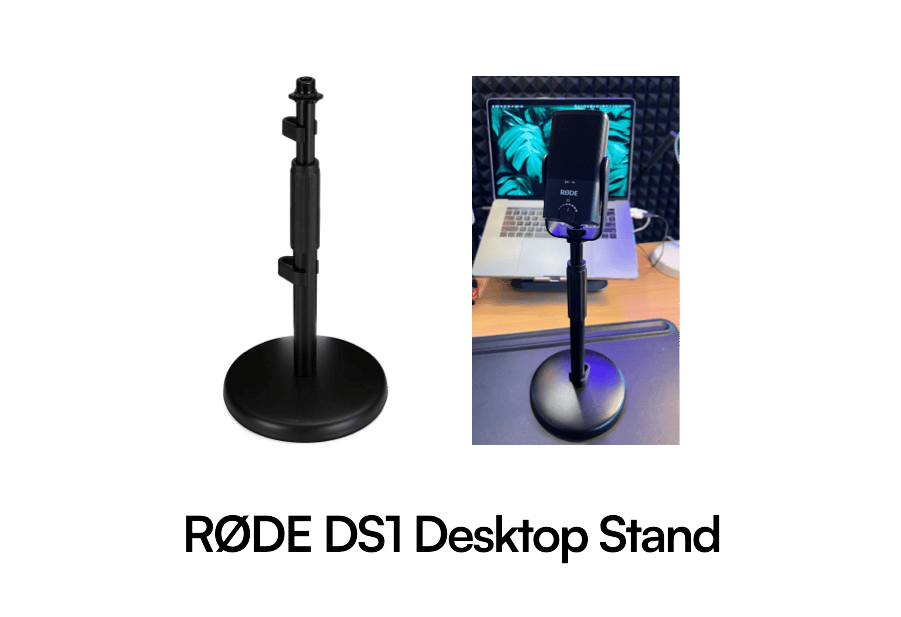
You can opt for a static stand that remains in the same spot, such as the RØDE DS1 Desktop Stand.
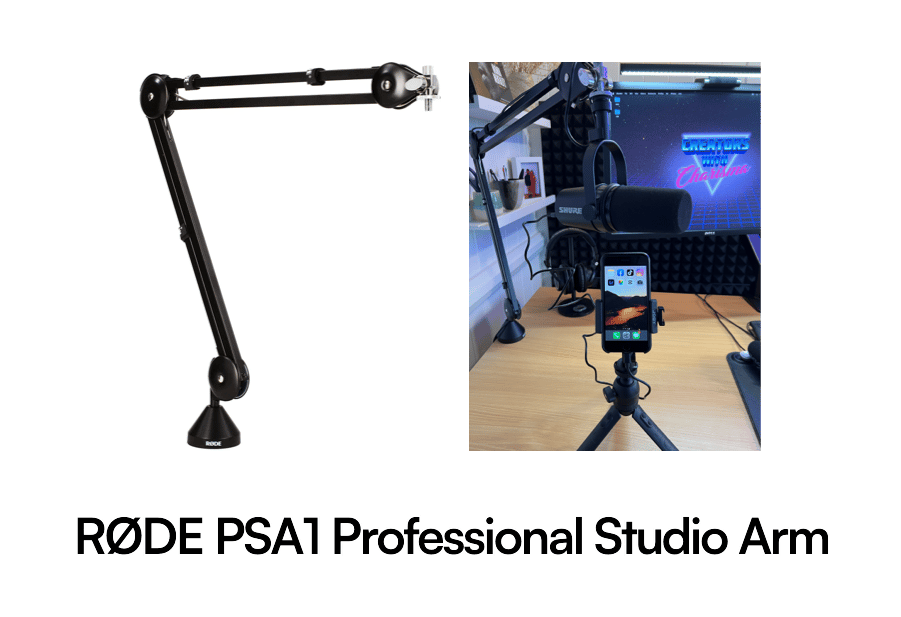
Or if you prefer flexibility and want to move your microphone around for different looks, the RØDE PSA1 Professional Studio Arm is an excellent choice.
So in summary:
- You're a minimalist? Just use your smartphone
- You want a lightweight solution in a noisy space? Get a directional clip-on microphone
- You want clear audio from a subtle/hidden microphone? Use wired earphones or a lavalier microphone
- You hate cables? Get a wireless microphone set
- You want to start a podcast? Get a USB microphone
Looking forward to hearing your crispy audio in your upcoming content.
Mamba