By now, you've probably picked up a recurring theme in these newsletters.
I'm 99.9% certain that everything in our world, including ourselves, is pure…
E⚡️N⚡️E⚡️R⚡️ G⚡️ Y
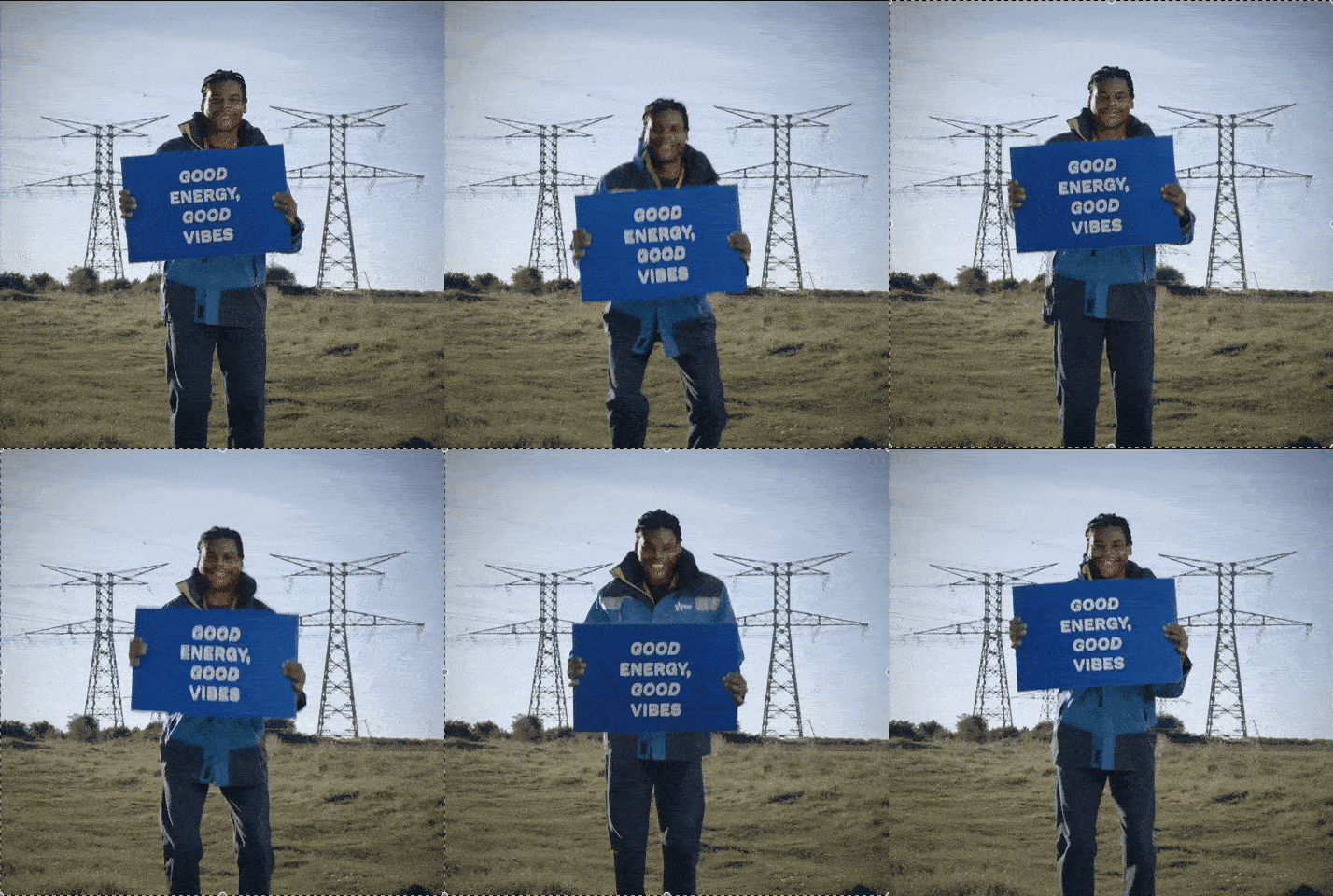
You probably don't even notice how often you describe things/people with reference to it:
- "She's just got really good vibes"
- "I get a great feeling whenever I'm around him"
- "Something about that song just makes me want to move'n'groove"
- "Mamba's video content is so [whatever word comes to mind for you]"
And that's why I froth video content so much.
Out of all the content formats, it's the one that hits the most sensory touchpoints simultaneously and can powerfully shift the way your viewer feels.
I've learned that people will forget what you said, people will forget what you did, but people will never forget how you made them feel
- Maya Angelou
So whether you're just sharing a message, pitching an idea, promoting your product/service or giving your $0.02, your intention is to deliver a message that connects, resonates or even polarises your audience - the aim is always the same.
To make them feel something and as a result, take an action.
Like
Follow
Comment
Subscribe
Learn more
While you may still be mastering the art of storytelling, talking to the camera or editing videos like a professional editor, there is a really simple lever you can start using , that's been a secret weapon for the videos I've been creating for clients and myself...
Music 🎶
It has a powerful way of instantly establishing the energy (or feeling) of your message, before your first scene, or spoken words.
And it's something that I often spend a lot of time researching, shortlisting and testing until it's just right.
It's also one of the biggest challenges I hear again and again, from creative professionals like you, being unsure of:
- how to access the right music
- how to align it with your content; and
- how to add it to your content
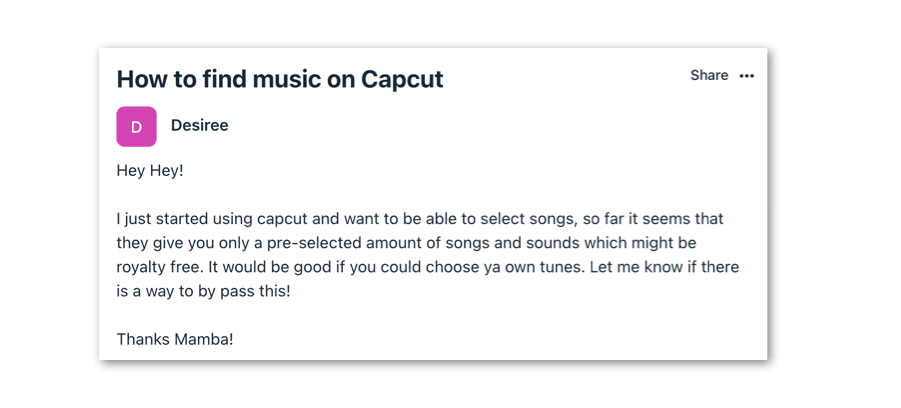
Or even worse, if you don't know the rules around music usage, it can lead to you receiving a "strike" from the platform, having your content taken down or being banned for breaching copyright.
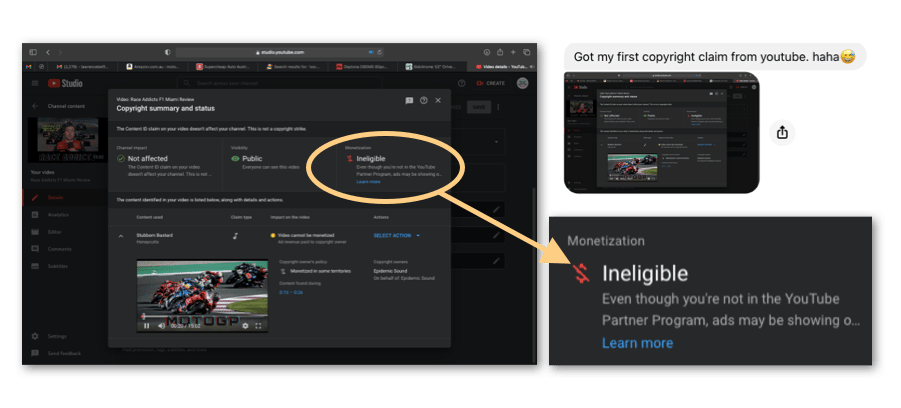
Spending hours editing a video with that "perfect" track only to have it taken down/muted/banned or de-monetised is a painful experience, and it's one that I've copped p-l-e-n-t-y of times over the last decade.
So today, I'm going to guide you through 3 ways to (legally) access, align and add music to your content, depending on which profile you match:
1. You post your video content directly to TikTok, Instagram Reels or YouTube Shorts.
Great news - each of these platforms have in-app music libraries that you can access as you go to edit and/or upload your video content.
You can also shortlist "trending" music or sounds which are essential tracks that are growing in popularity and usage, usually related to a meme, trend or pop-culture phenomenon.
Note : While I don't recommend solely relying on trending music for your content, it can be an effective way of tapping into potential vitality for your content, if your content incorporates the trend in a way that's authentic to your brand and nails the trend.
Depending on your platform of choice, here is a walkthrough of how to access and add music to your video content:
Option 1: Later Blog
Bookmark this blog link from Later that provides a weekly roundup of trending sounds on Instagram.
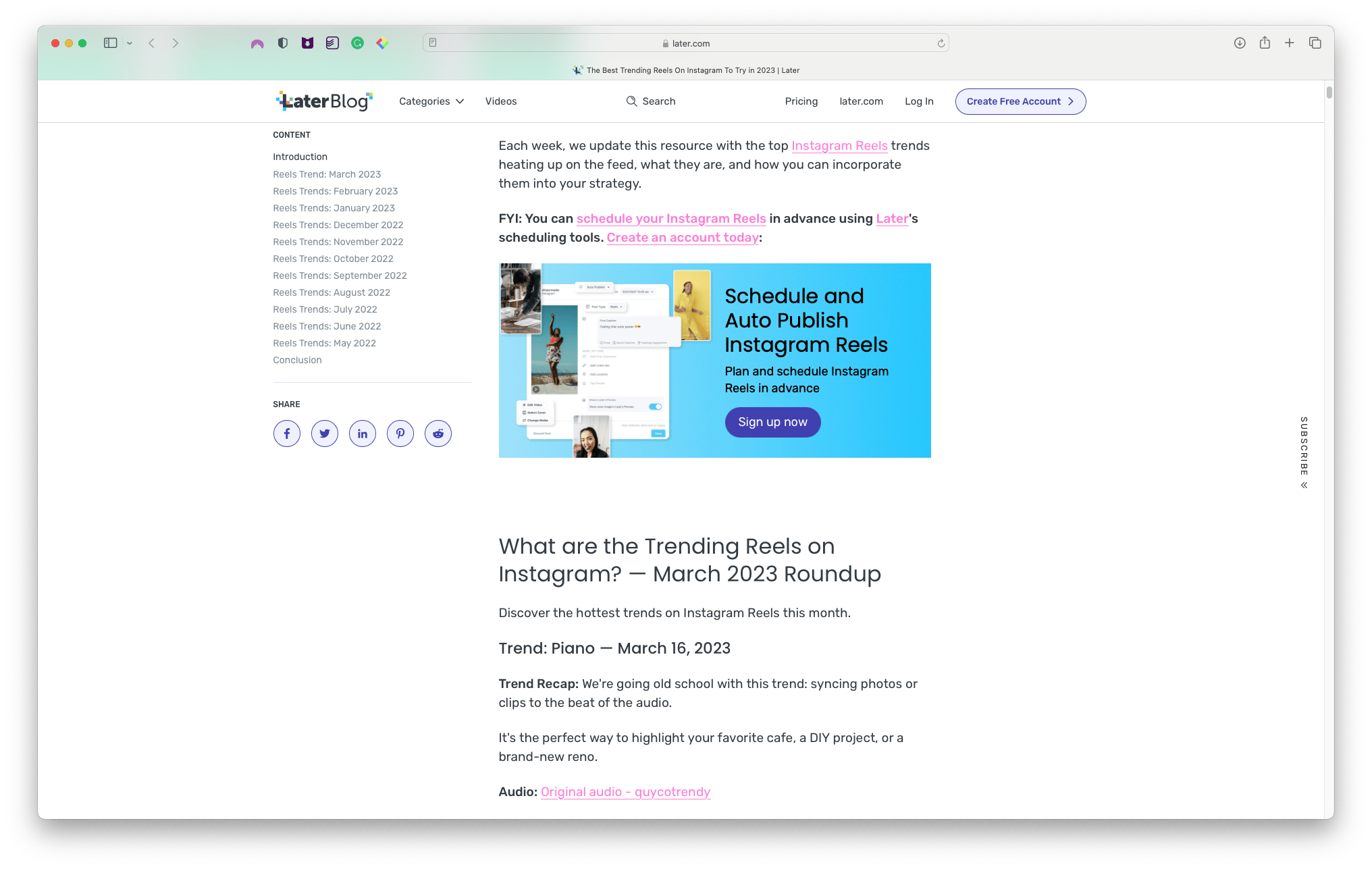
Option 2: In-App
When browsing tracks in the Instagram Reels newsfeed, look to see if there's an arrow next to the audio.
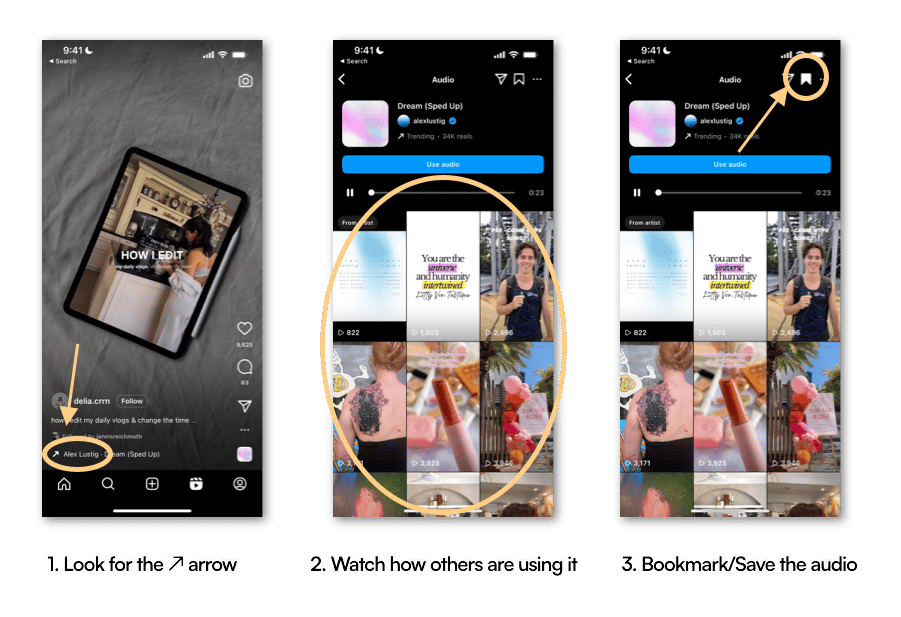
Tap on "Save audio" and you'll be able to add that track to your video later on.
Personal/Creator Account:
You have access to all music/sounds available on the respective platform so there's no limitation to what you can use, or any repercussions (i.e. copyright claim).
Business Account:
Unfortunately, Business accounts require that you obtain a licence to use music from recording artists (which we'll cover some cost-effective options further down)
BUT…there's a sneaky way around this
You can use music/sounds that are labelled as "Original Audio" from the creator, so that means you still have access to tons of trending sounds.
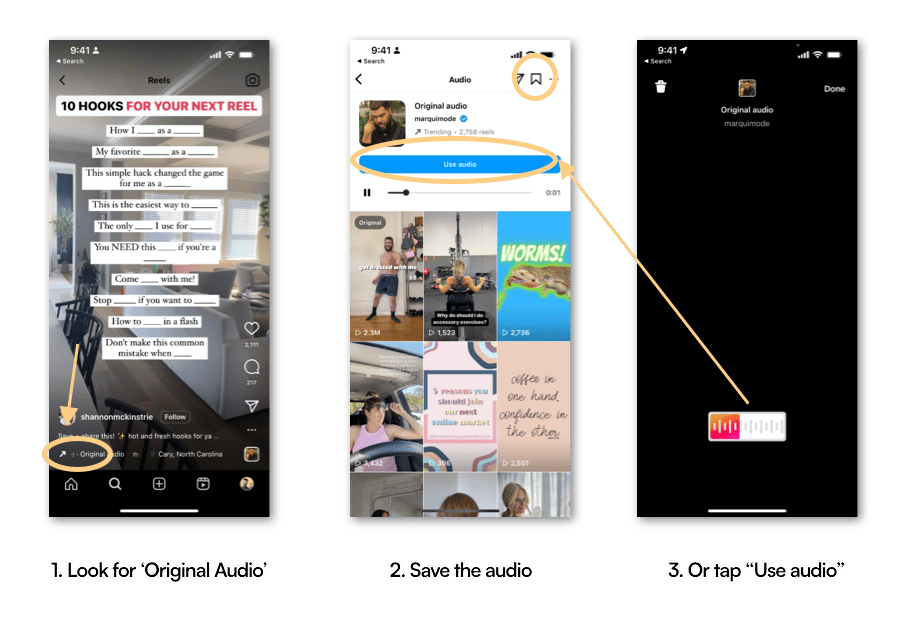
Some of these tracks may just happen to incorporate music from recording artists, saving you thousands of dollars from music licencing fees.
Note : This is not legal advice, pursue this approach at your own discretion
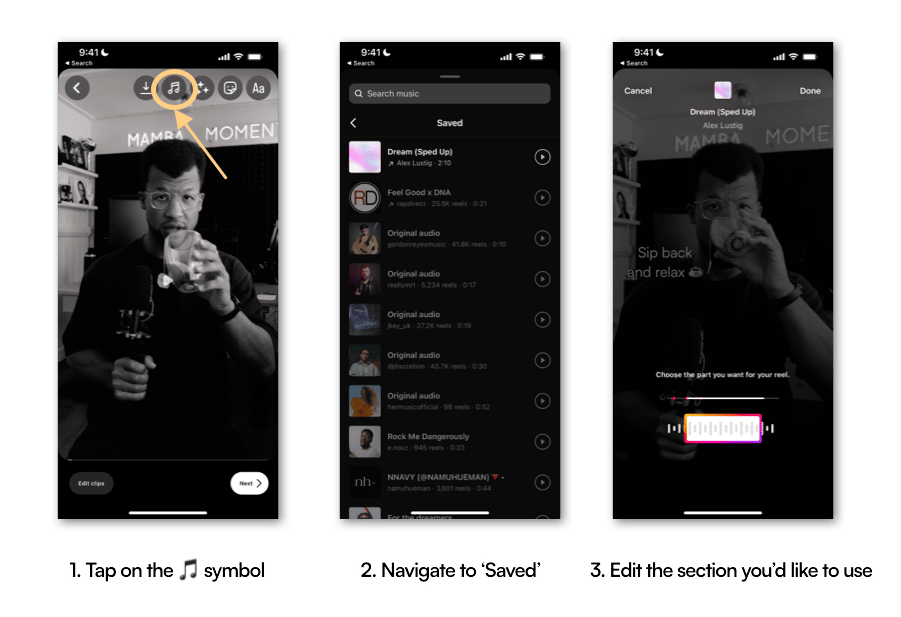
And here's how to add music to your Instagram content:
TikTok
Option 1: TikTok Creative Centre
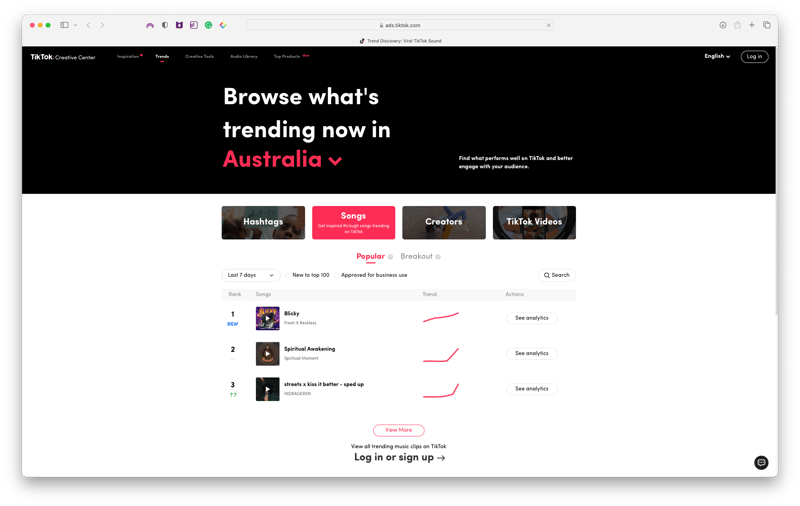
Bookmark the TikTok Creative Centre as it provides real-time data on trending songs (as well as hashtags, creators and videos) that you can tap into.
Option 2: In-app
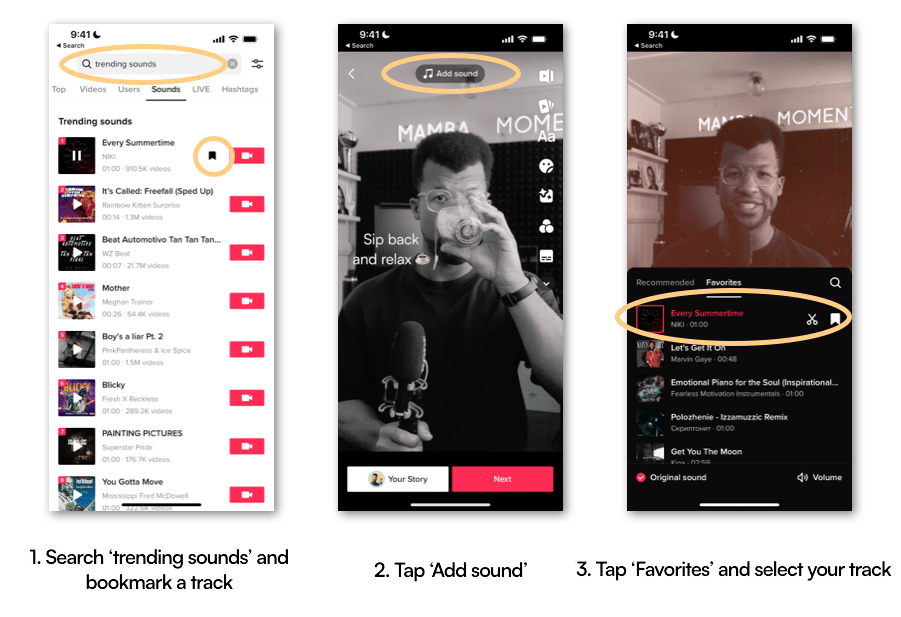
In the TikTok app, just search "Trending Sounds" in the search bar, tap on the "Sounds" sub-menu and voila!
So here's how to search and add trending music to your TikTok content:
YouTube Shorts
Option 1: In-app
As you go to upload a YouTube Short, when you tap on the "music" icon, you'll be presented with "Top Sounds" that show how many Shorts are featuring the track.
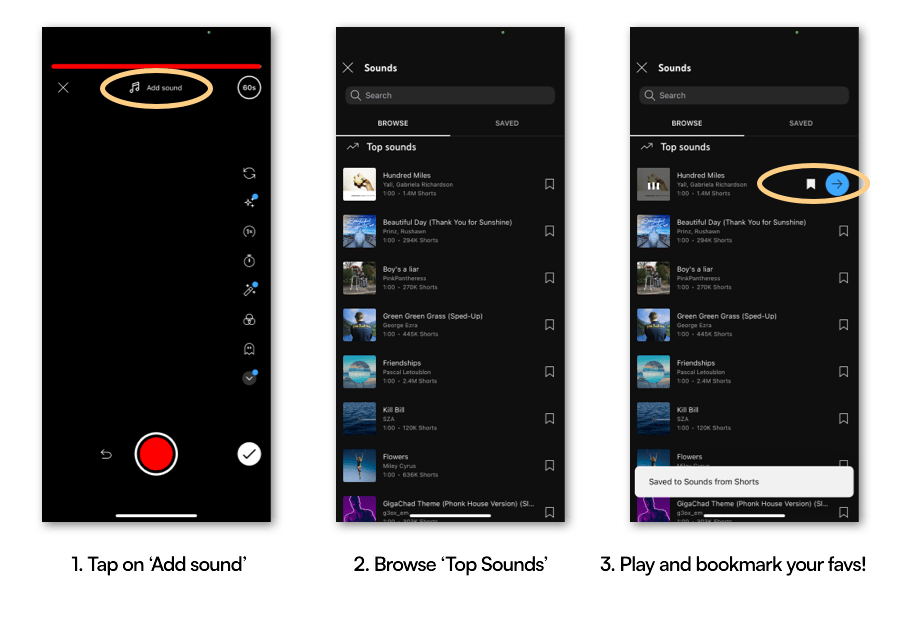
And here's how to add music to your YouTube Shorts content:
2. You create content for multiple platforms, and prefer to edit music in a standalone video editing app
If you prefer to curate, shortlist and select music for your videos, that
- isn't trending or from pop charts
- is royalty-free (i.e. you can use it without copyright); and
- doesn't sound like generic elevator music from the 90's
...then I recommend signing up for a free account with either Upbeat or TuneTank
UppBeat (the one I use!)
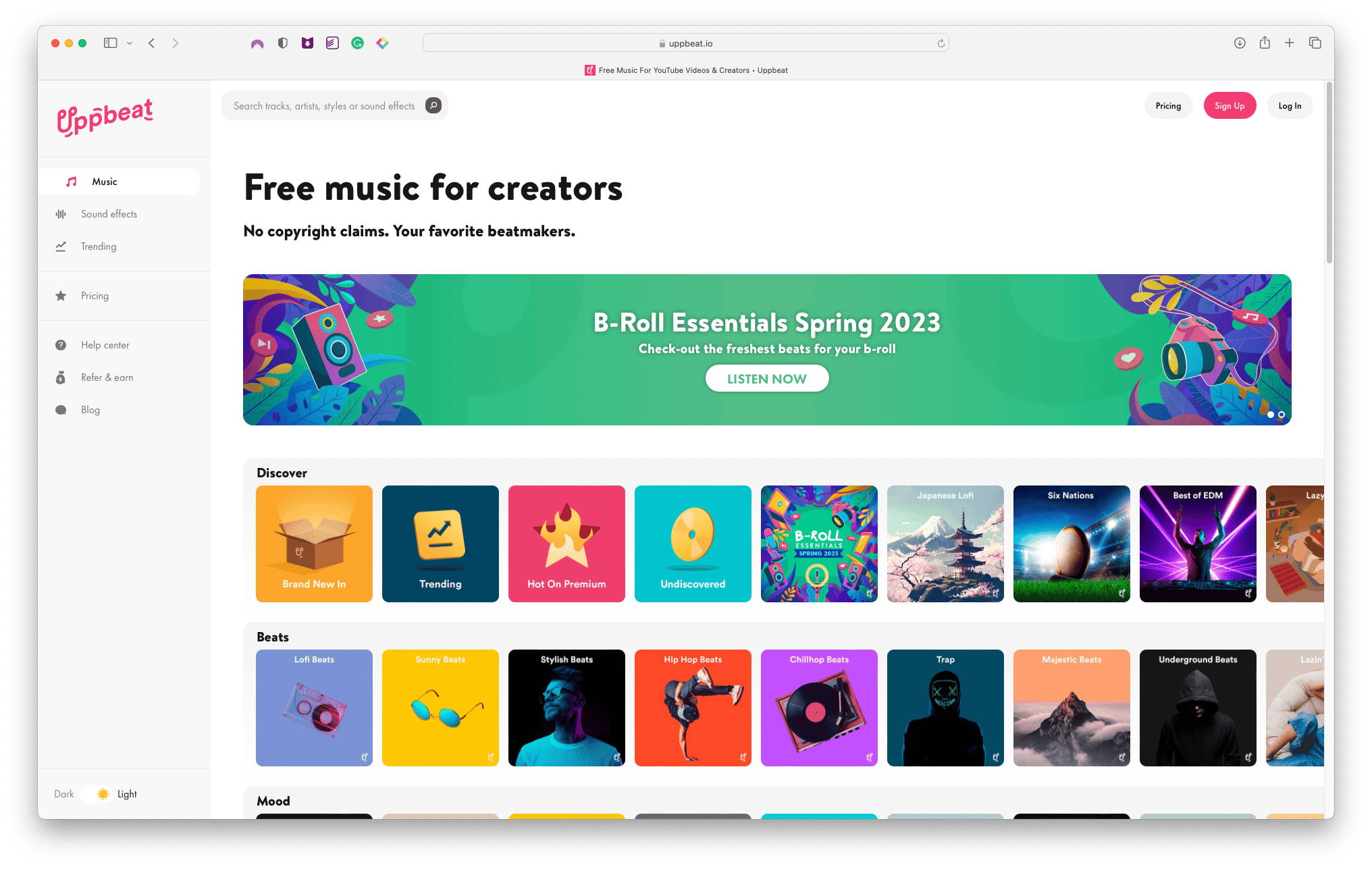
Sign up for a free UppBeat account
TuneTank
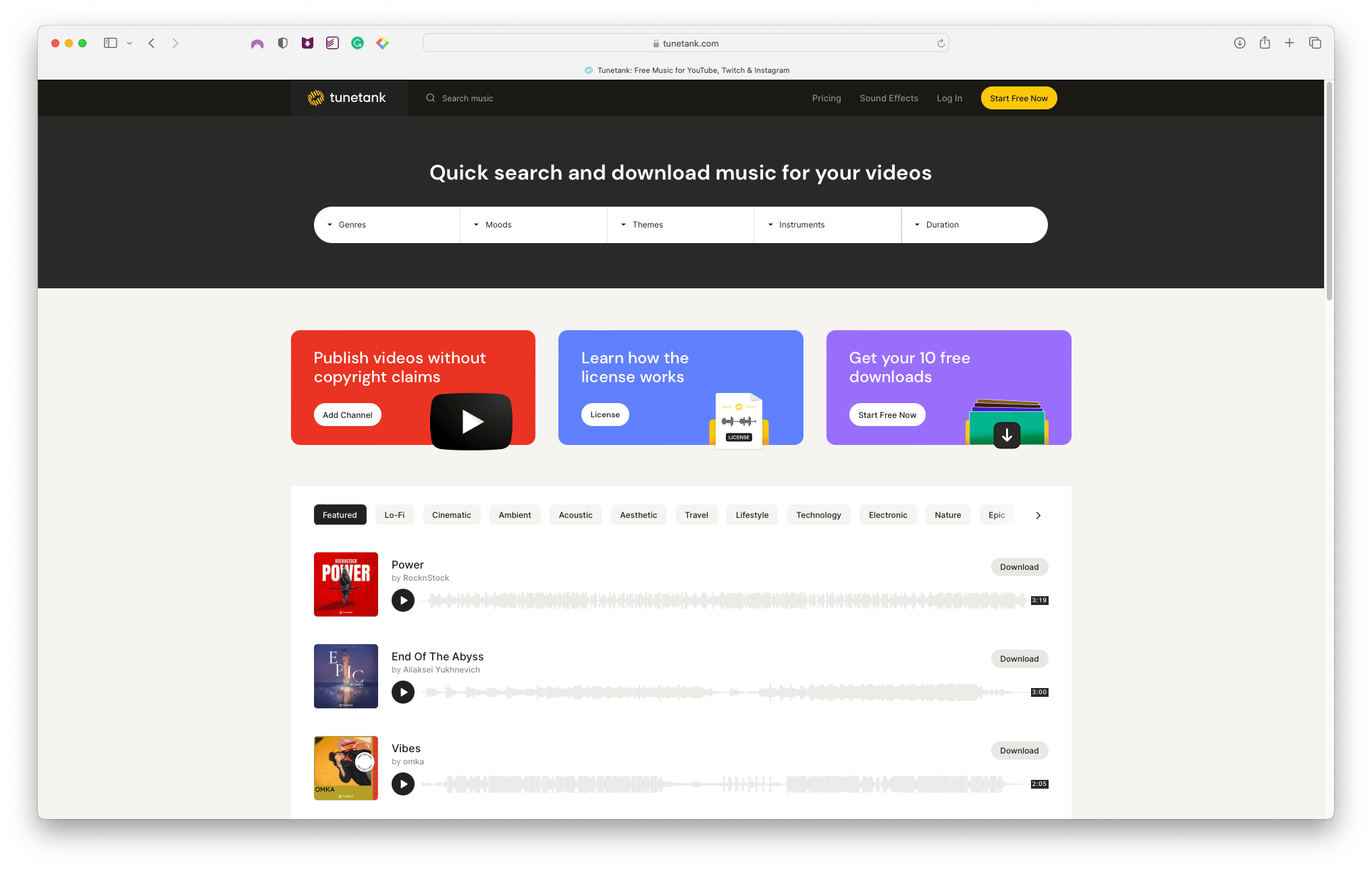
Sign up for a free TuneTank account
Both platforms allow you to download up to 10 royalty-free tracks per month (and it resets each month) plus they both have intuitive dashboards to navigate and find the right vibe, theme or energy of your content.
Then just download the track and be sure to note if you're required to paste a "credit" note into your video's description to avoid claims (if posting on YouTube)
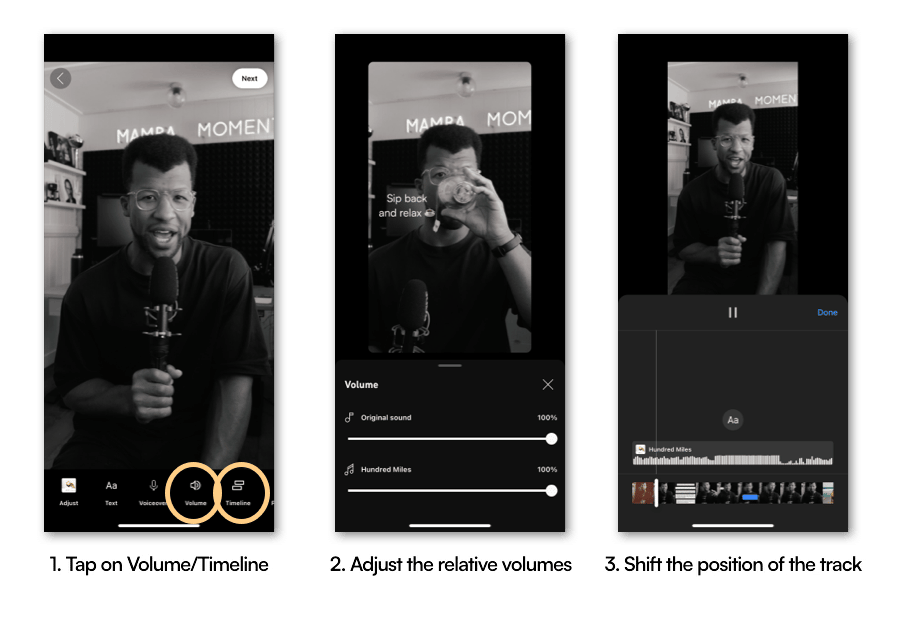
Here's how to add it to your video content (using Upbeat & CapCut on iOS)
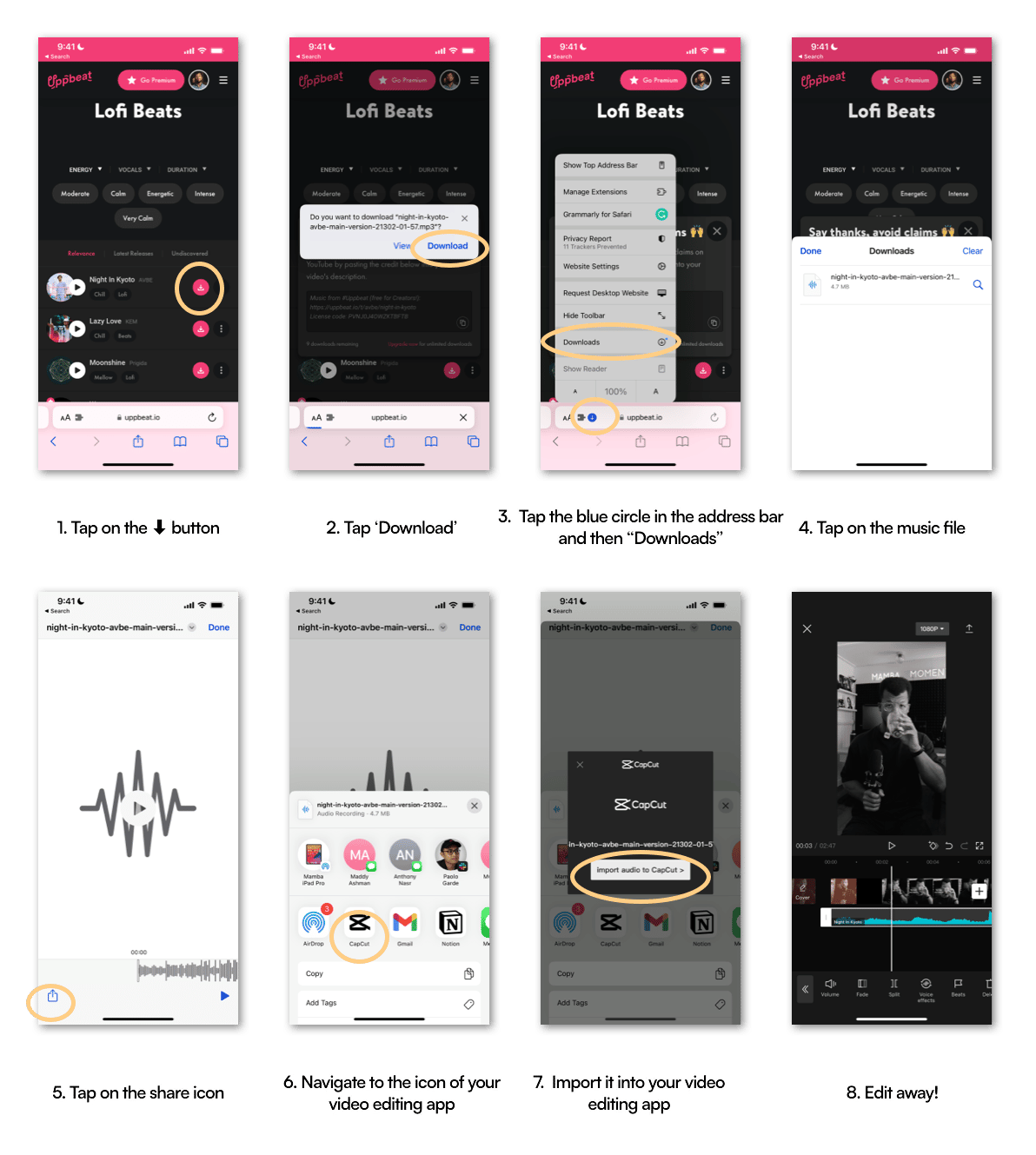
3. You're a creator, or manage a business brand, and want access to a comprehensive, unlimited library of music (and are happy to pay!)
As the title explains, this is for more invested creators or brands that don't want to be restricted by the music available in-app, or through free royalty-free music subscriptions.
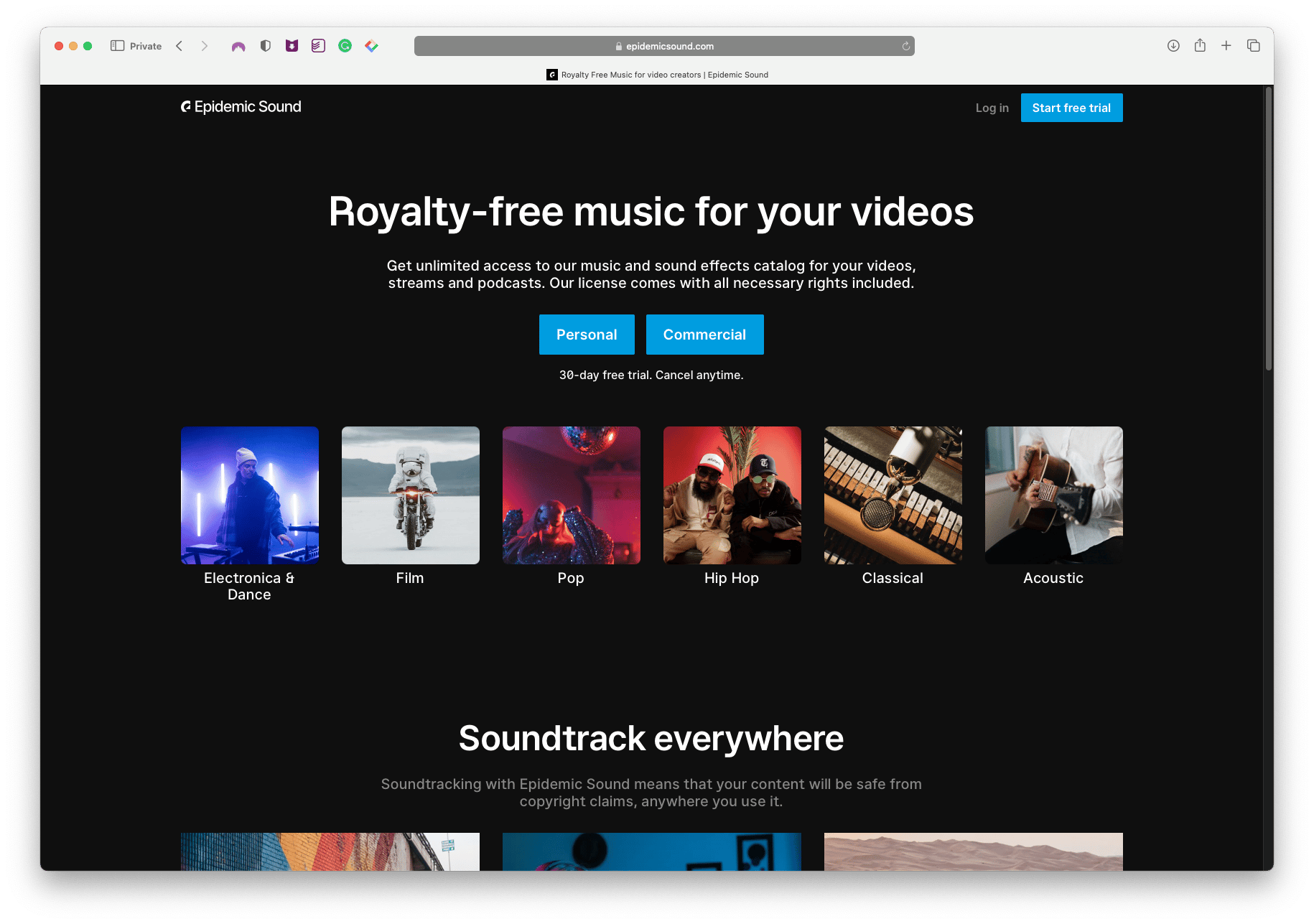
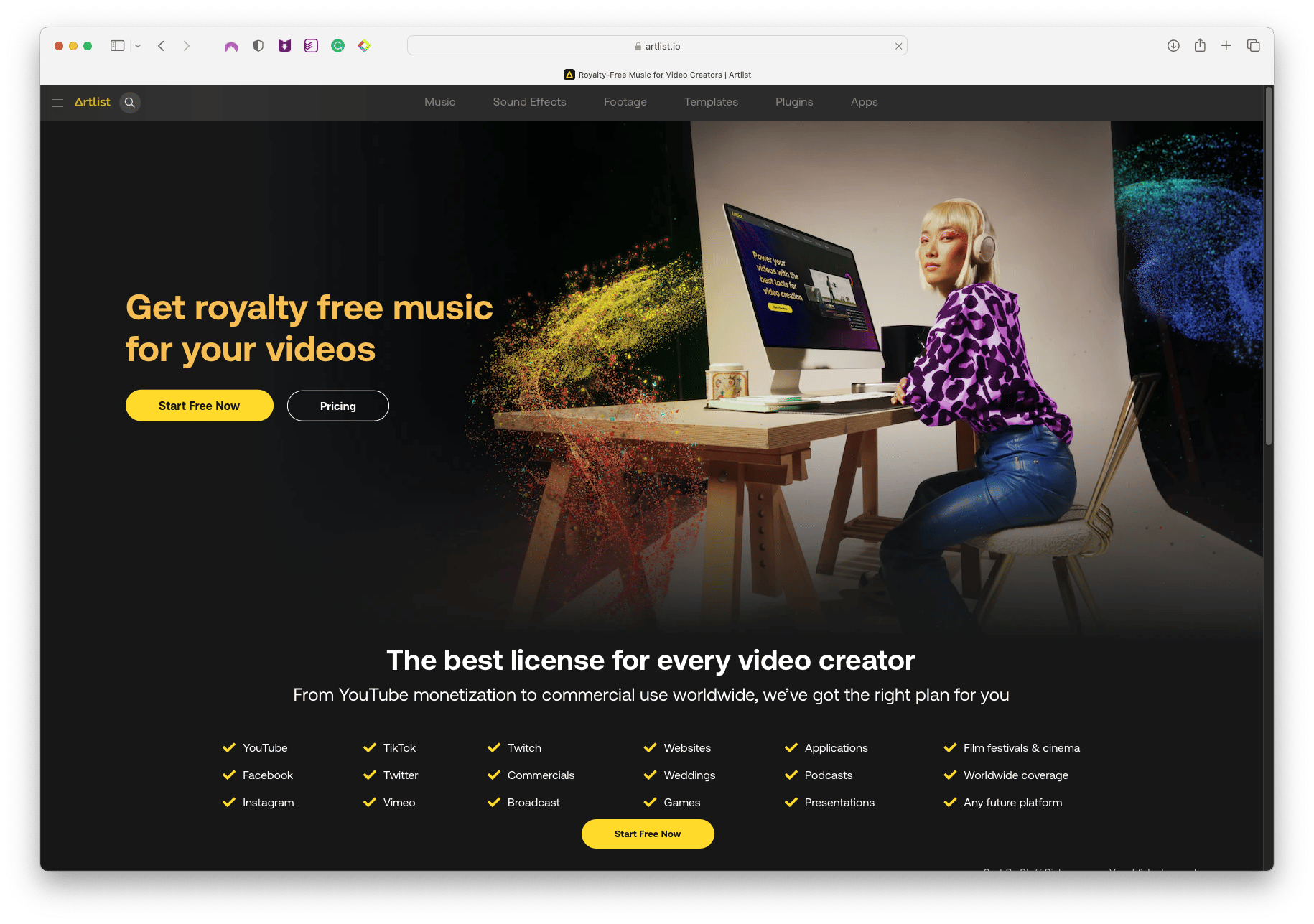
Fortunately, there are now affordable subscriptions to access high-quality libraries of royalty-free music libraries through platforms such as Epidemic Sound or Artlist.
Epidemic Sound (the one I use!)
Artlist
There's 2 reasons I love using royalty-free platforms like these:
1. "Similar Songs/Trackers" features - if you find a track that is nearly what you're after, you can use this feature to shortlist tracks similar in nature, cutting down the time of your shortlisting and selection process
2. Playlists - you can shortlist and curate sounds that match a recurring vibe in your content
For example:
I like incorporating melancholic, emotive piano-led instrumentals for a lot of my talking head videos.
So I've created a playlist called "Pensive Piano" where I add tracks to it as I come across them
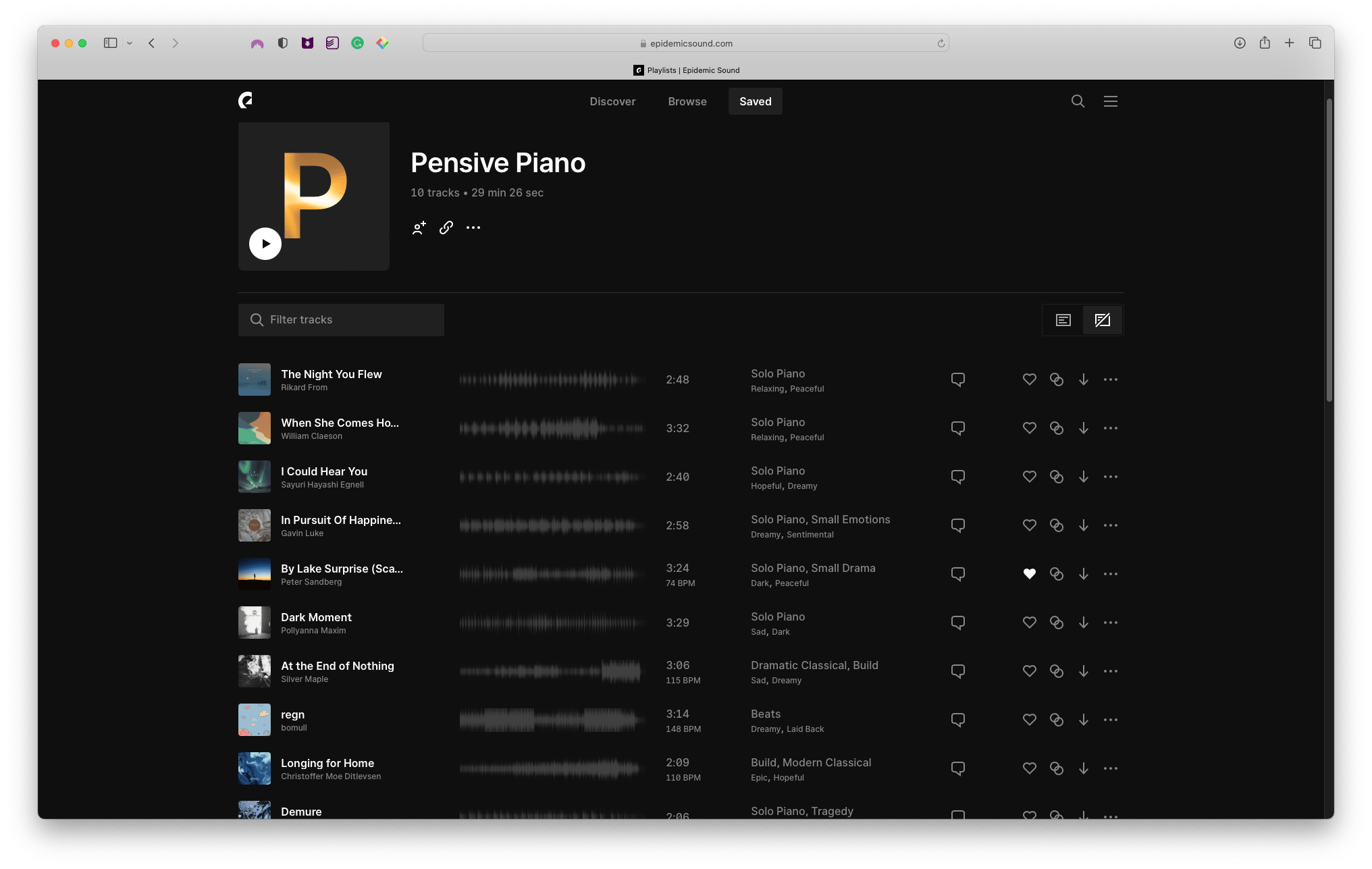
That way, when I'm ready to edit a video, I can just pull it up, playback the tracks and quickly find one that I feel is right for my content.
In this Instagram video, I used Dark Moment by POLLYANNA MAXIM from my playlist, to elicit a reflective and vulnerable mood to align with the nature of my message.
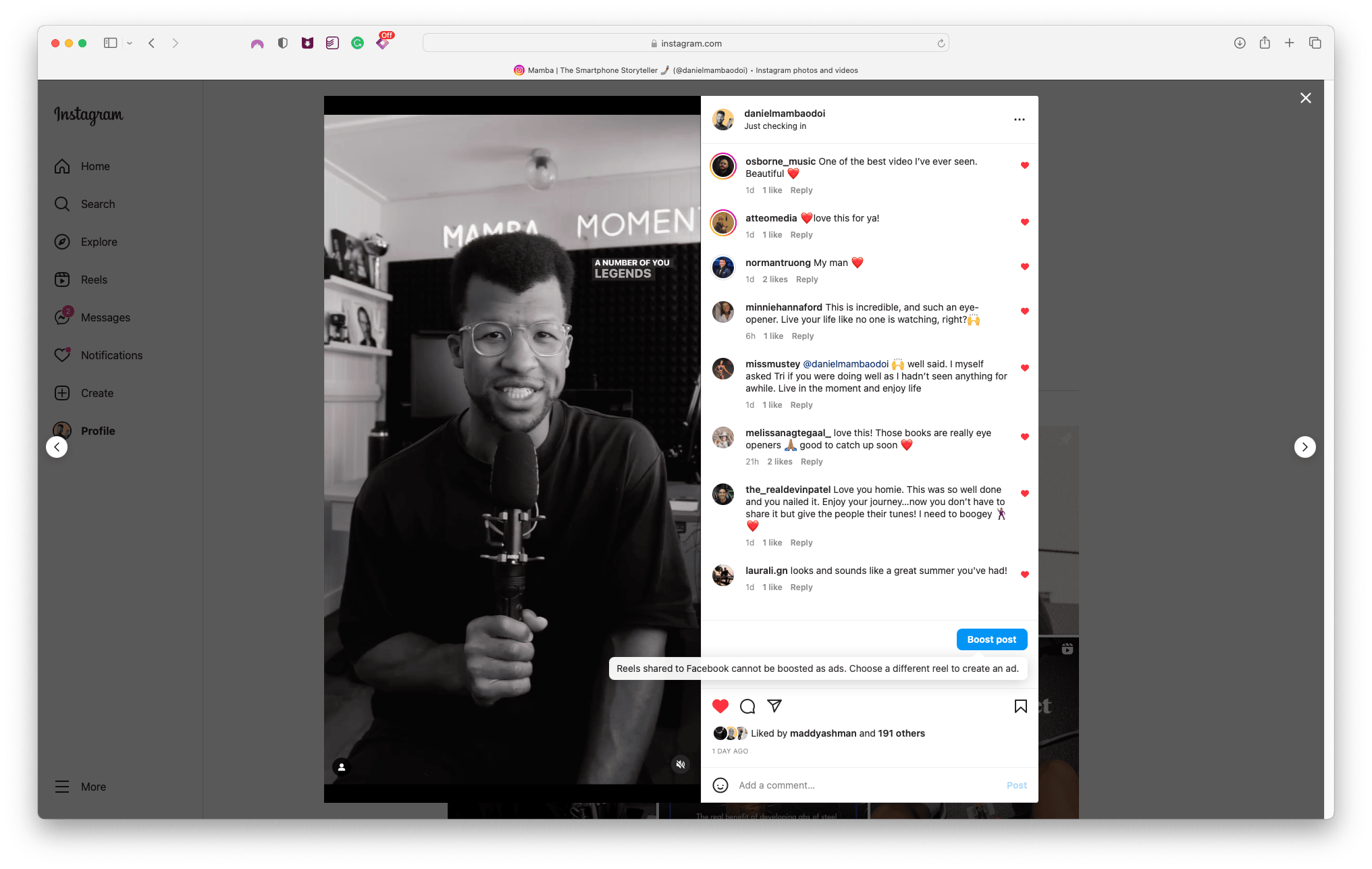
Link to the video on Instagram
And like before, adding music from either of these platforms is just a matter of downloading the track to your device (smartphone/computer) and importing it into your video editing app!
So in summary, if you're:
- Posting directly to just one video platform : use the in-app library (and sprinkle trending sounds)
- Posting to multiple platforms : sign up for a free account with Upbeat or TuneTank
- After a comprehensive library of tracks and are happy to pay : sign up for Epidemic Sound or Artlist
Very excited to start hearing the music you incorporate into your video content using these approaches.
Until next time, keep on grooving my friend.
Mamba