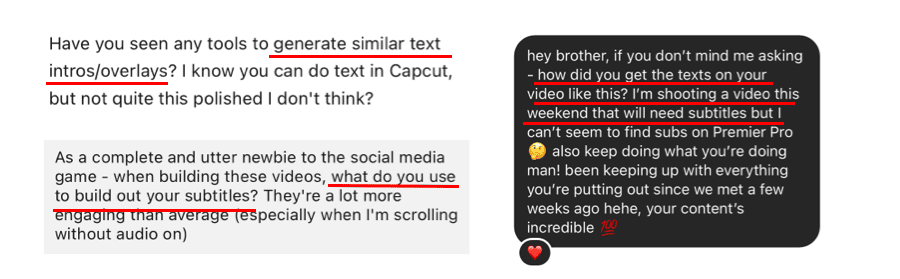
Up to 80% of social media users watch video content on mute. If you're creating videos without captions, you're missing out on engagement and limiting your reach.
Adding captions does more than improve accessibility. It gives algorithms crucial metadata—titles, descriptions, transcriptions—to identify, classify and surface your content to the right audience.
But here's the good news: you don't need advanced video editing skills, hours of manual work, or an expensive freelancer to add professional captions to your videos. The right tool depends on how and where you're posting.
1: You post short-form video directly to Instagram or TikTok
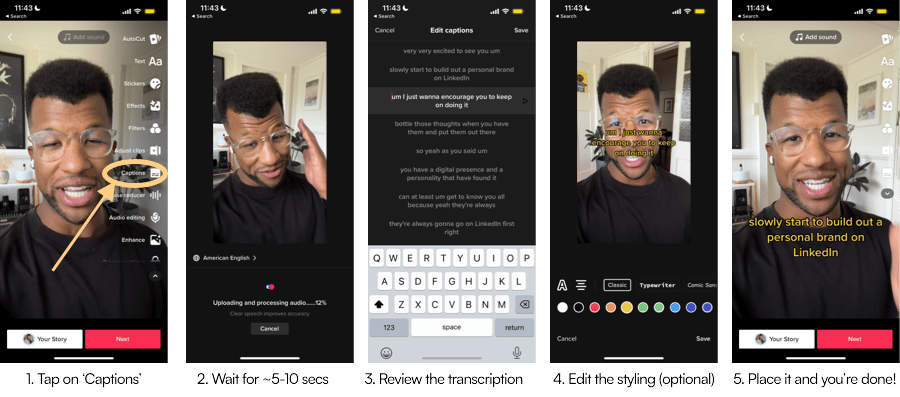
Both Instagram and TikTok have free, built-in auto-generated captioning features. Use them.
✅ Pros
- It's quick and free
- 80-95% transcription accuracy
- Done in-app on your smartphone
❌ Cons
- Correcting errors on mobile is tedious
- Limited caption style options (fonts, appearance)
- Downloaded videos lose quality when saved
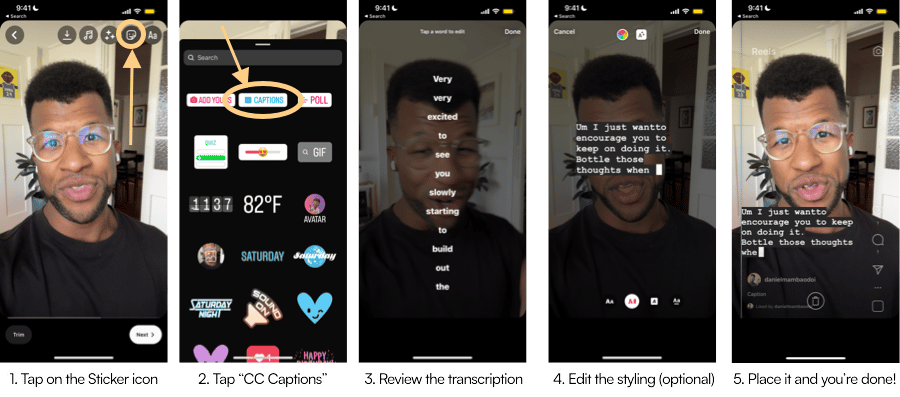
TikTok
2) You post short-form video to multiple platforms
The issue with in-app captioning is that when you download a captioned video from Instagram or TikTok, the resolution drops.
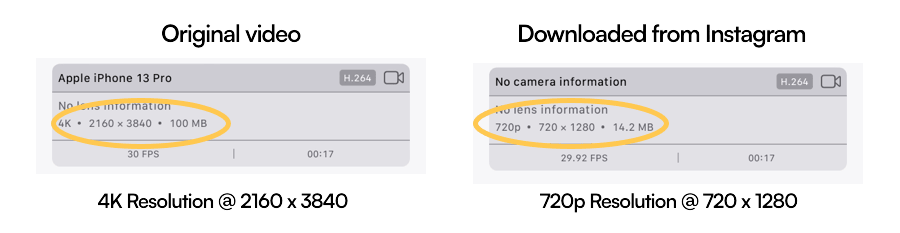
To avoid this, edit and export your video in a standalone video editing app. This preserves resolution and ensures your video is optimized for every platform.
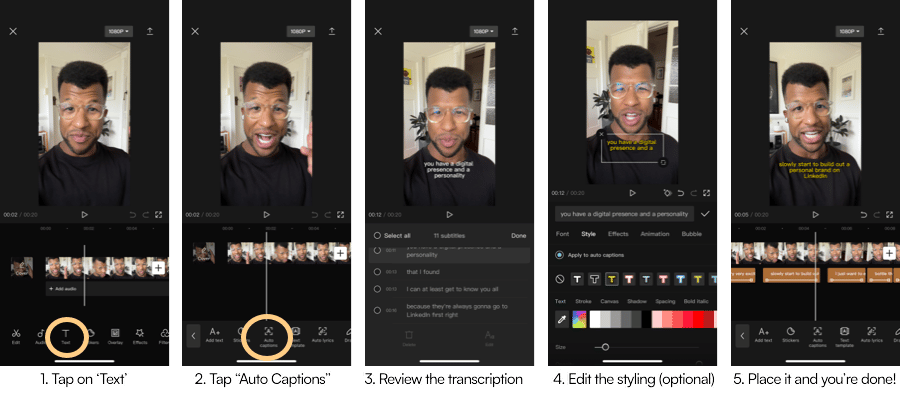
CapCut is my top recommendation—it's free, beginner-friendly, and available on mobile (iOS & Android), desktop, and web.
✅ Pros
- Identify and remove filler words
- More control over caption styling and formatting
- Dynamic captions surface each word as it's spoken
❌ Cons
- Mobile corrections can be tedious
- Likely to move to paid subscription in the future
- Owned by ByteDance, which has had documented data privacy concerns
How to do it in CapCut
3) You create long-form (>60 secs) video and prefer to edit captions in a text document
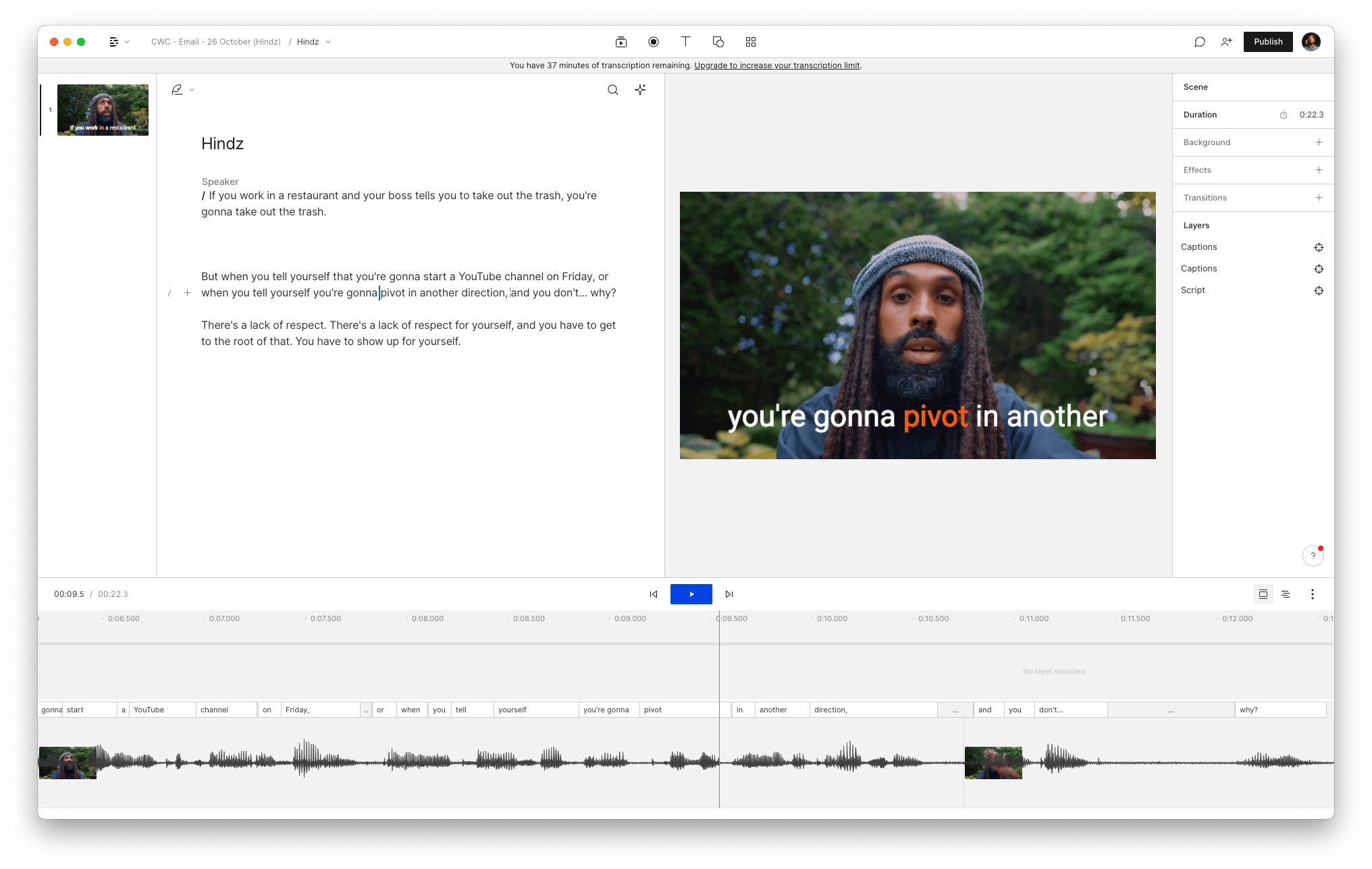
For longer content where transcription accuracy matters—especially names and pronouns—Descript is worth the investment.
It's a versatile all-in-one content creation tool with a standout feature: you edit your content like a text document. Review your video's transcription intuitively with flexibility over how captions appear.
✅ Pros
- Extensive customization: dynamic captions, filler word removal
- Intuitive desktop app interface
- Free plan includes 1 hour transcription and 1 watermark-free export monthly
❌ Cons
- Free plan limits exports to 720p resolution
- Best features require paid plan
- Only worth it if you're producing regular long-form content
In summary
- Posting on Instagram or TikTok only? Use their in-app captioning
- Posting across multiple platforms? Use CapCut
- Editing lots of long-form video? Use Descript
Pick the tool that matches your workflow, start captioning, and watch your engagement grow.
Mamba