In case you missed my attempt at recreating an iconic scene from The Matrix using a frozen blueberry and cherry tomato, I learned something valuable in the process: how to edit videos more efficiently.

While creating that video, I focused on emulating creative elements and themes from the movie, including using payphones and phone calls to track and "transport" characters.
To incorporate that, I wanted to overlay an audiogram on my video—a visual soundwave that mirrors spoken words and/or music.
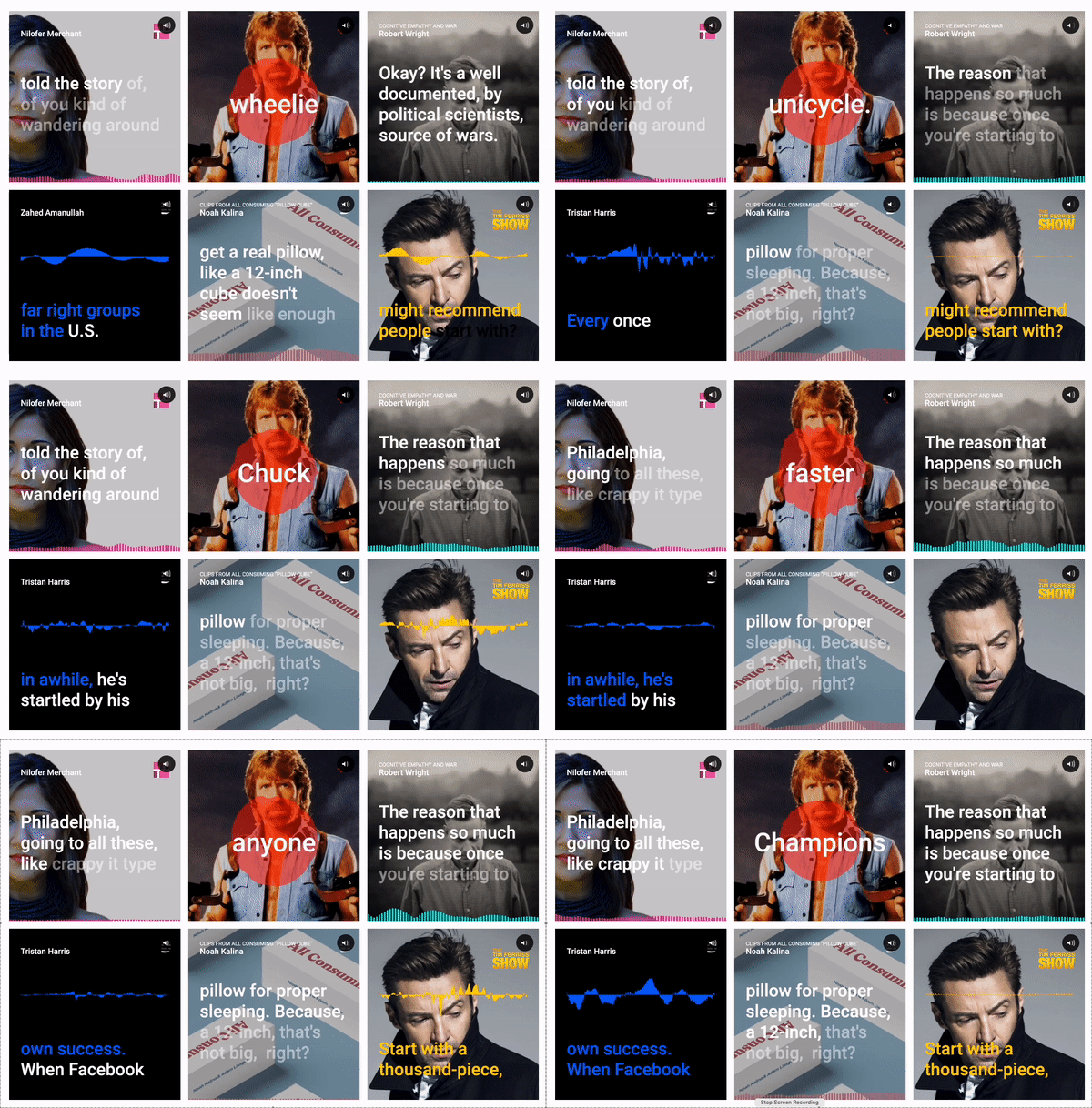
This led me to Descript, an all-in-one video editing app that has the audiogram feature available with just one click.
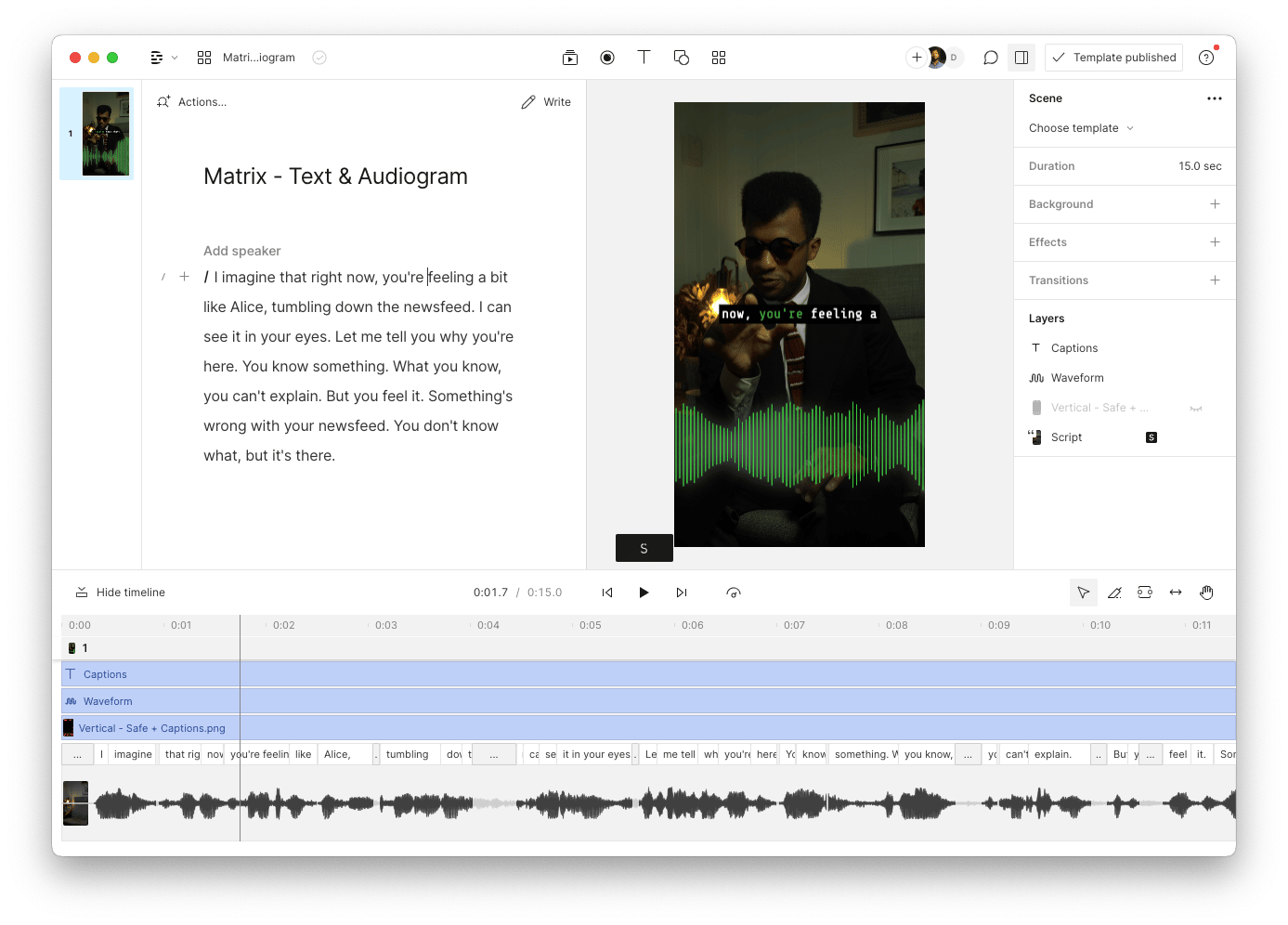
In my previous guide on How To Add Captions To Video, I recommended using Descript to add captions to your videos easily and efficiently.
But since returning to using Descript, there's a whole suite of additional features I now realise I wasn't making the most of. And they've won me over.
Here are 3 of my top reasons why I recommend you get started with, swap over to, or incorporate Descript into your video editing process.
📝 1. You Can Edit Like A Doc
Being a video editor for +10 years, this is a genuine game-changer.
The old way involves: - Importing your footage into a timeline - Playing back every second of the video to find the right takes - Slicing and dicing all of the errors, bad takes, umms and ahhs - And hours (days) later, having your final edit
The new way with Descript involves: - Importing your footage into the timeline - Waiting 30-60 seconds for it to transcribe the entire video - Removing all filler words (umm and ahhs) in one click - Editing the words (transcription) of the video, not the visuals - And saving yourself time (and sanity) with this process
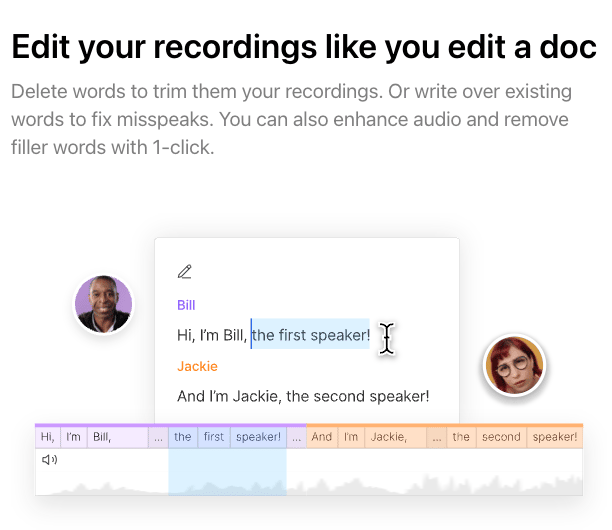
🎙️ 2. You Get Professional Sounding Audio
Descript comes with a one-click feature called Studio Sound that: - Instantly enhances your voices - Removes background noises - Minimises room echo
I was sceptical at first, but when I tested it with selfie-style videos recorded on my iPhone, I struggled to differentiate the adjusted sound from what normally came from my $400 Shure MV7 Desktop microphone. 🤯
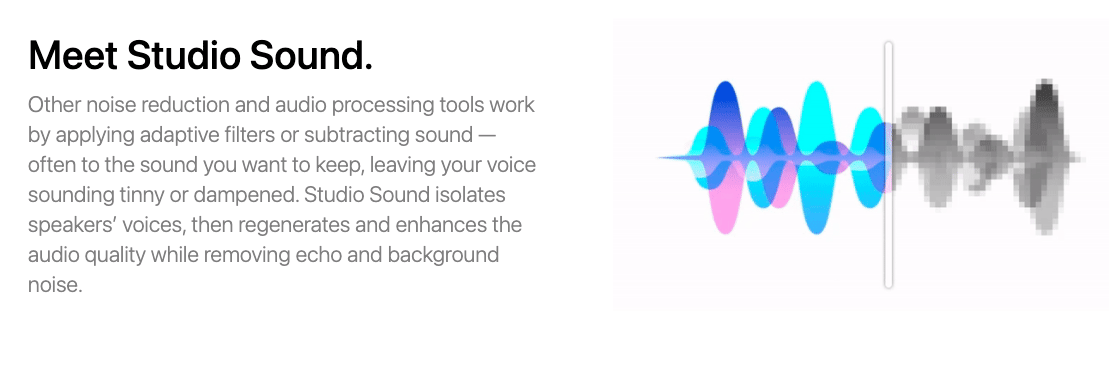
Even though Adobe Podcast has a free tool that also allows you to enhance the quality of your audio, that would require you to: - Separately export your audio track - Upload it to Adobe - Process it - Download it - Import it back into your editing software - Synchronise it with your original video
With Descript, it all happens in the same place. 🤌🏽
🔡 3. Templates
These are pre-made collections of layers, scenes and/or overlays that will save you from recreating those elements for each video.
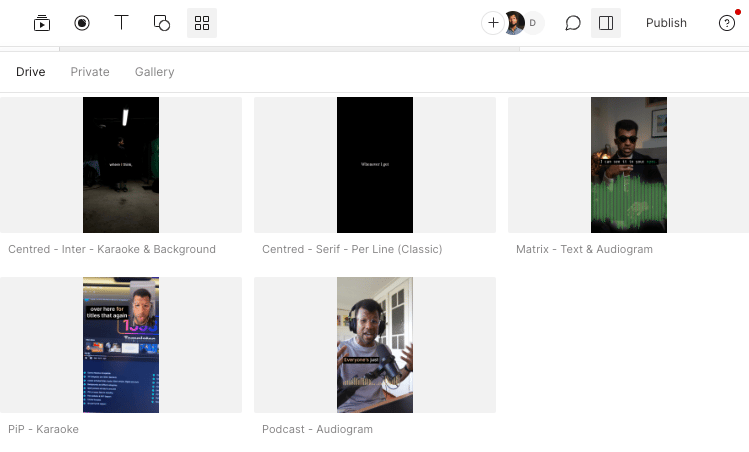
In my case, I have a few different styles of captions that I prefer using.
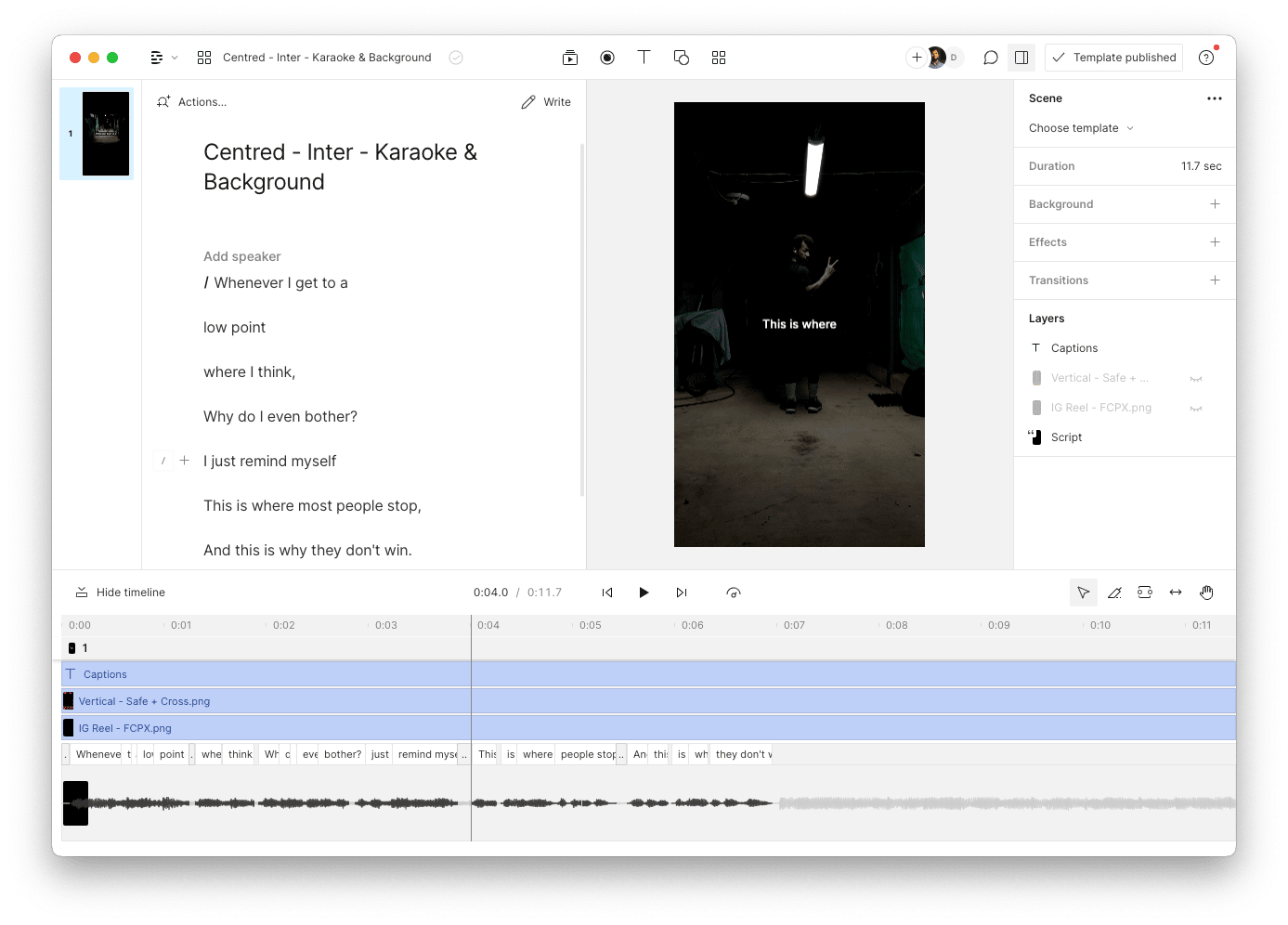
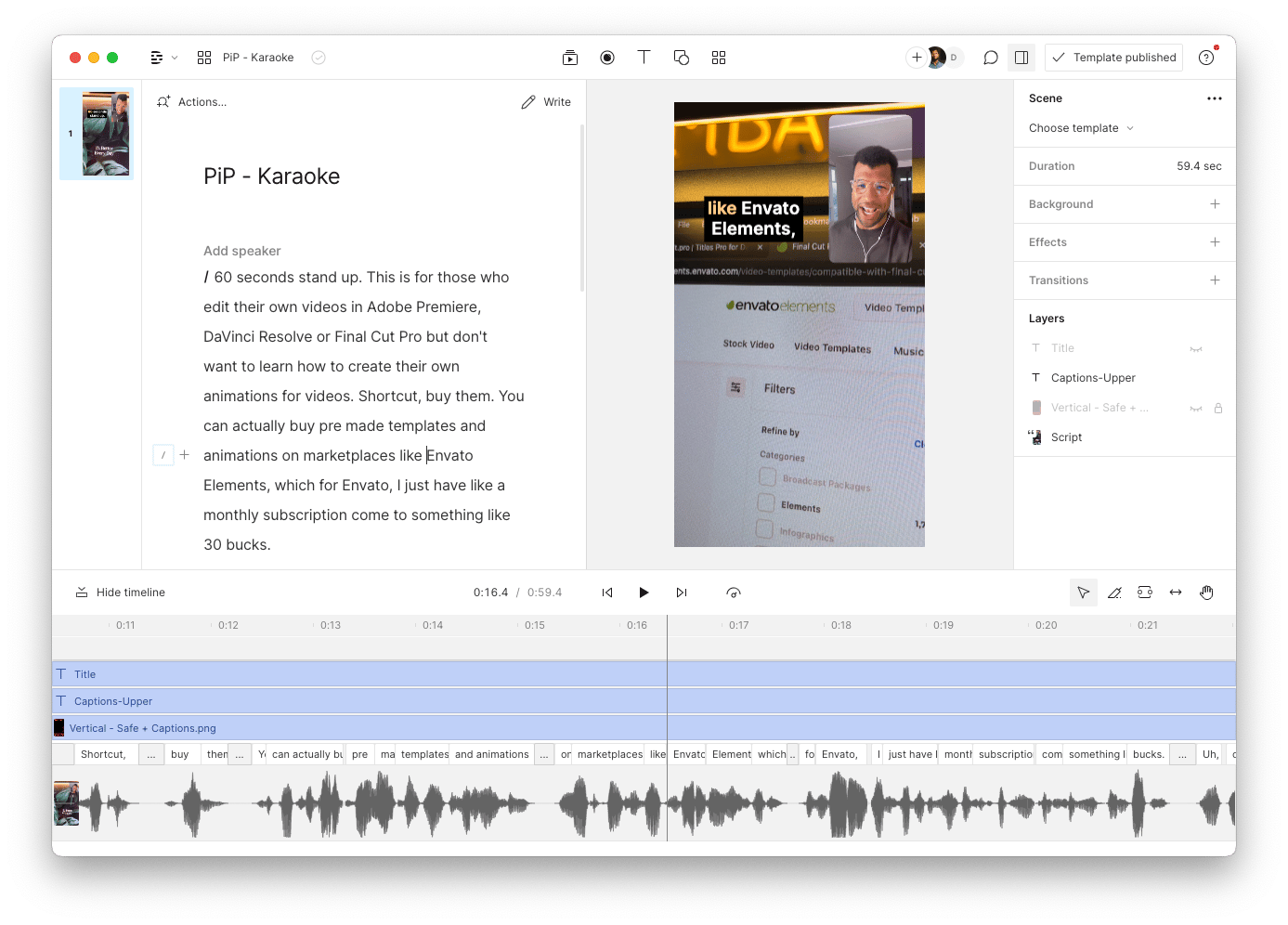
Instead of manually creating and formatting captions for each single video (which is what I used to do), I've now created and saved caption templates so I can automatically apply them to future videos.
Here are a couple of examples of my saved templates for captions:
So, in summary, Descript kicks ass when it comes to video editing because:
- Edit Like A Doc — It's more intuitive, and it's faster.
- Sound Like A Pro — Its inbuilt Studio Sound feature makes your iPhone/Zoom call recording sound like a professional podcaster.
- Templates — Save hours with pre-made elements to apply to every video.
Mamba